
Pricing Details
Starter: $0 per month; includes up to 3 projects, 3 editors, 1 GB file storage, and up to 5,000 geocoding runs. Pro: $29 per month per seat; includes up to 10 projects, 10 GB file storage, up to 5,000 geocoding runs, export to image, PDF, and GeoJSON, custom basemaps, and logo-free embedding. Team: $89 per month per full seat; includes everything in Pro plus unlimited projects, unlimited free viewers, 50 GB file storage, up to 25,000 geocoding runs, shared datasets, custom colors and icons, project-level permissions, and password-protected sharing. Enterprise: Custom pricing; includes everything in Team plus unlimited file storage, training and onboarding, a dedicated success manager, white-label embeds, default project permissions, early feature access, and invoice billing. Disclaimer: Please note that pricing information may not be up to date. For the most accurate and current pricing details, refer to the official Atlas website.
Product Visuals (1 images)
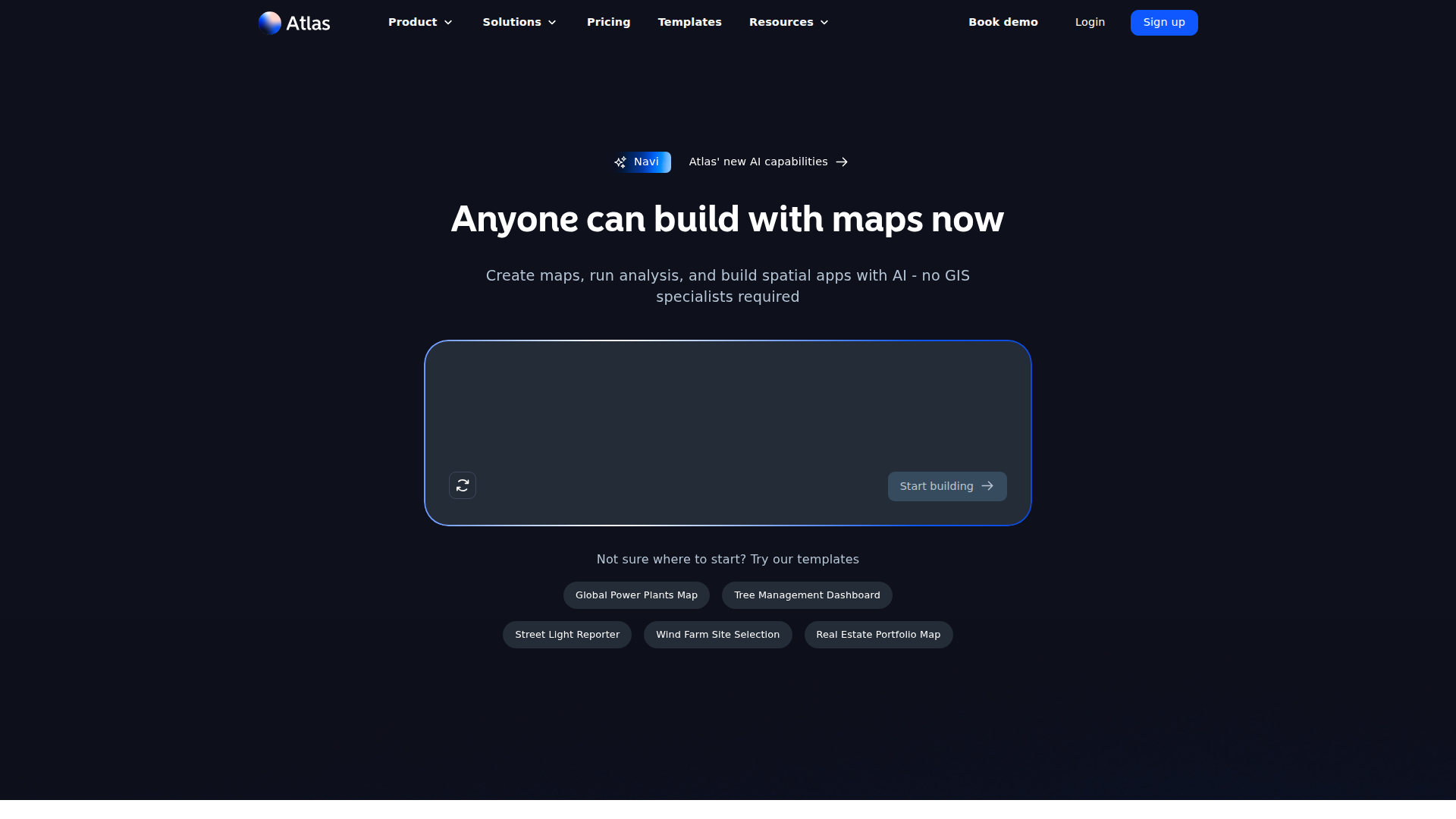
Strengths
- Low barrier to entry: Natural language workflows and a visual builder let non‑specialists create serious GIS outputs without months of training.
- Strong collaboration model: Browser based projects with real time editing, comments, and unlimited free viewers on higher tiers suit team environments.
- Rich data and integration story: Supports 30+ spatial formats, open data like OpenStreetMap, private Google Sheets, PostgreSQL, and PostGIS.
- Template driven workflows: Ready made templates for site selection, asset management, territory planning, and environmental analysis help users get started quickly.
Limitations
- Still a SaaS only tool: Cloud reliance means no real offline mode for field conditions with poor connectivity.
- Advanced GIS users may hit limits: Deep specialists may still prefer classic power user stacks for highly bespoke workflows.
- Limited direct support channels: Support is by email and self serve resources rather than phone or always on live chat.
What You Get
Key Features
- Conversational map building (Navi): Users describe a map or analysis in natural language and Atlas configures layers, styling, and filters automatically.
- AI data fields: Atlas can create new attributes from existing data based on a text prompt, useful for tagging, categorization, or derived metrics.
- Browser based GIS and collaboration: Multiple editors can work on the same map, with changes synced in real time and projects shared via links or embeds.
- 50+ spatial analysis tools: Includes buffers, overlays, routing, density and proximity analysis, plus domain specific workflows like wind power estimation or solar exposure.
- Interactive dashboards and widgets: Map based dashboards with charts, filters, buttons, and download actions turn projects into lightweight spatial applications.
- ProsLow barrier to entry: Natural language workflows and a visual builder let non‑specialists create serious GIS outputs without months of training.Strong collaboration model: Browser based projects with real time editing, comments, and unlimited free viewers on higher tiers suit team environments.Rich data and integration story: Supports 30+ spatial formats, open data like OpenStreetMap, private Google Sheets, PostgreSQL, and PostGIS.Template driven workflows: Ready made templates for site selection, asset management, territory planning, and environmental analysis help users get started quickly.ConsStill a SaaS only tool: Cloud reliance means no real offline mode for field conditions with poor connectivity.Advanced GIS users may hit limits: Deep specialists may still prefer classic power user stacks for highly bespoke workflows.Limited direct support channels: Support is by email and self serve resources rather than phone or always on live chat.
Best For
- Real estate and property teams: Evaluating portfolios, mapping assets, and assessing sites with travel time, zoning, and amenity overlays.
- Energy and infrastructure firms: Planning wind farms, solar arrays, and grid assets with domain specific spatial analysis.
- Climate and sustainability analysts: Combining environmental datasets to study exposure, risk, and mitigation scenarios.
- Public sector and urban planners: Managing trees, streetlights, public works, and civic reporting dashboards.
- Retail and franchise operators: Designing territories, store catchments, and location strategies with travel time and demographic analysis.
- Uncommon Use Cases: Used by universities and bootcamps to teach applied GIS with a gentler learning curve; adopted by NGOs and disaster volunteers for quick situational mapping during emergencies.
Similar Tools

No-Code tools · weekly digest
The AI Weekly — free in your inbox
New AI tools, pricing changes, expert picks, and hidden gems — curated by Mr. Spark every week. Join 5,000+ readers who stay ahead of the AI curve.