
Pricing Details
Free Version: Basic features with limited query capabilities. Pro Version: Starts at $39 per month, providing full access to advanced features and support. Disclaimer: For current pricing details, visit the BlazeSQL website.
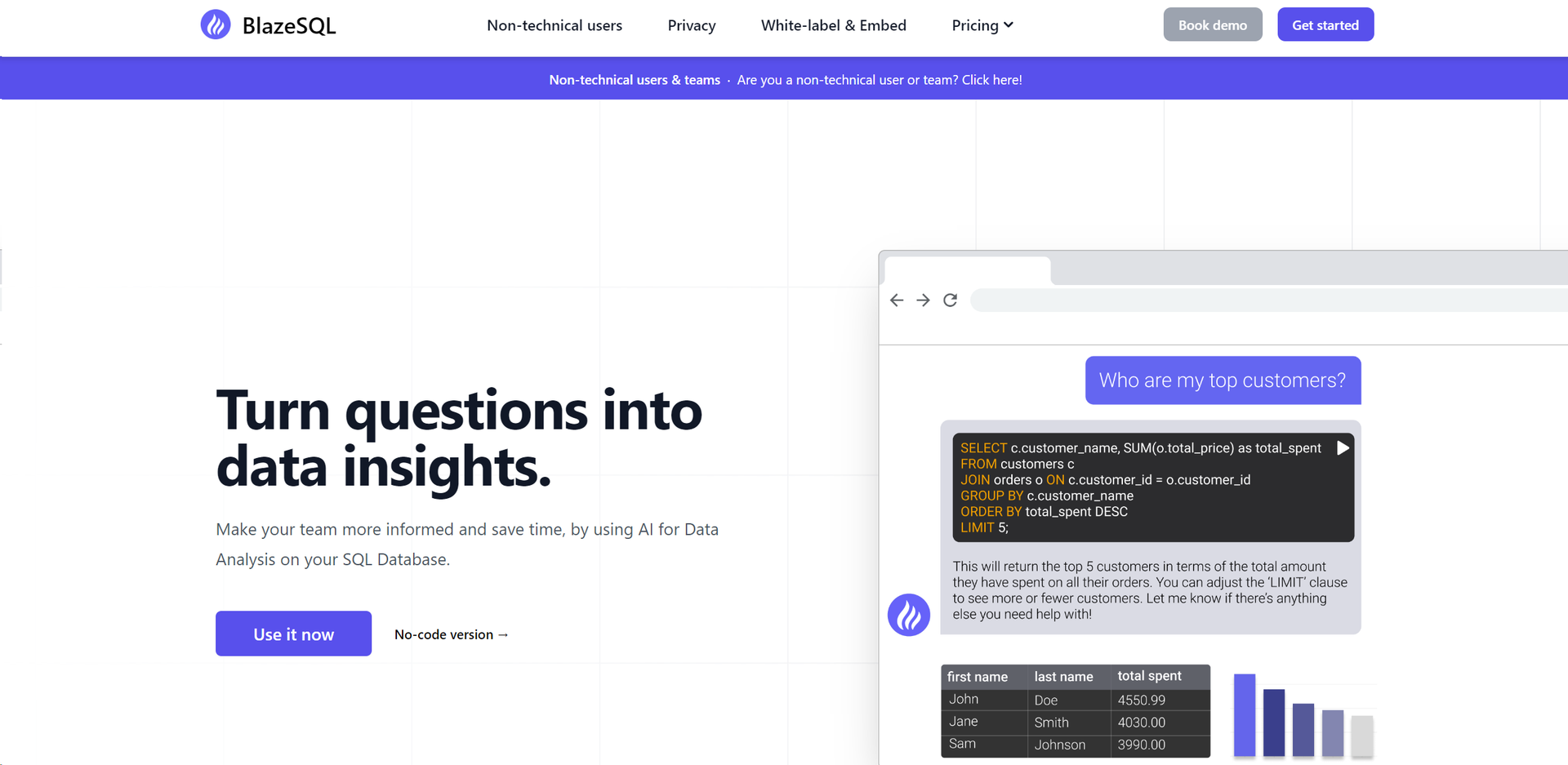
Product Visuals (1 images)
Strengths
- Enhanced Productivity: Reduces time spent on writing and debugging SQL queries by up to 85%.
- Accessibility for Non-Technical Users: Simplifies complex data analysis tasks, enabling effective querying for anyone.
- Secure Data Handling: Ensures all processing is local, crucial for compliance with data privacy regulations.
- Customizable and Scalable: Tailors solutions to individual or team needs, supporting various database types.
Limitations
- Dependency on Schema Inputs: Requires setup and input of database schema for optimal functionality.
- Precision Required for Complex Queries: Needs clear, detailed instructions for accurate query generation.
- Limited Offline Functionality: Relies on local data and lacks real-time sync from online sources without manual updates.
Building your AI toolkit?
Save Blaze SQL and 1,000+ tools — free with Google, no spam
What You Get
Key Features
- AI-Driven SQL Generation: Automatically generates SQL queries from plain English instructions, accessible for users with minimal SQL knowledge.
- Privacy-Focused: Operates locally on your desktop, ensuring sensitive data remains on your machine.
- No-Code Data Visualization: Creates dashboards and visualizations directly from query results, streamlining data presentation.
- Learning and Adaptability: Learns from database schema and past queries to provide more accurate and relevant SQL code over time.
- ProsEnhanced Productivity: Reduces time spent on writing and debugging SQL queries by up to 85%.Accessibility for Non-Technical Users: Simplifies complex data analysis tasks, enabling effective querying for anyone.Secure Data Handling: Ensures all processing is local, crucial for compliance with data privacy regulations.Customizable and Scalable: Tailors solutions to individual or team needs, supporting various database types.ConsDependency on Schema Inputs: Requires setup and input of database schema for optimal functionality.Precision Required for Complex Queries: Needs clear, detailed instructions for accurate query generation.Limited Offline Functionality: Relies on local data and lacks real-time sync from online sources without manual updates.
Best For
- Data Analysts: Speed up query generation and data analysis.
- Business Managers: Access data insights quickly for strategic decisions.
- IT Professionals: Efficiently manage and query databases.
- Academic Researchers: Analyze large datasets for research.
- Uncommon Use Cases: Non-profits manage donor data; small businesses understand customer behavior without hiring data professionals.
Integrations
Desktop Compatibility: Fully functional on Windows and Mac. Database Integration: Connects with various SQL database types for versatility. API Access: Integrates API for custom development needs. Local Data Processing: Ensures data handling on user's computer for maximum security.
Similar Tools

Weekly Issue
⚡
Research tools · weekly digest
The AI Weekly — free in your inbox
New AI tools, pricing changes, expert picks, and hidden gems — curated by Mr. Spark every week. Join 5,000+ readers who stay ahead of the AI curve.
No spam, ever
Unsubscribe anytime
100% free