
Pricing Details
Free Tier: Experience Bluedot with a free trial, allowing users to explore essential features. Pro Tier: The Pro Tier starts at $18 per month, offering advanced features and integrations. Disclaimer: Please note that pricing information may not be up to date. For the most accurate and current pricing details, refer to the official Bluedot website.
Product Visuals (1 images)
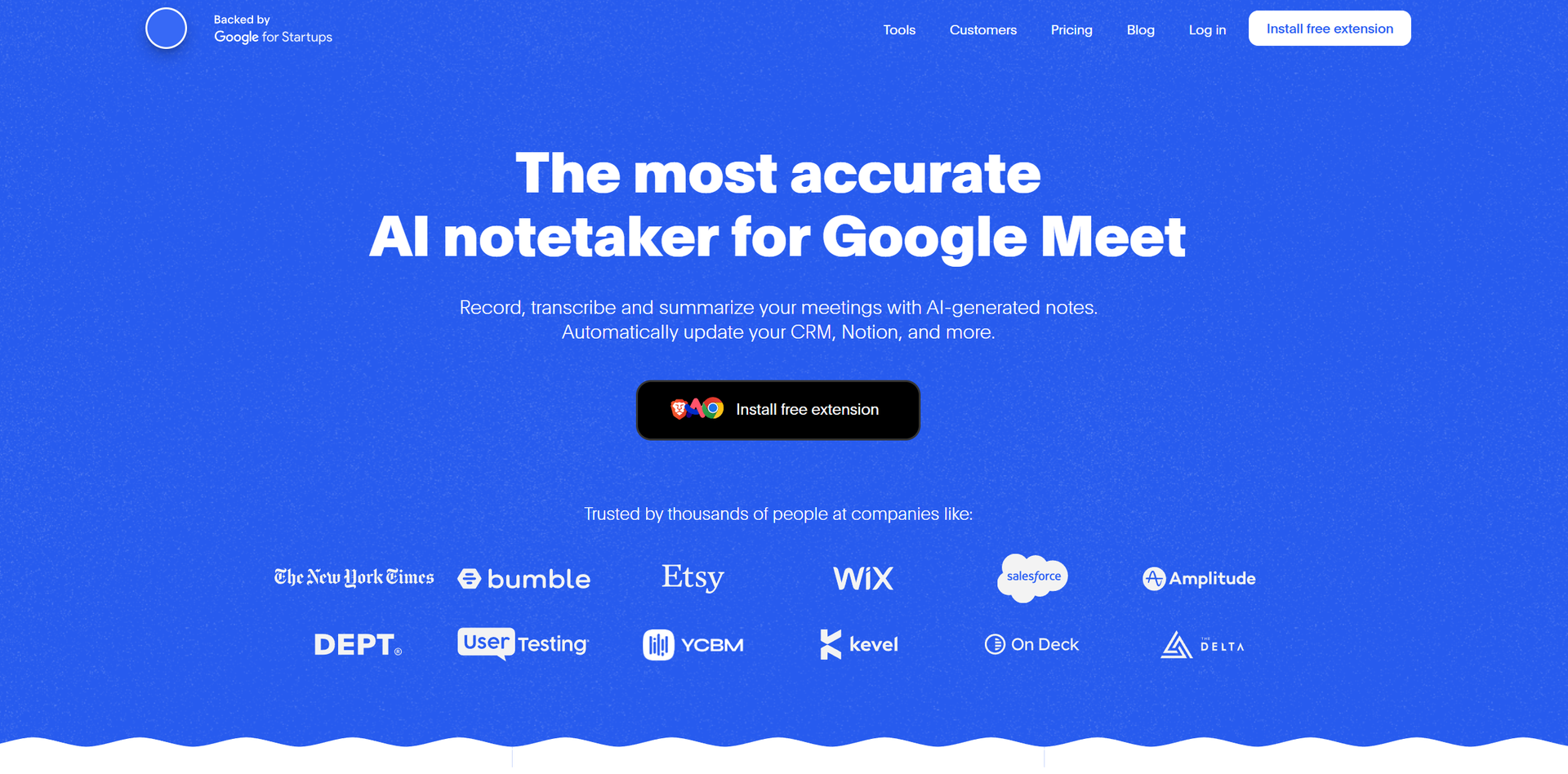
Strengths
- Time Efficiency: Automates note-taking and follow-up tasks, significantly reducing time spent on administrative duties.
- Non-Intrusive Design: Provides a discreet and seamless recording experience without the need for bots.
- Customizable Notes: Allows users to generate notes that are specifically adapted to their unique business needs.
- GDPR Compliance: Ensures data privacy with robust encryption and adherence to EU data protection laws.
Limitations
- Limited Platform Focus: Primarily optimized for Google Meet, with limited support for other meeting platforms like Zoom.
- Initial Setup Required: Users need to install the Chrome extension, which may require initial technical setup.
What You Get
Key Features
- AI-Powered Transcription: Bluedot transcribes meetings in real-time, ensuring accuracy and efficiency across over 100 supported languages.
- Bot-Free Recording: Unlike many alternatives, Bluedot records meetings without the need for intrusive bots, maintaining a natural meeting environment.
- Automated Note Generation: The tool generates concise meeting notes and summaries, tailored to specific use cases such as customer calls or team briefings.
- CRM Integration: Automatically updates CRMs like Notion and Slack with meeting notes, streamlining workflow and reducing manual data entry.
- ProsTime Efficiency: Automates note-taking and follow-up tasks, significantly reducing time spent on administrative duties.Non-Intrusive Design: Provides a discreet and seamless recording experience without the need for bots.Customizable Notes: Allows users to generate notes that are specifically adapted to their unique business needs.GDPR Compliance: Ensures data privacy with robust encryption and adherence to EU data protection laws.ConsLimited Platform Focus: Primarily optimized for Google Meet, with limited support for other meeting platforms like Zoom.Initial Setup Required: Users need to install the Chrome extension, which may require initial technical setup.
Best For
- Entrepreneurs: Utilize Bluedot to automate meeting documentation, freeing up time to focus on business growth.
- Managers: Employ the tool to share meeting insights and foster transparency within teams.
- Sales Teams: Leverage automated note-taking to enhance customer interactions and close deals more effectively.
- Recruiters: Use Bluedot for generating interview notes and follow-up emails, streamlining the recruitment process.
- Uncommon Use Cases: Educational institutions incorporate Bluedot for recording and analyzing lectures; freelance consultants use it for documenting client meetings without intrusive bots.
Similar Tools
Weekly Issue
⚡
Transcriber tools · weekly digest
The AI Weekly — free in your inbox
New AI tools, pricing changes, expert picks, and hidden gems — curated by Mr. Spark every week. Join 5,000+ readers who stay ahead of the AI curve.
No spam, ever
Unsubscribe anytime
100% free