
Pricing Details
Free Tier: Start with a robust set of features at no cost. Unlimited Plan: Priced at $7 per member per month, offering additional features like unlimited storage and integrations. Business Plan: For advanced needs, priced at $19 per member per month. Disclaimer: Please check ClickUp's official website for the most accurate and current pricing details.
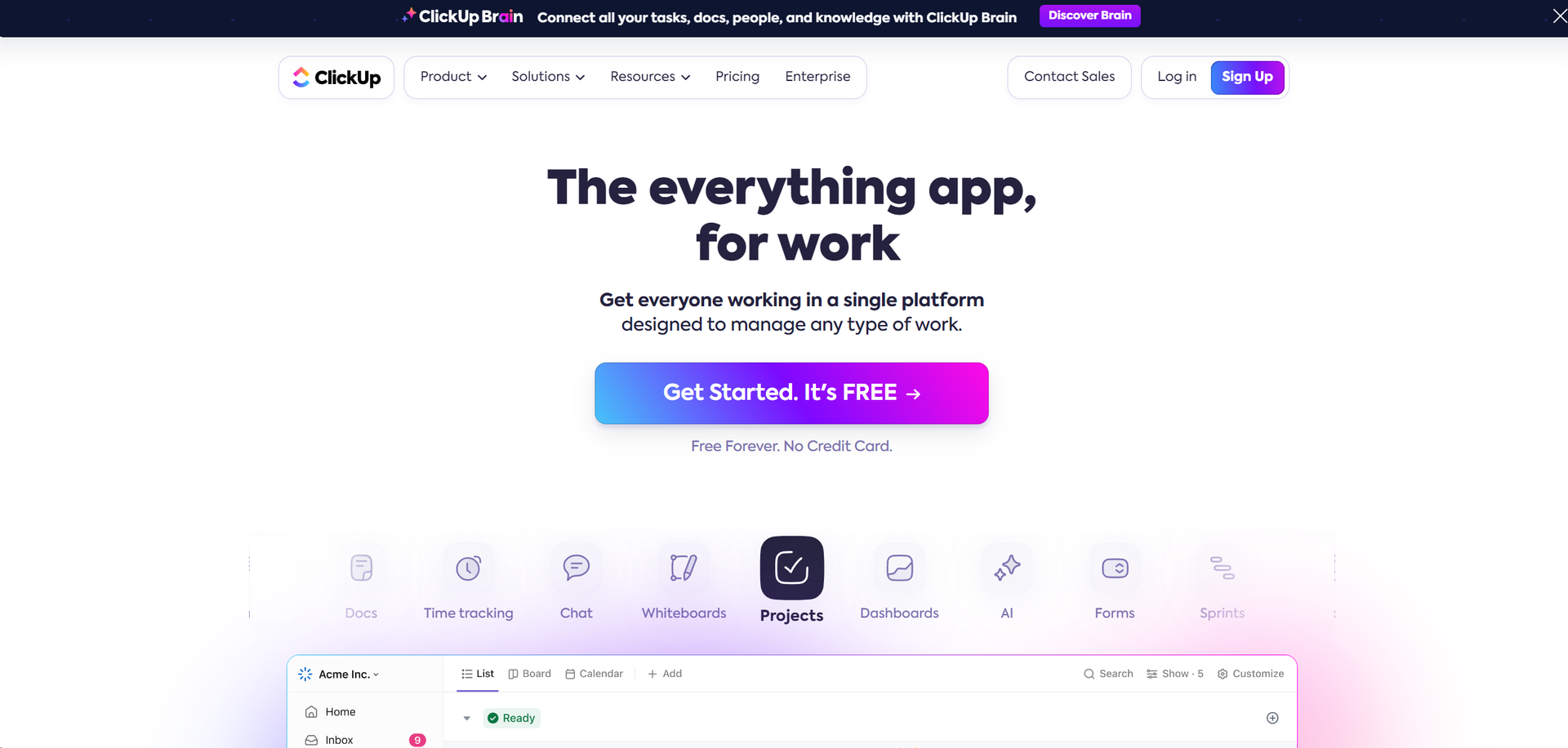
Product Visuals (1 images)
Strengths
- Enhanced Productivity: Users report up to a 40% improvement in efficiency after switching to ClickUp.
- Customizability: Highly customizable for different workflows which includes tasks, docs, and spreadsheets.
- User-Friendly Interface: Intuitive design that makes it easy for new users to adopt and integrate into their daily tasks.
- Robust Free Version: Offers a powerful free tier that is quite comprehensive compared to other tools in the market.
Limitations
- Overwhelming Feature Set: New users may find the array of features daunting at first.
- Performance Issues: With extensive use, some users have reported slow load times and minor bugs.
- Complex Pricing Structure: While it offers a free tier, the pricing can become complex as you scale up with more features and users.
What You Get
Key Features
- Comprehensive Dashboard Views: Offers a variety of views such as List, Board, and Gantt, allowing users to tailor the interface according to their project needs.
- AI-Powered Automation: Automate routine tasks and processes with advanced, no-code automation tools that save time and reduce manual errors.
- Real-Time Collaboration Tools: Features like Docs, Whiteboards, and Chat facilitate seamless communication and brainstorming among team members.
- Extensive Integration Options: ClickUp integrates with numerous other tools including Google Calendar, Slack, GitHub, and more, ensuring it can fit into any workflow seamlessly.
- ProsEnhanced Productivity: Users report up to a 40% improvement in efficiency after switching to ClickUp.Customizability: Highly customizable for different workflows which includes tasks, docs, and spreadsheets.User-Friendly Interface: Intuitive design that makes it easy for new users to adopt and integrate into their daily tasks.Robust Free Version: Offers a powerful free tier that is quite comprehensive compared to other tools in the market.ConsOverwhelming Feature Set: New users may find the array of features daunting at first.Performance Issues: With extensive use, some users have reported slow load times and minor bugs.Complex Pricing Structure: While it offers a free tier, the pricing can become complex as you scale up with more features and users.
Best For
- Project Management Offices (PMOs): Utilizing the tool for large-scale project tracking and reporting.
- Marketing Teams: Leveraging the platform for campaign management and cross-functional collaboration.
- Software Development Teams: Employing agile methodologies facilitated by ClickUp's flexible project management features.
- Educational Institutions: Using it for administrative planning and to manage educational projects.
- Uncommon Use Cases: Non-profits using it for volunteer coordination; startups using it for everything from HR to daily operations.
Integrations
Google Drive Integration: Seamlessly connect with Google Drive for document management and collaboration. Slack Integration: Enhance communication by integrating directly with Slack. API Access: Offers robust API for custom integrations, catering to tech-savvy teams. Plugin Ecosystem: A rich ecosystem of plugins extends the functionalities of ClickUp even further.
Similar Tools
Weekly Issue
⚡
Marketing tools · weekly digest
The AI Weekly — free in your inbox
New AI tools, pricing changes, expert picks, and hidden gems — curated by Mr. Spark every week. Join 5,000+ readers who stay ahead of the AI curve.
No spam, ever
Unsubscribe anytime
100% free