
Pricing Details
Free Trial: Test Conker's capabilities with a free trial to explore its capabilities. Subscription Plans: Detailed pricing information is available on the Conker website. Disclaimer: Please note that pricing information may not be up to date. For the most accurate and current pricing details, refer to the official Conker website.
Product Visuals (1 images)
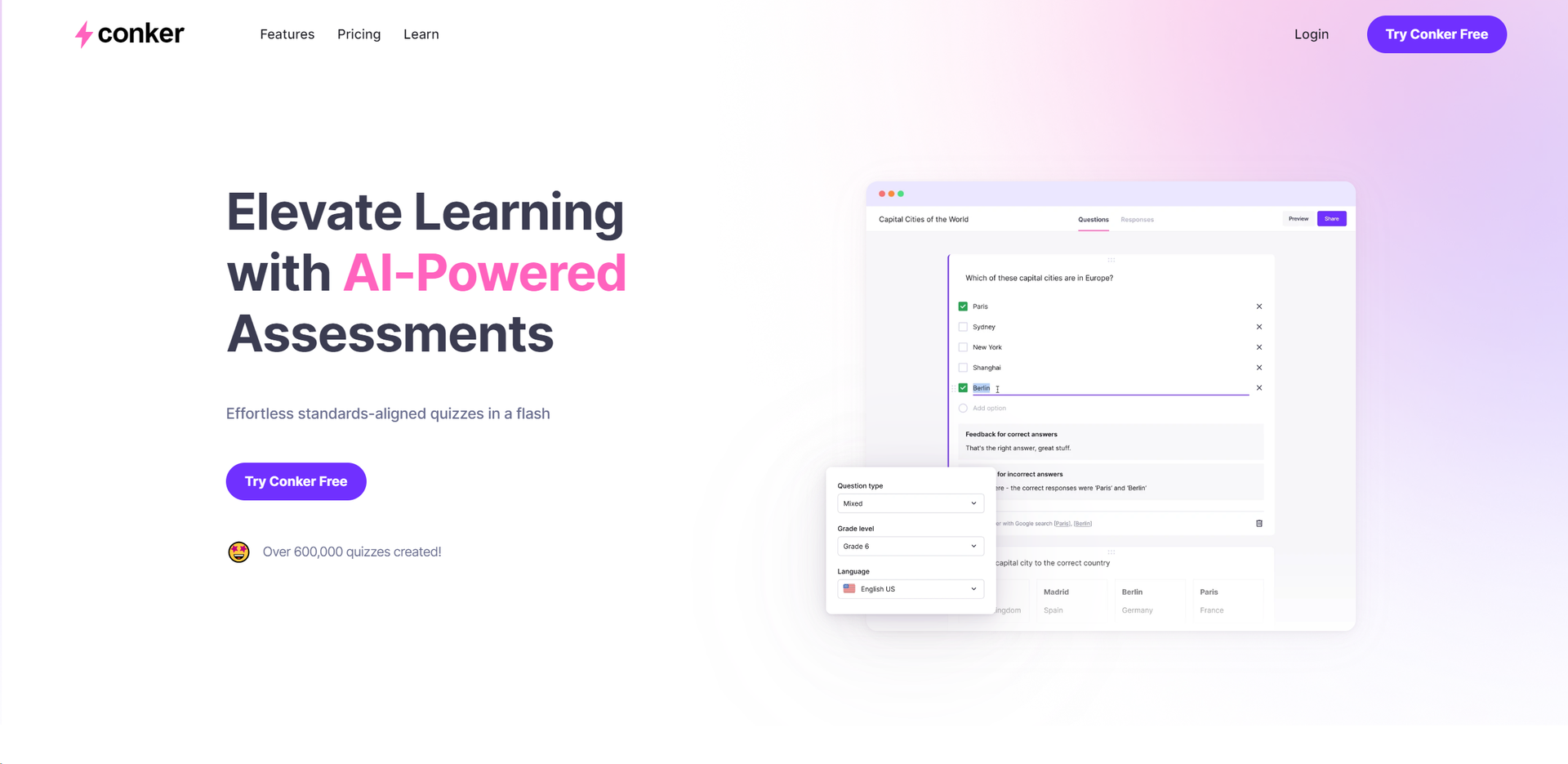
Strengths
- Efficiency in Quiz Creation: Significantly reduces the time required to create standards-aligned quizzes.
- Enhanced Accessibility: Makes learning more inclusive with integrated accessibility features.
- Customization: Offers high levels of customization to cater to diverse learning needs and preferences.
- Seamless LMS Integration: Facilitates easy integration with popular Learning Management Systems like Canvas.
Limitations
- Initial Familiarity: New users may need some time to fully explore and utilize all features effectively.
- Internet Dependency: Requires a stable internet connection for optimal functionality.
- Limited to Educational Use: Primarily designed for the K12 education sector, which may not cater to all potential users looking for quiz-making tools.
What You Get
Key Features
- AI-Powered Quiz Creation: Generates unique quizzes with a variety of engaging question types quickly and efficiently.
- Customizable Content: Enables educators to create or tailor quizzes to meet the specific needs of their students, facilitating differentiated learning.
- Standards-Aligned Assessments: Offers thousands of ready-made quizzes aligned with K12 standards, including NGSS and TEKS, to ensure educational targets are met.
- Accessibility Support: Integrates read-aloud features for quizzes, making them accessible to a wider range of learners.
- Multiple Export Options: Allows quizzes to be exported to Google Forms or shared directly through the Canvas LMS, supporting a seamless digital classroom experience.
- Varied Question Types: Supports a wide range of question formats to challenge and engage students, enhancing their learning experience.
- ProsEfficiency in Quiz Creation: Significantly reduces the time required to create standards-aligned quizzes.Enhanced Accessibility: Makes learning more inclusive with integrated accessibility features.Customization: Offers high levels of customization to cater to diverse learning needs and preferences.Seamless LMS Integration: Facilitates easy integration with popular Learning Management Systems like Canvas.ConsInitial Familiarity: New users may need some time to fully explore and utilize all features effectively.Internet Dependency: Requires a stable internet connection for optimal functionality.Limited to Educational Use: Primarily designed for the K12 education sector, which may not cater to all potential users looking for quiz-making tools.
Best For
- K12 Educators: Utilizing the tool to quickly create and distribute quizzes that align with curriculum standards.
- Educational Administrators: Employing the platform to monitor and ensure the quality of assessments across their institutions.
- Students: Benefiting from accessible and varied quizzes that cater to different learning styles.
- E-Learning Developers: Creating engaging and interactive quizzes for online courses.
- Uncommon Use Cases: Used by educational technology trainers to demonstrate innovative teaching tools; adopted by homeschooling parents for creating custom quizzes.
Integrations
Canvas LMS Integration: Seamlessly integrates with Canvas, enhancing the digital classroom experience. Google Forms Export: Allows for easy export of quizzes to Google Forms for grading and analytics. Read-Aloud Accessibility: Ensures quizzes are accessible to all students, including those who require auditory learning support.
Similar Tools
Weekly Issue
⚡
Writing Gen tools · weekly digest
The AI Weekly — free in your inbox
New AI tools, pricing changes, expert picks, and hidden gems — curated by Mr. Spark every week. Join 5,000+ readers who stay ahead of the AI curve.
No spam, ever
Unsubscribe anytime
100% free