
Pricing Details
Free: $0 per month for personal use, includes 5 free sessions per day, up to 5 parallel sessions, and 1 automation. Pro: $20 per month for individuals, offering unlimited sessions, up to 20 parallel sessions, and 20 automations. Enterprise: Custom pricing for large teams with advanced features—contact for details. Disclaimer: Please note that pricing information may not be up to date. For the most accurate and current pricing details, refer to the official Convergence website.
Product Visuals (1 images)
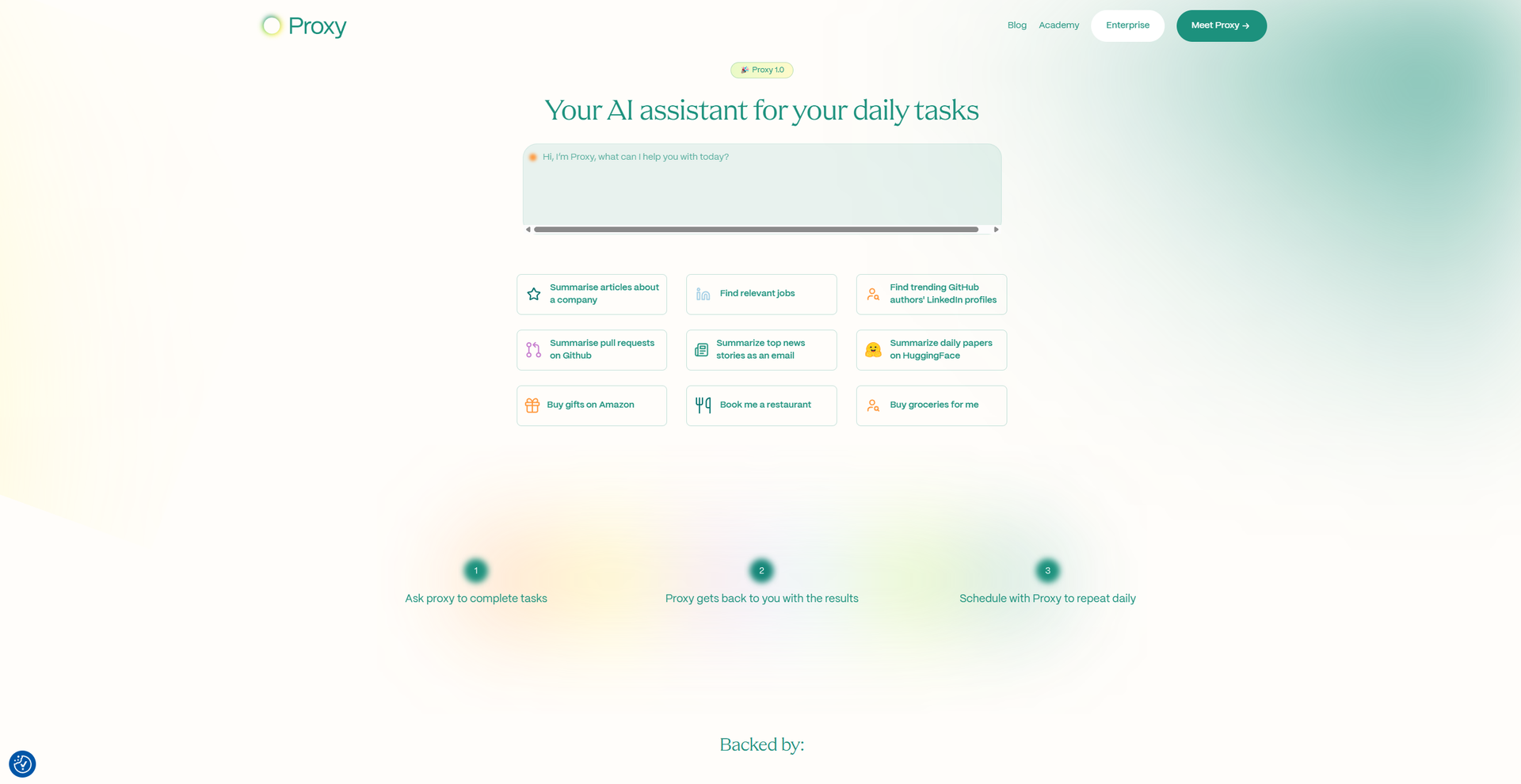
Strengths
- Time Efficiency: By automating routine tasks, Proxy significantly reduces the time users spend on administrative activities.
- Cost-Effective: With a Pro Tier priced at $20 per month, Proxy offers a budget-friendly alternative to more expensive AI assistants.
- User-Friendly: The natural language interface makes it accessible to users without technical expertise, facilitating easy task setup and management.
- Continuous Learning: Proxy retains and recalls past interactions, using long-term memory to continually learn and improve its assistance over time.
Limitations
- Initial Learning Curve: Some users may require time to fully explore and utilize Proxy's extensive features.
- Limited Free Tier: The free version offers limited sessions and automations, which may not suffice for heavy users.
- Dependence on Internet Connectivity: As a web-based tool, Proxy requires a stable internet connection to function effectively.
Building your AI toolkit?
Save Convergence and 1,000+ tools — free with Google, no spam
What You Get
Key Features
- Natural Language Processing: Proxy understands and processes user instructions given in everyday language, making task delegation straightforward and intuitive.
- Task Automation: Users can set up tasks to run automatically at specified intervals, enabling a "set and forget" system for recurring activities.
- Web Interaction: Proxy navigates websites, fills out forms, and interacts with online content autonomously, effectively acting as a virtual assistant capable of handling complex online tasks.
- Parallel Processing: The Pro Tier allows for up to 20 parallel sessions, enabling Proxy to handle multiple tasks simultaneously without compromising performance.
- ProsTime Efficiency: By automating routine tasks, Proxy significantly reduces the time users spend on administrative activities.Cost-Effective: With a Pro Tier priced at $20 per month, Proxy offers a budget-friendly alternative to more expensive AI assistants.User-Friendly: The natural language interface makes it accessible to users without technical expertise, facilitating easy task setup and management.Continuous Learning: Proxy retains and recalls past interactions, using long-term memory to continually learn and improve its assistance over time.ConsInitial Learning Curve: Some users may require time to fully explore and utilize Proxy's extensive features.Limited Free Tier: The free version offers limited sessions and automations, which may not suffice for heavy users.Dependence on Internet Connectivity: As a web-based tool, Proxy requires a stable internet connection to function effectively.
Best For
- Busy Professionals: Utilizing Proxy to offload and automate repetitive tasks like scheduling, email management, and data entry.
- Managers: Streamlining office administration, aggregating customer reviews, and summarizing email responses with Proxy's assistance.
- Researchers: Receiving daily summaries of the latest academic papers and insights directly to their inboxes.
- Developers: Automating pull request reviews, summarizing code, and minimizing the need for synchronous meetings.
- Uncommon Use Cases: Educational institutions employing Proxy to automate administrative tasks; freelance photographers using Proxy to manage client communications and bookings.
Similar Tools



Personal Assistant tools · weekly digest
The AI Weekly — free in your inbox
New AI tools, pricing changes, expert picks, and hidden gems — curated by Mr. Spark every week. Join 5,000+ readers who stay ahead of the AI curve.