
Pricing Details
Free: $0 per month; includes up to 3 projects and 2,500 monthly credits. Premium: $25 per month; includes everything in Free plus 25,000 monthly credits, unlimited public and private projects, unlimited active users, 30-day version history, and removal of the platform badge. Disclaimer: Please note that pricing information may not be up to date. For the most accurate and current pricing details, refer to the official Fimo website.
Product Visuals (1 images)
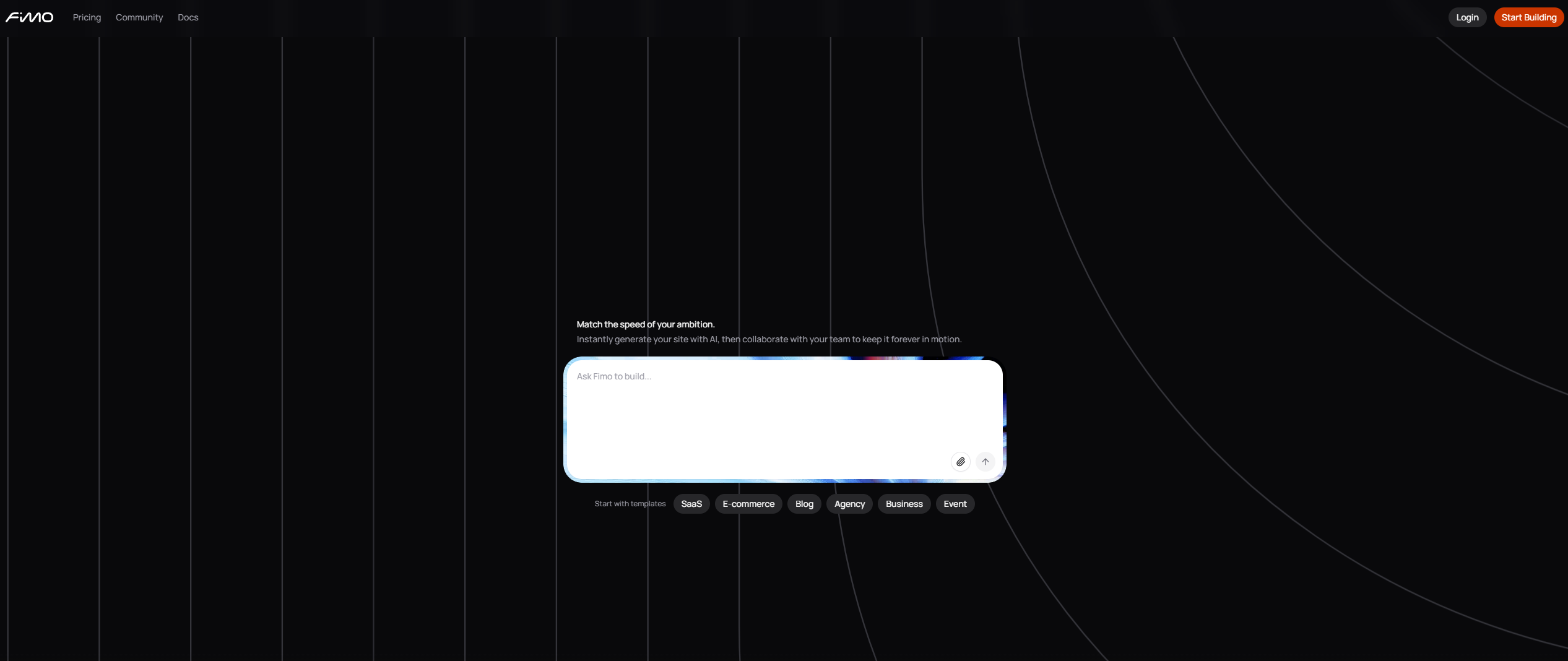
Strengths
- Faster iteration: AI suggestions and visual tools shorten time from idea to production-ready copy and layouts.
- Safety for live sites: Versioning and branching reduce the risk of AI changes breaking important pages.
- Developer friendly: Code access and a headless foundation keep engineers in control of structure and performance.
- Cross-team friendly: Provides one place for content, design, and engineering to collaborate on AI-driven changes.
Limitations
- Newer product: Has a smaller ecosystem and fewer tutorials than long-established CMS options.
- Technical setup: Best results still assume developer involvement for deployment, hosting, and environment strategy.
- AI variability: Model or prompt changes can slightly shift behavior over time.
What You Get
Key Features
- AI-assisted content editing: Use prompts to draft, rewrite, or expand page copy directly inside the CMS editor.
- Structured Strapi foundation: Built on Strapi’s headless CMS so AI edits respect content types, components, and locales.
- Versioning and rollback: Tracks every change with history and snapshots, letting teams restore earlier states in seconds.
- Visual plus code editing: Non-technical users edit visually, while developers can open code for custom components and styling.
- ProsFaster iteration: AI suggestions and visual tools shorten time from idea to production-ready copy and layouts.Safety for live sites: Versioning and branching reduce the risk of AI changes breaking important pages.Developer friendly: Code access and a headless foundation keep engineers in control of structure and performance.Cross-team friendly: Provides one place for content, design, and engineering to collaborate on AI-driven changes.ConsNewer product: Has a smaller ecosystem and fewer tutorials than long-established CMS options.Technical setup: Best results still assume developer involvement for deployment, hosting, and environment strategy.AI variability: Model or prompt changes can slightly shift behavior over time.
Best For
- Product and marketing teams at SaaS companies: Using Fimo to test messaging and pages on production-grade sites.
- Digital agencies and studios: Managing multiple client sites while AI drafts copy that strategists refine.
- In-house web and platform teams: Giving business users a safer editing surface on top of headless infrastructure.
- Content and documentation teams: Reworking docs, changelogs, and knowledge bases with structured AI suggestions.
- Uncommon Use Cases: Adopted by innovation groups to prototype content tools; Used by technical founders to keep sites current without a web team.
Similar Tools
Weekly Issue
⚡
Website Builders tools · weekly digest
The AI Weekly — free in your inbox
New AI tools, pricing changes, expert picks, and hidden gems — curated by Mr. Spark every week. Join 5,000+ readers who stay ahead of the AI curve.
No spam, ever
Unsubscribe anytime
100% free