
Pricing Details
Free Access: NVIDIA provides access to GET3D for research and academic purposes. Commercial License: Pricing for commercial use may vary and interested parties should contact NVIDIA for detailed information. Disclaimer: Please note that pricing information may not be up to date. For the most accurate and current pricing details, refer to the official GET3D by NVIDIA website.
Product Visuals (1 images)
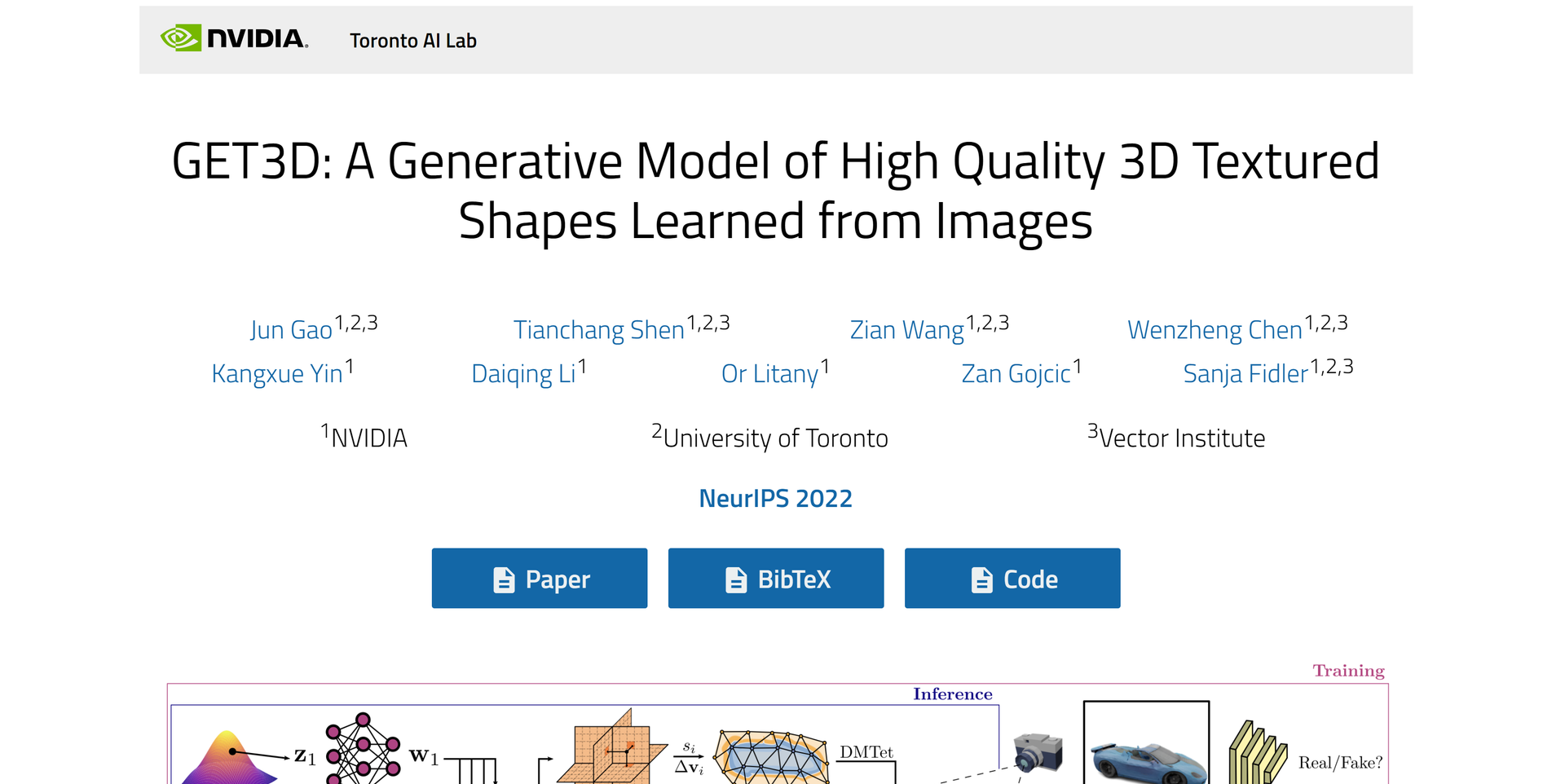
Strengths
- Speed of Creation: Reduces the time required to produce complex 3D models, enhancing productivity for creators.
- Cost-Efficiency: Lowers the financial barrier to high-quality 3D content production, especially for small studios and independent creators.
- Ease of Use: Simplifies the 3D modeling process, making it more accessible to non-experts.
- High-Quality Output: Delivers models with a level of detail and realism that can meet professional standards.
Limitations
- Hardware Requirements: Demands high-end computing power, which may not be accessible to all users.
- Learning Curve: New users may need time to fully grasp the capabilities and best practices for using the tool effectively.
- Limited Customization: While it offers diverse outputs, there may be limitations in fine-tuning models to specific requirements.
Building your AI toolkit?
Save GET3D by NVIDIA and 1,000+ tools — free with Google, no spam
What You Get
Key Features
- Generative Model: Employs GANs to produce high-quality 3D models that can be used across various industries.
- Texture and Geometry Synthesis: Simultaneously generates detailed textures alongside the geometry, ensuring a ready-to-use model.
- Diverse Model Output: Capable of creating a wide array of object types, catering to different user needs and creative demands.
- Integration with Rendering Engines: Models are compatible with popular rendering engines, aiding in seamless workflow transitions.
- ProsSpeed of Creation: Reduces the time required to produce complex 3D models, enhancing productivity for creators.Cost-Efficiency: Lowers the financial barrier to high-quality 3D content production, especially for small studios and independent creators.Ease of Use: Simplifies the 3D modeling process, making it more accessible to non-experts.High-Quality Output: Delivers models with a level of detail and realism that can meet professional standards.ConsHardware Requirements: Demands high-end computing power, which may not be accessible to all users.Learning Curve: New users may need time to fully grasp the capabilities and best practices for using the tool effectively.Limited Customization: While it offers diverse outputs, there may be limitations in fine-tuning models to specific requirements.
Best For
- GET3D has found its niche among various groups who appreciate the power of finely-tuned AI prompts:
- Game Developers: Utilizing the tool to quickly generate diverse 3D assets for gaming environments.
- VR and AR Creators: Employing GET3D to design immersive virtual and augmented reality experiences.
- Architectural Firms: Leveraging the tool to visualize building designs and interiors in 3D with realistic textures.
- Animation Studios: Using GET3D for creating detailed backgrounds and props for animated features.
- Uncommon Use Cases: Adopted by researchers in AI for exploring the potential of GANs in 3D model generation; utilized by fashion designers for conceptualizing and presenting apparel in 3D.
Integrations
Rendering Engine Compatibility: Models generated by GET3D can be directly used in popular rendering engines like Unreal Engine and Unity. Workflow Integration: Fits into existing 3D content creation pipelines, enhancing productivity without disrupting established processes. AI Research: Provides a platform for AI researchers to experiment with and advance generative model capabilities. Educational Use: Can be integrated into academic programs focused on 3D modeling, game design, and computer graphics.
Similar Tools
Weekly Issue
⚡
3D tools · weekly digest
The AI Weekly — free in your inbox
New AI tools, pricing changes, expert picks, and hidden gems — curated by Mr. Spark every week. Join 5,000+ readers who stay ahead of the AI curve.
No spam, ever
Unsubscribe anytime
100% free