
Pricing Details
Free Tier: Experience Copilot with limited functionality, including up to 2,000 code completions and 50 chat requests per month. Pro Tier: Unlimited access starts at $10 per month, with a 30-day free trial. Business Tier: Available for $19 per user per month, designed for teams. Enterprise Tier: Fully customized experiences at $39 per user per month. Disclaimer: Please note that pricing information may not be up to date. For the most accurate and current pricing details, refer to the official Copilot website.
Product Visuals (1 images)
Strengths
- Time Efficiency: Copilot significantly reduces coding time by providing instant suggestions and automating repetitive tasks.
- Enhanced Productivity: Developers report a 55% increase in productivity, allowing for more focus on problem-solving and innovation.
- Seamless Integration: It integrates natively with GitHub and supports major IDEs, ensuring a smooth workflow.
- High Satisfaction: Users experience up to 75% higher job satisfaction due to reduced boilerplate coding and enhanced creative focus.
Limitations
- Initial Learning Curve: New users may require time to fully harness the tool's capabilities.
- Language Limitations: Performance may vary for less commonly used programming languages.
- Dependency on Quality Data: The accuracy of suggestions relies heavily on the quality of training data available.
Building your AI toolkit?
Save GitHub Copilot and 1,000+ tools — free with Google, no spam
What You Get
Key Features
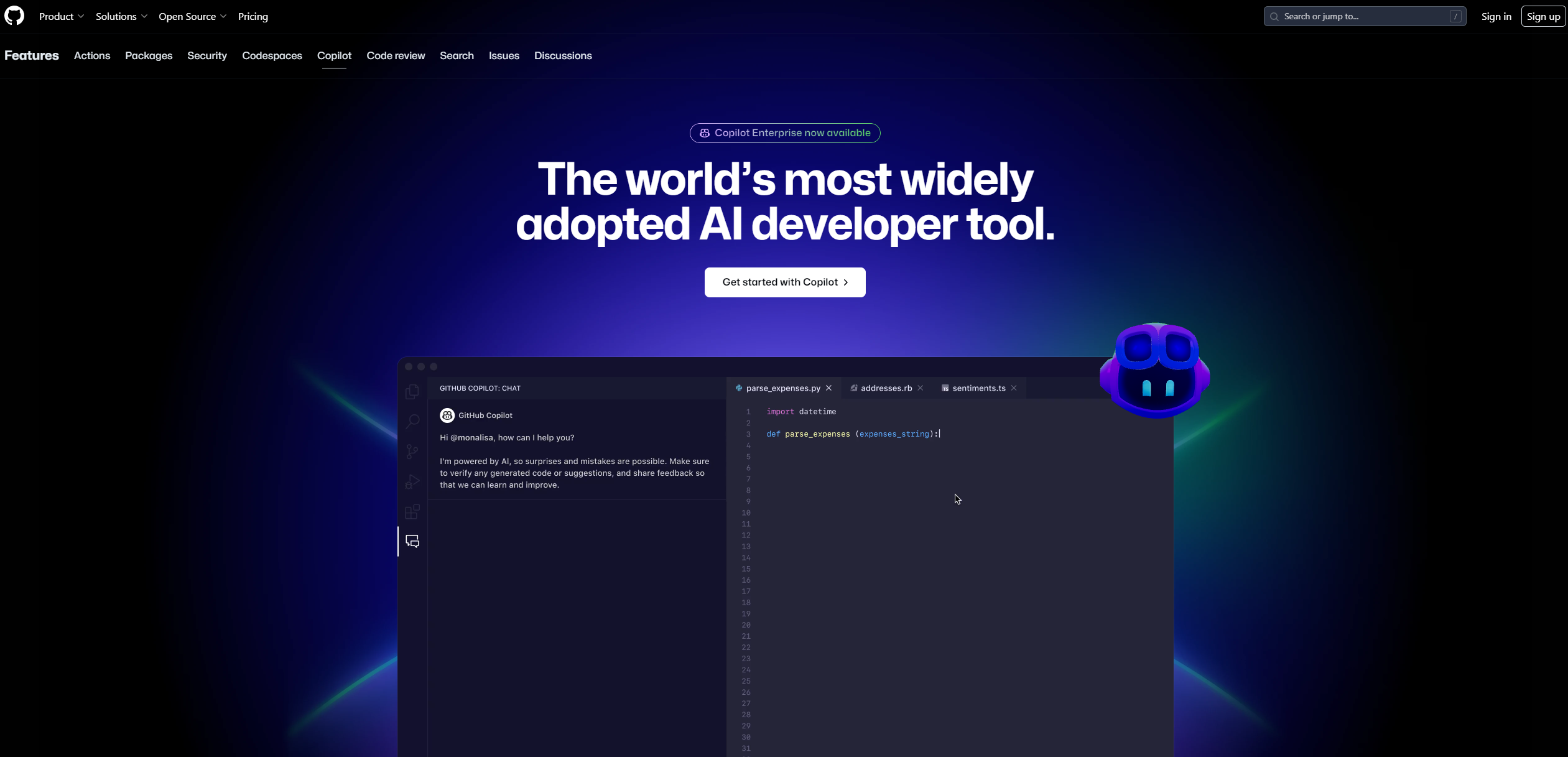
- Real-time Code Suggestions: Copilot provides instant code completions as you type, leveraging your project's context to offer relevant suggestions.
- Contextual Assistance: It interprets natural language prompts to generate coding suggestions, enhancing productivity and reducing manual code writing.
- Multi-file Editing: The tool can update multiple files in real-time, streamlining complex coding tasks across projects.
- AI-driven Code Review: Copilot assists in reviewing code, identifying potential bugs, and suggesting fixes before human intervention.
- ProsTime Efficiency: Copilot significantly reduces coding time by providing instant suggestions and automating repetitive tasks.Enhanced Productivity: Developers report a 55% increase in productivity, allowing for more focus on problem-solving and innovation.Seamless Integration: It integrates natively with GitHub and supports major IDEs, ensuring a smooth workflow.High Satisfaction: Users experience up to 75% higher job satisfaction due to reduced boilerplate coding and enhanced creative focus.ConsInitial Learning Curve: New users may require time to fully harness the tool's capabilities.Language Limitations: Performance may vary for less commonly used programming languages.Dependency on Quality Data: The accuracy of suggestions relies heavily on the quality of training data available.
Best For
- Software Developers: Embracing Copilot for efficient code writing and project management.
- Startups: Using it to accelerate product development cycles and reduce time-to-market.
- Educational Institutions: Integrating Copilot into curriculums to teach coding more interactively.
- Freelancers: Leveraging it to enhance productivity and deliver projects faster.

Code Assistant tools · weekly digest
The AI Weekly — free in your inbox
New AI tools, pricing changes, expert picks, and hidden gems — curated by Mr. Spark every week. Join 5,000+ readers who stay ahead of the AI curve.