
Pricing Details
Free Trial: Access Goodmeetings with a 7-day free trial, no credit card required. Custom Pricing: Contact Goodmeetings for tailored pricing plans based on your team's needs. Disclaimer: For the most accurate and current pricing details, please refer to the Goodmeetings website.
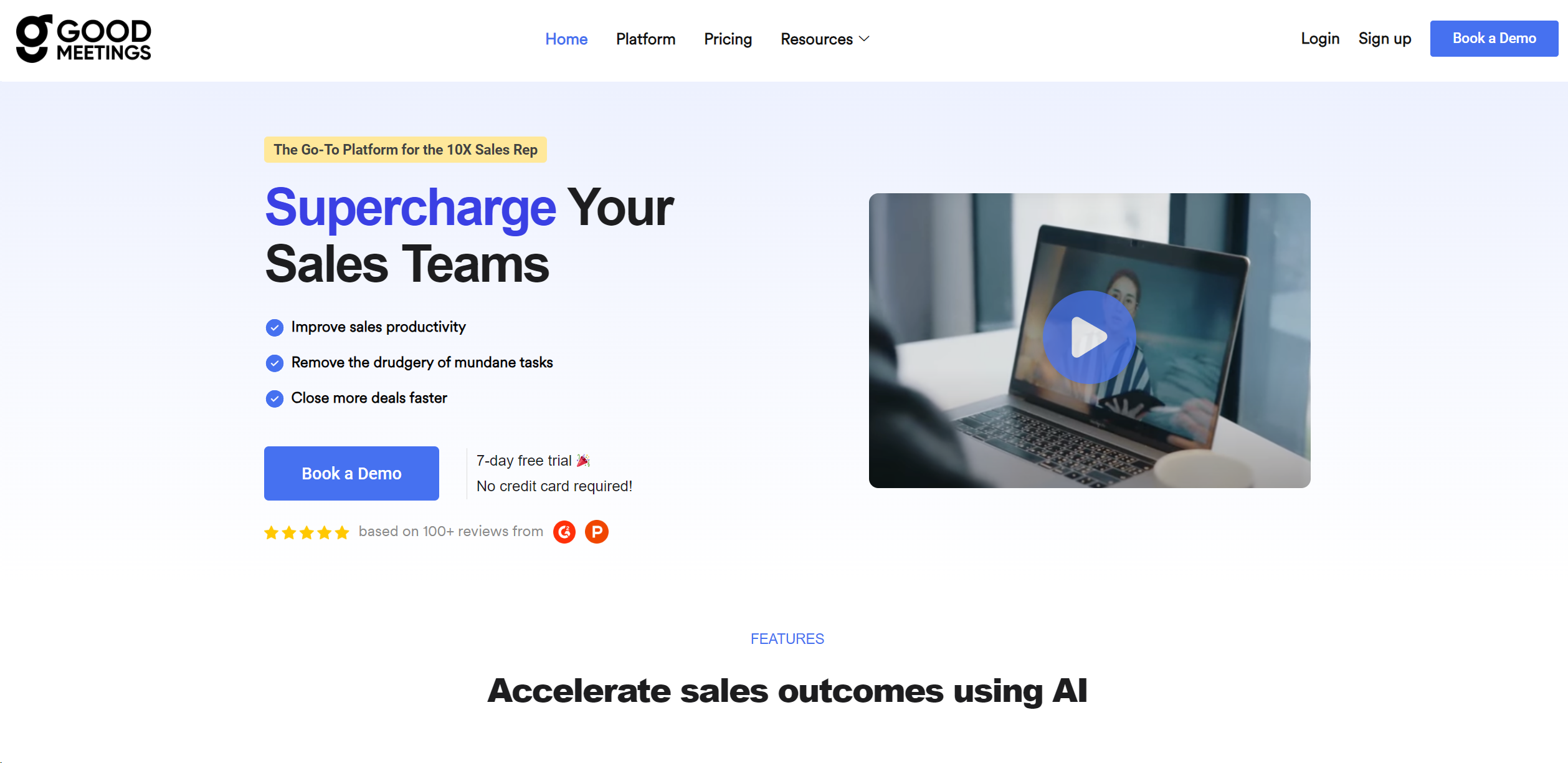
Product Visuals (1 images)
Strengths
- Increased Productivity: Saves time for sales reps, allowing them to focus more on closing deals.
- Enhanced Performance: Improves sales reps' skills leading to better sales outcomes and happier teams.
- Cost Savings: Reduces costs involved in scaling and onboarding sales teams.
- Accurate Predictions: Raises the accuracy of sales win/loss predictions through detailed analytics.
Limitations
- Complexity for Beginners: New users might find the array of features overwhelming at first.
- Dependency on Tech Infrastructure: Requires reliable internet and compatible devices for optimal performance.
- Limited Third-Party Integrations: While it offers CRM integrations, there might be limitations with other third-party tools.
Building your AI toolkit?
Save Goodmeetings and 1,000+ tools — free with Google, no spam
What You Get
Key Features
- Capture Meeting Intel: Records calls, transcribes them accurately, and provides call analytics in multiple languages.
- Automate Processes: Generates human-like summaries, offers meeting performance insights, and provides customizable reporting dashboards.
- Close Deals Coaching: Offers 'Ask me anything' features and screenshare analytics for real-time support during meetings.
- Deep CRM Integration: Syncs seamlessly with CRM systems for pushing action items and maintaining customer records.
- Real-Time Assistance: Utilizes natural language querying and proactive AI alerts to aid decision-making during meetings.
- ProsIncreased Productivity: Saves time for sales reps, allowing them to focus more on closing deals.Enhanced Performance: Improves sales reps' skills leading to better sales outcomes and happier teams.Cost Savings: Reduces costs involved in scaling and onboarding sales teams.Accurate Predictions: Raises the accuracy of sales win/loss predictions through detailed analytics.ConsComplexity for Beginners: New users might find the array of features overwhelming at first.Dependency on Tech Infrastructure: Requires reliable internet and compatible devices for optimal performance.Limited Third-Party Integrations: While it offers CRM integrations, there might be limitations with other third-party tools.
Best For
- Sales Teams: Refining sales strategies and automating CRM updates.
- Sales Managers: Using insights to coach and improve their team's performance.
- Business Development Professionals: Tracking and analyzing customer interactions.
- Marketing Teams: Aligning sales and marketing efforts based on meeting insights.
- Uncommon Use Cases: Non-profit organizations for fundraising strategies, educational institutions for role-play exercises in business courses.
Integrations
Schedulers Integration: Smoothly integrates with various scheduling tools. Video Conferencing Compatibility: Works seamlessly with popular video conferencing platforms. CRM Integration: Supports leading CRM systems to sync customer records and actions. Workflow Optimization: Integrates with task tools to streamline sales processes.
Similar Tools
Weekly Issue
⚡
Transcriber tools · weekly digest
The AI Weekly — free in your inbox
New AI tools, pricing changes, expert picks, and hidden gems — curated by Mr. Spark every week. Join 5,000+ readers who stay ahead of the AI curve.
No spam, ever
Unsubscribe anytime
100% free