
Pricing Details
Lite: $9.99 per month; includes 5,000 words, unlimited uses of “Freeze Keywords,” unlimited AI detector checks, built-in AI detector, passes AI detection tools, and access to all rewrite modes. Pro: $24.99 per month; includes 25,000 words, unlimited re-paraphrasing, unlimited uses of “Freeze Keywords,” unlimited AI detector checks, built-in AI detector, passes AI detection tools, access to all rewrite modes, and priority email support. Unlimited: $59.99 per month; includes unlimited words, unlimited re-paraphrasing, unlimited uses of “Freeze Keywords,” unlimited AI detector checks, built-in AI detector, passes AI detection tools, access to all rewrite modes, top-tier customer support, and first access to new features. Disclaimer: Please note that pricing information may not be up to date. For the most accurate and current pricing details, refer to the official GPTinf website.
Product Visuals (1 images)
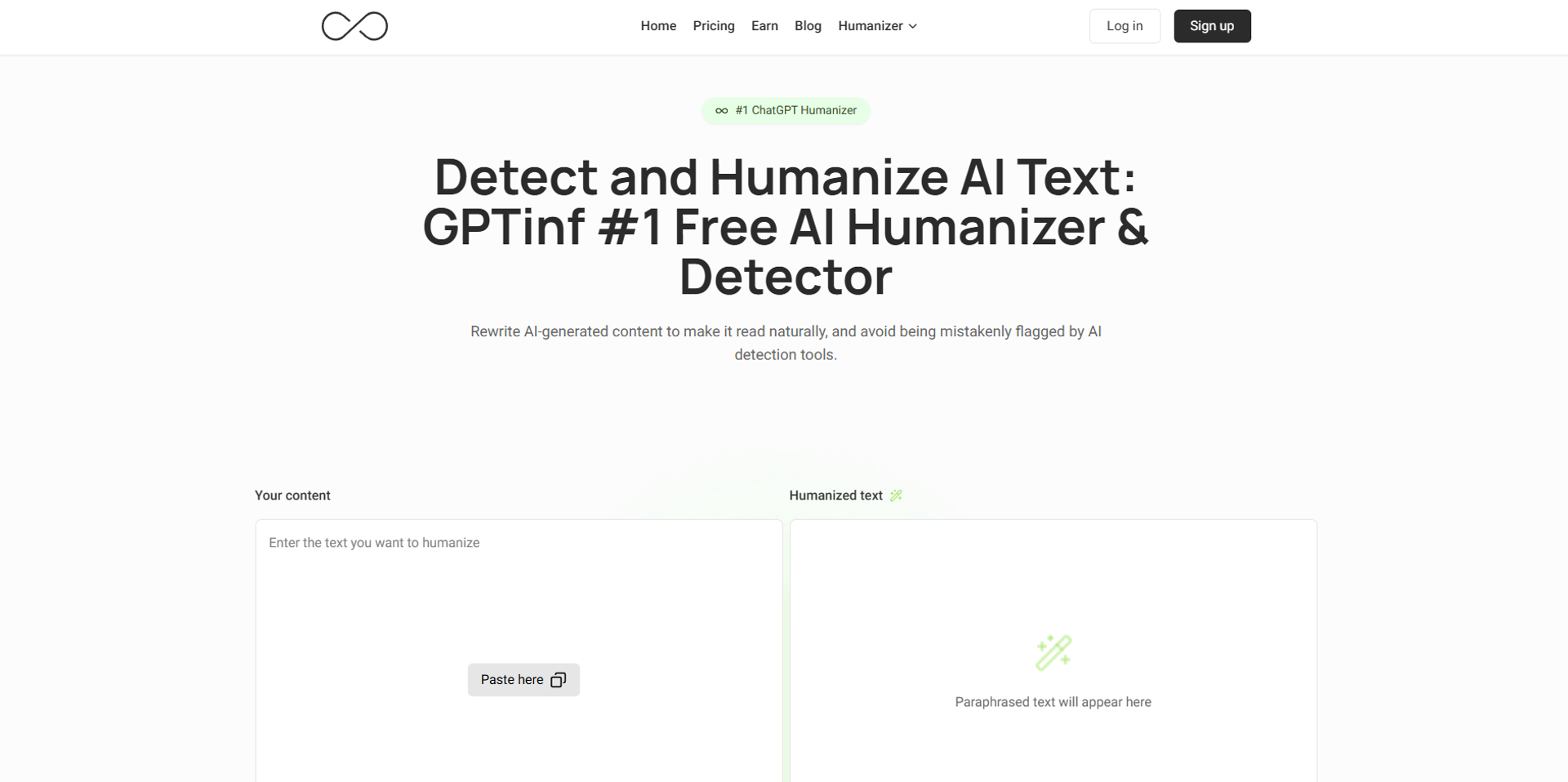
Strengths
- Strong for Basic and Mid-Tier Detectors: Users often see high bypass rates on many common AI detection tools, especially for short to medium length content.
- Fast Rewriting with One Click: The interface focuses on quick copy paste in, rewrite, then instant detector testing, which makes the workflow feel snappy.
- Good Fit for Bulk and Technical Use: Word based plans, unlimited tiers, and an API make it attractive for agencies, developers, and large teams that need scale.
- Fine Grained Control with Freeze Keywords: Being able to protect specific terms while still chasing undetectable output is genuinely cool for brands and academic citations.
- Free/Low-Cost Entry Options: Between free trials and relatively low starting prices, users can test results before committing more budget.
Limitations
- Mixed Performance on Top Tier Detectors: Advanced tools such as Turnitin or the toughest GPTZero checks can still flag content, especially on longer or more complex pieces.
- More Technical for Non-Developers: While basic use is simple, the most powerful workflows, including the API and bulk automation, tend to favor users who are comfortable with technical setups.
What You Get
Key Features
- AI Text Humanizer: Rewrites AI generated content to remove repetitive patterns in vocabulary, grammar, and sentence structure so it appears human written.
- Multi-Detector Testing: Includes built in checks against multiple AI detectors in one place, so users can see how the rewritten text scores without hopping between different tools.
- Freeze Keywords Control: Lets users lock specific words such as names, citations, or brand terms so they stay unchanged while the rest of the text is rewritten.
- Multiple Rewrite Modes: Offers different rewriting styles and a “Built In Ultra Humanizer” engine that aims for extremely low or even 0 percent AI scores in detectors.
- API Access: Provides an API for developers who want to automate bulk rewriting, integrate the humanizer into their own apps, or run large content pipelines.
- Word-Based Plans and Bulk Capacity: Supports high word limits and even unlimited words on the top plan, which suits agencies and heavy content operations.
- ProsStrong for Basic and Mid-Tier Detectors: Users often see high bypass rates on many common AI detection tools, especially for short to medium length content.Fast Rewriting with One Click: The interface focuses on quick copy paste in, rewrite, then instant detector testing, which makes the workflow feel snappy.Good Fit for Bulk and Technical Use: Word based plans, unlimited tiers, and an API make it attractive for agencies, developers, and large teams that need scale.Fine Grained Control with Freeze Keywords: Being able to protect specific terms while still chasing undetectable output is genuinely cool for brands and academic citations.Free/Low-Cost Entry Options: Between free trials and relatively low starting prices, users can test results before committing more budget.ConsMixed Performance on Top Tier Detectors: Advanced tools such as Turnitin or the toughest GPTZero checks can still flag content, especially on longer or more complex pieces.More Technical for Non-Developers: While basic use is simple, the most powerful workflows, including the API and bulk automation, tend to favor users who are comfortable with technical setups.
Best For
- Freelance Writers and Content Creators: Using GPTinf to rewrite AI assisted drafts into text that passes AI checks for blog posts, newsletters, and marketing content.
- Agencies and Marketing Teams: Running bulk humanization on blog articles, landing pages, and campaign copy so content feels more natural and avoids being flagged by AI filters.
- SEO Specialists and Publishers: Applying the tool to AI assisted SEO content to try to keep search engines and third party detectors from classifying it as machine written.
- Developers and SaaS Platforms: Integrating the GPTinf API into custom dashboards, writing assistants, or content management flows for automated rewriting at scale.
- Uncommon Use Cases: Used by educators and researchers who want to test and stress AI detectors by running controlled experiments on humanized AI text; adopted by tool reviewers and AI consultants who benchmark bypass tools for clients or public reports.
Similar Tools

Paraphrasing tools · weekly digest
The AI Weekly — free in your inbox
New AI tools, pricing changes, expert picks, and hidden gems — curated by Mr. Spark every week. Join 5,000+ readers who stay ahead of the AI curve.