
Pricing Details
Free Version: Offers critical grammar and spelling checks. Premium Subscription: Starts at $12 per month, providing advanced suggestions on grammar, sentence structure, style, and more. Business Plan: Tailored for teams, starts at $12.50 per member per month, with added features like style guide and snippets. Disclaimer: For the most accurate and current pricing details, please refer to the official Grammarly website.
Product Visuals (1 images)
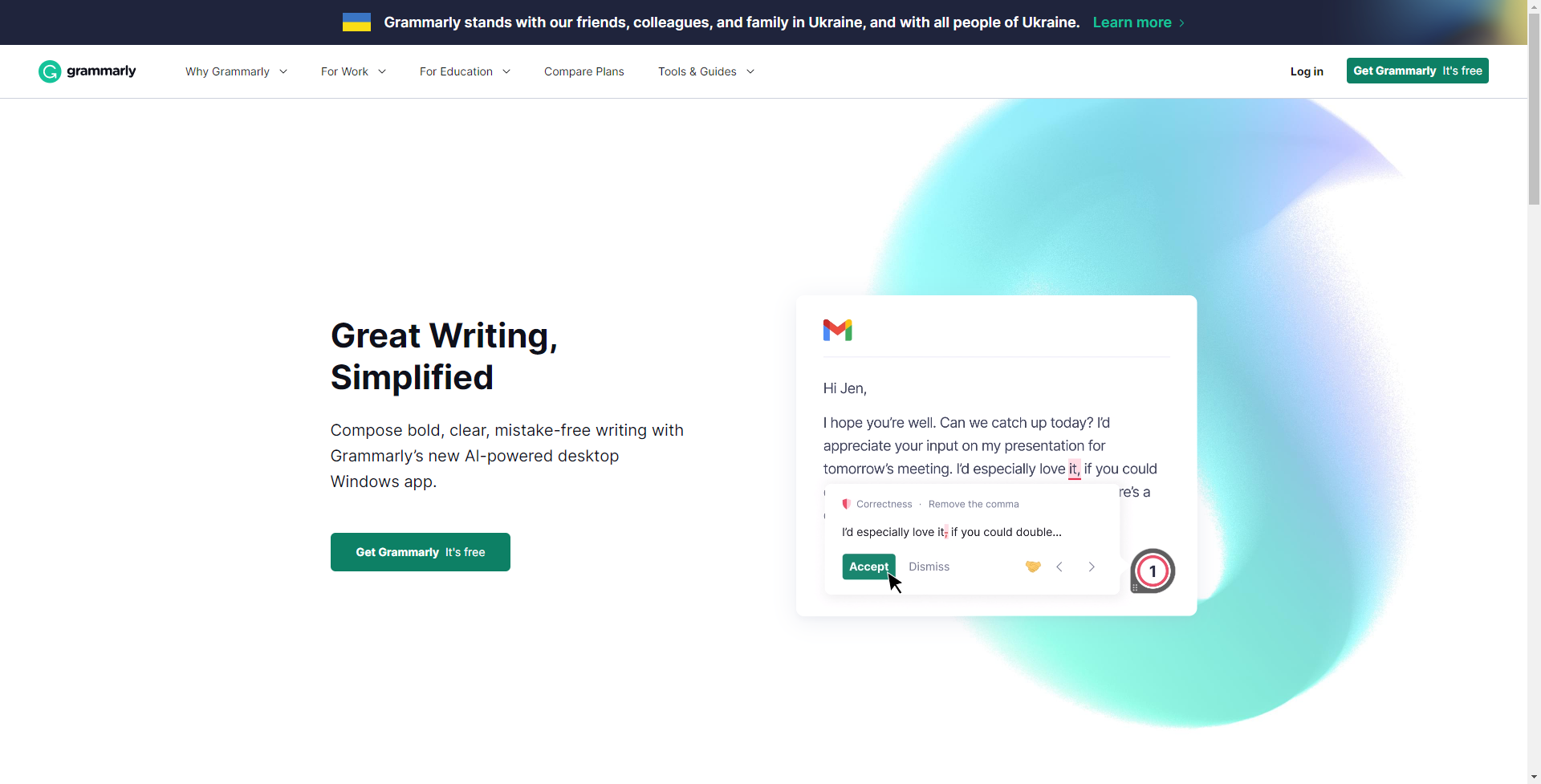
Strengths
- Enhanced Writing Quality: Grammarly helps to ensure your writing is not only correct but also clear and concise.
- Time-Saving: The tool's real-time suggestions can drastically reduce editing and proofreading time.
- Versatility: Grammarly is available as a browser extension, desktop app, and mobile keyboard, making it accessible across various devices and platforms.
- User-Friendly Interface: Its intuitive design is suitable for both amateur writers and professionals, streamlining the user experience.
Limitations
- Internet Dependency: Requires an internet connection for most features, limiting offline utility.
- Limited Free Version: While useful, the free version includes only basic features, with more advanced options locked behind a premium subscription.
Building your AI toolkit?
Save Grammarly and 1,000+ tools — free with Google, no spam
What You Get
Key Features
- Advanced Grammar Checker: Grammarly meticulously scans your writing for hundreds of types of grammatical mistakes, from basic to advanced.
- Contextual Spelling Correction: It identifies and corrects misspelled words, considering the context of their usage.
- Vocabulary Enhancement Suggestions: The tool suggests synonyms and better word choices to elevate your writing style.
- Plagiarism Detection: Grammarly can compare your text against billions of web pages to check for plagiarism and originality.
- Writing Style Customization: It allows you to set goals based on intent, audience, style, and emotion to tailor your writing to the desired impact.
- Tone Detection: The AI analyzes your word choice and phrasing to give feedback on the tone of your writing.
- ProsEnhanced Writing Quality: Grammarly helps to ensure your writing is not only correct but also clear and concise.Time-Saving: The tool's real-time suggestions can drastically reduce editing and proofreading time.Versatility: Grammarly is available as a browser extension, desktop app, and mobile keyboard, making it accessible across various devices and platforms.User-Friendly Interface: Its intuitive design is suitable for both amateur writers and professionals, streamlining the user experience.ConsInternet Dependency: Requires an internet connection for most features, limiting offline utility.Limited Free Version: While useful, the free version includes only basic features, with more advanced options locked behind a premium subscription.
Best For
- Grammarly's user base is as diverse as the English language itself, catering to numerous sectors and professions, including:
- Students and Academics: Enhancing essays, research papers, and ensuring academic integrity through plagiarism checks.
- Professionals: Polishing emails, reports, and professional documents to maintain a high standard of communication.
- Writers and Content Creators: Crafting compelling blog posts, articles, and stories with engaging language and correct grammar.
- Non-Native English Speakers: Improving language proficiency and writing confidence by learning through corrections and suggestions.
- Uncommon Use Cases: Assisting individuals with learning disabilities like dyslexia in writing more effectively; aiding scriptwriters in refining dialogues and screenplays.
Integrations
Wide Range of Platforms: Grammarly integrates with popular platforms like Microsoft Office, Google Docs, and leading web browsers. Mobile Keyboard App: Available for both iOS and Android, allowing you to write clearly and correctly on your mobile devices. Email Integration: Works with email clients to ensure professional and mistake-free communication. Social Media Compatibility: Can be used across various social media platforms to help maintain a strong and error-free online presence.
Similar Tools

Weekly Issue
⚡
Writing Gen tools · weekly digest
The AI Weekly — free in your inbox
New AI tools, pricing changes, expert picks, and hidden gems — curated by Mr. Spark every week. Join 5,000+ readers who stay ahead of the AI curve.
No spam, ever
Unsubscribe anytime
100% free