
Pricing Details
Starter: $9 per month. Includes no watermarks, 1 account per platform, and 2 hours of usage per month. Creator: $20 per month. Includes no watermarks, 6 accounts per platform, and 5 hours of usage per month. Team: $250 per month. Includes no watermarks, 20 accounts per platform, and 50 hours of usage per month. Disclaimer: Please note that pricing information may not be up to date. For the most accurate and current pricing details, refer to the official HiClip website.
Product Visuals (1 images)
Strengths
- Time Efficiency: Users report saving over 85% of their editing time, turning a 30-minute manual task into a 20-second automated process.
- User-Friendly: Designed for those with no editing skills, making video content creation accessible to everyone.
- Multi-Platform Support: Supports a variety of input formats and exports clips in over 10 presets tailored for different social media platforms.
- High Engagement: By focusing on high-engagement moments, the tool helps drive more shares and interactions on social media.
Limitations
- Initial Learning Curve: New users might need some time to familiarize themselves with all the features.
- Limited Manual Control: While automation is a key selling point, users seeking detailed manual editing options might find it lacking.
- Platform Dependency: Relies heavily on social media trends, which might not suit all types of content or audiences.
What You Get
Key Features
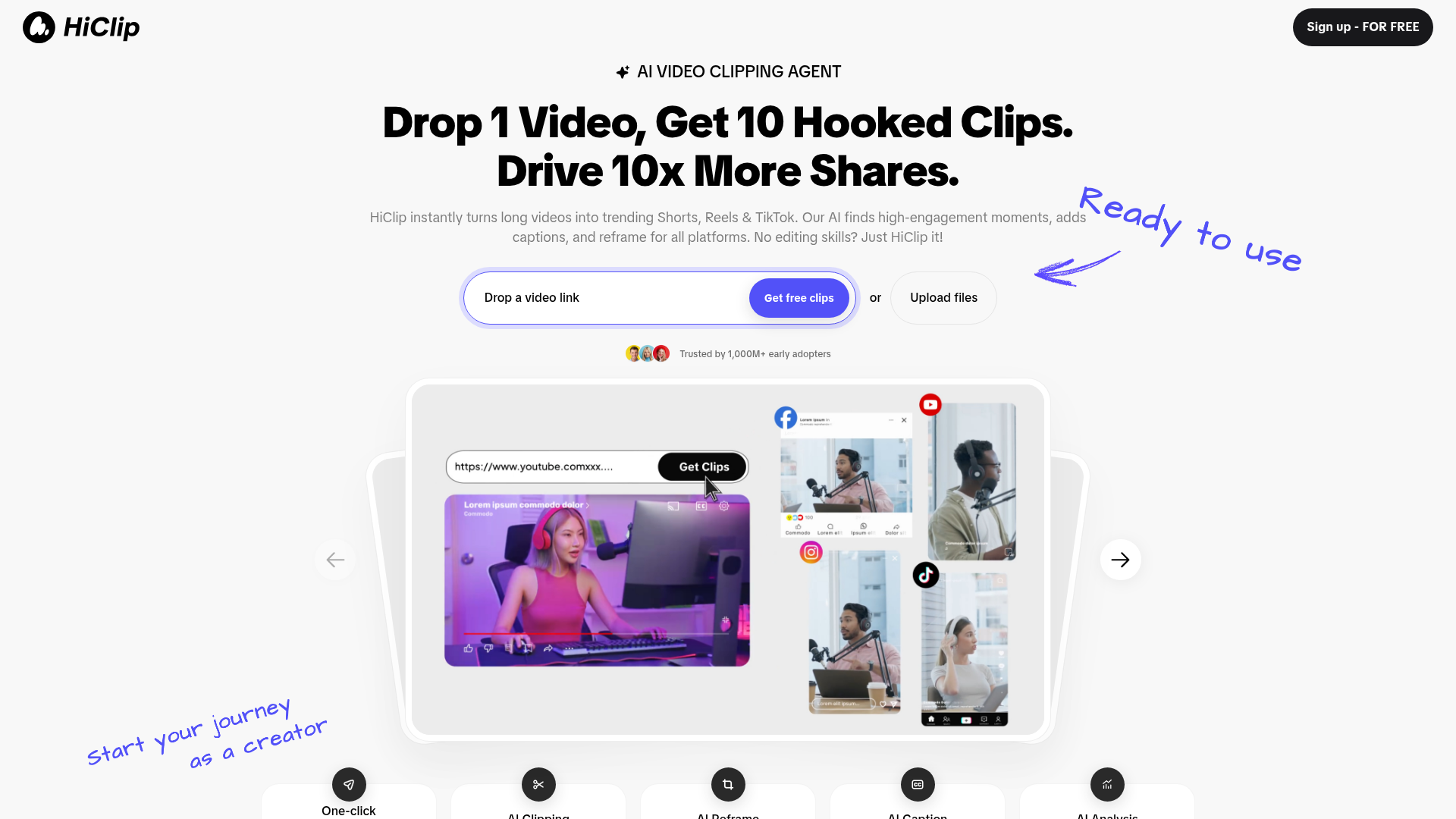
- AI Clipping: Automatically extracts the most engaging moments from your videos, ensuring each clip captures attention.
- AI Reframe: Adjusts the video framing to suit different social media formats, making it easy to repurpose content across platforms.
- AI Caption: Generates captions with suggested trending hashtags, enhancing the discoverability of your content.
- Context-Aware Analysis™: Utilizes advanced algorithms to track engagement signals like visual dynamics, audio cues, and semantic context for optimal clip selection.
- ProsTime Efficiency: Users report saving over 85% of their editing time, turning a 30-minute manual task into a 20-second automated process.User-Friendly: Designed for those with no editing skills, making video content creation accessible to everyone.Multi-Platform Support: Supports a variety of input formats and exports clips in over 10 presets tailored for different social media platforms.High Engagement: By focusing on high-engagement moments, the tool helps drive more shares and interactions on social media.ConsInitial Learning Curve: New users might need some time to familiarize themselves with all the features.Limited Manual Control: While automation is a key selling point, users seeking detailed manual editing options might find it lacking.Platform Dependency: Relies heavily on social media trends, which might not suit all types of content or audiences.
Best For
- Content Creators: Turning long-form content into shareable snippets for increased engagement on social media.
- Digital Marketers: Leveraging the tool to create high-impact promotional clips quickly and efficiently.
- Social Media Influencers: Using HiClip to maintain a consistent presence across multiple platforms with minimal effort.
- Video Editors: Streamlining their workflow by automating repetitive tasks, allowing them to focus on creative aspects.
- Uncommon Use Cases: Utilized by educational platforms to create engaging short learning modules; Adopted by event organizers to quickly share highlights from live events.
Similar Tools



Weekly Issue
⚡
Video Editing tools · weekly digest
The AI Weekly — free in your inbox
New AI tools, pricing changes, expert picks, and hidden gems — curated by Mr. Spark every week. Join 5,000+ readers who stay ahead of the AI curve.
No spam, ever
Unsubscribe anytime
100% free