
Pricing Details
Starter: $18 per seat per month. Includes 10 videos/month, up to 2 minutes per video, 50MB uploads, 9:16 portrait format, social media quality export, and watermark removal. Growth: $22 per seat per month. Everything in Starter, plus 30 videos/month, up to 5-minute videos, 100MB uploads, premium iStock assets, web B-roll, studio quality export, subtitle downloads, and brand logo support. Pro: $50 per seat per month. Everything in Growth, plus 50 videos/month, 5-minute portrait and 10-minute landscape videos, 200MB uploads, 2K export, B-roll highlight editor, and 1 custom video preset. Business: Custom pricing. Everything in Pro, plus unlimited AI video, custom presets, priority export, personalized onboarding, and creative assistance. Disclaimer: Please note that pricing information may not be up to date. For the most accurate and current pricing details, refer to the official Levio website.
Product Visuals (1 images)
Strengths
- Time Efficiency: Significantly reduces editing time by automating complex tasks.
- User-Friendly Interface: The intuitive design makes it accessible to users with no editing experience.
- Versatile Features: Offers a broad range of editing tools that cater to various content types.
- Cost-Effective Solution: Reduces the need for expensive video editing software or professional editors.
Limitations
- Initial Learning Curve: Some users may need time to get accustomed to the chat-based editing interface.
- Limited Integration: Currently, there might be limitations with integrating other third-party platforms.
- Customization Limitations: Users seeking highly customized edits might find certain features lacking in flexibility.
What You Get
Key Features
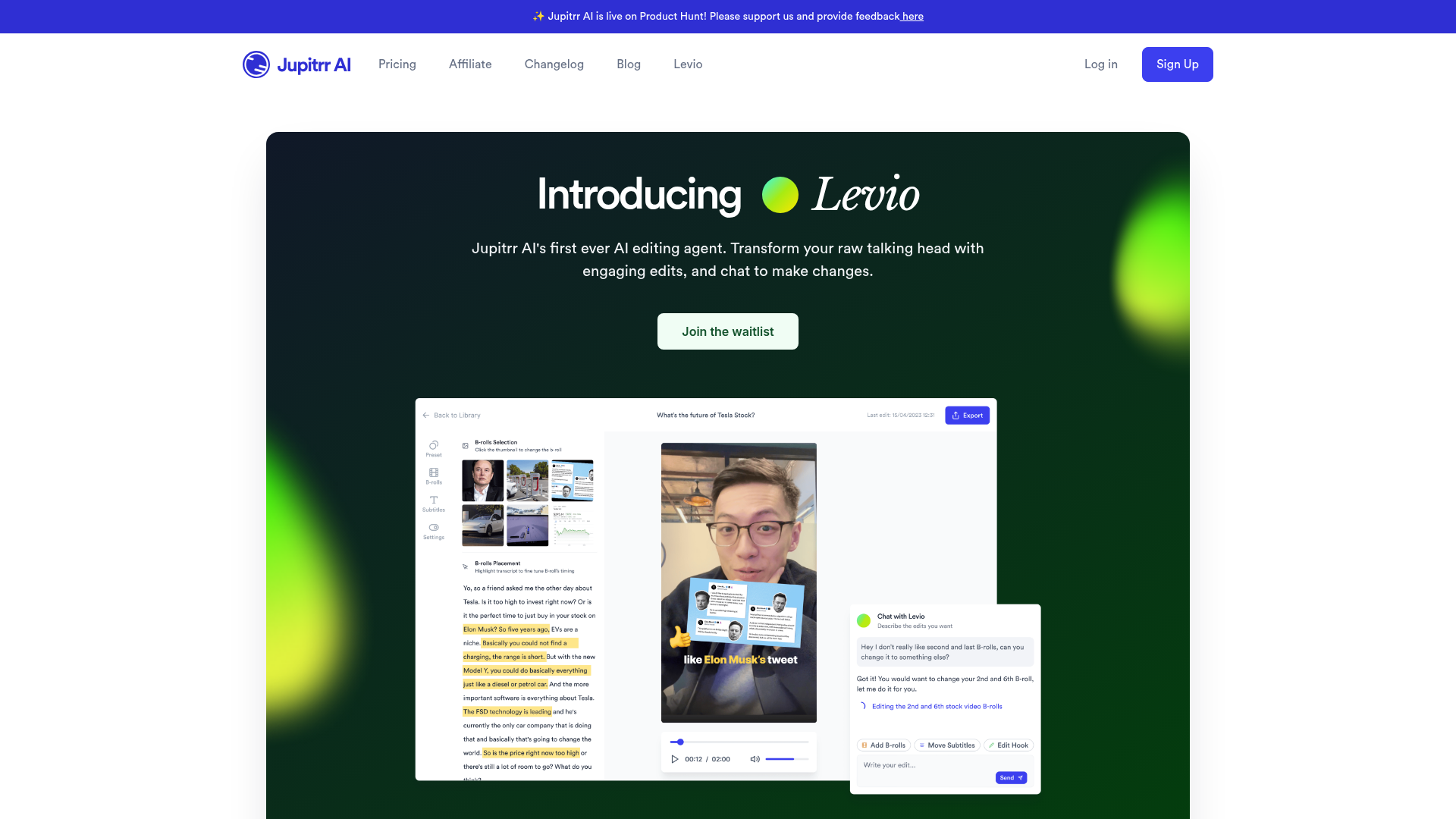
- AI-Crafted Hook: Automatically generates engaging hooks to capture viewer attention from the start.
- Animated Subtitles: Adds dynamic subtitles to your videos, enhancing accessibility and viewer engagement.
- B-Rolls and GIFs: Integrates relevant b-rolls and GIFs to enrich the visual storytelling of your content.
- Instant Changes: Allows users to make adjustments through a simple chat interface, refining videos with just a few messages.
- AI Background Music and Color Grading: Automatically adds background music and professional color grading to enhance the overall video quality.
- Emojis and Transitions: Includes animations, emojis, and smooth transitions to make videos more appealing and lively.
- ProsTime Efficiency: Significantly reduces editing time by automating complex tasks.User-Friendly Interface: The intuitive design makes it accessible to users with no editing experience.Versatile Features: Offers a broad range of editing tools that cater to various content types.Cost-Effective Solution: Reduces the need for expensive video editing software or professional editors.ConsInitial Learning Curve: Some users may need time to get accustomed to the chat-based editing interface.Limited Integration: Currently, there might be limitations with integrating other third-party platforms.Customization Limitations: Users seeking highly customized edits might find certain features lacking in flexibility.
Best For
- Content Creators: Perfect for YouTubers and social media influencers looking to enhance their video content quickly.
- Small Business Owners: Ideal for creating training or promotional videos without the need for extensive resources.
- Consultants and Coaches: Allows professionals to produce polished video content for educational purposes or client engagement.
- Marketers: Utilizes Levio to craft captivating video ads and social media posts efficiently.
- Uncommon Use Cases: Employed by educational institutions for teaching video editing basics; adopted by podcast hosts for creating visual content.
Similar Tools



Video Editing tools · weekly digest
The AI Weekly — free in your inbox
New AI tools, pricing changes, expert picks, and hidden gems — curated by Mr. Spark every week. Join 5,000+ readers who stay ahead of the AI curve.