
Pricing Details
Free: $0 per month. Includes 5 daily credits, access to the best models, and the ability to deploy websites publicly. Pro: $25 per month. Includes everything in Free, plus 100 Chat credits, 10k Tool credits per month, a custom domain, and faster customer service response. Disclaimer: Please note that pricing information may not be up to date. For the most accurate and current pricing details, refer to the official Lumi website.
Product Visuals (1 images)
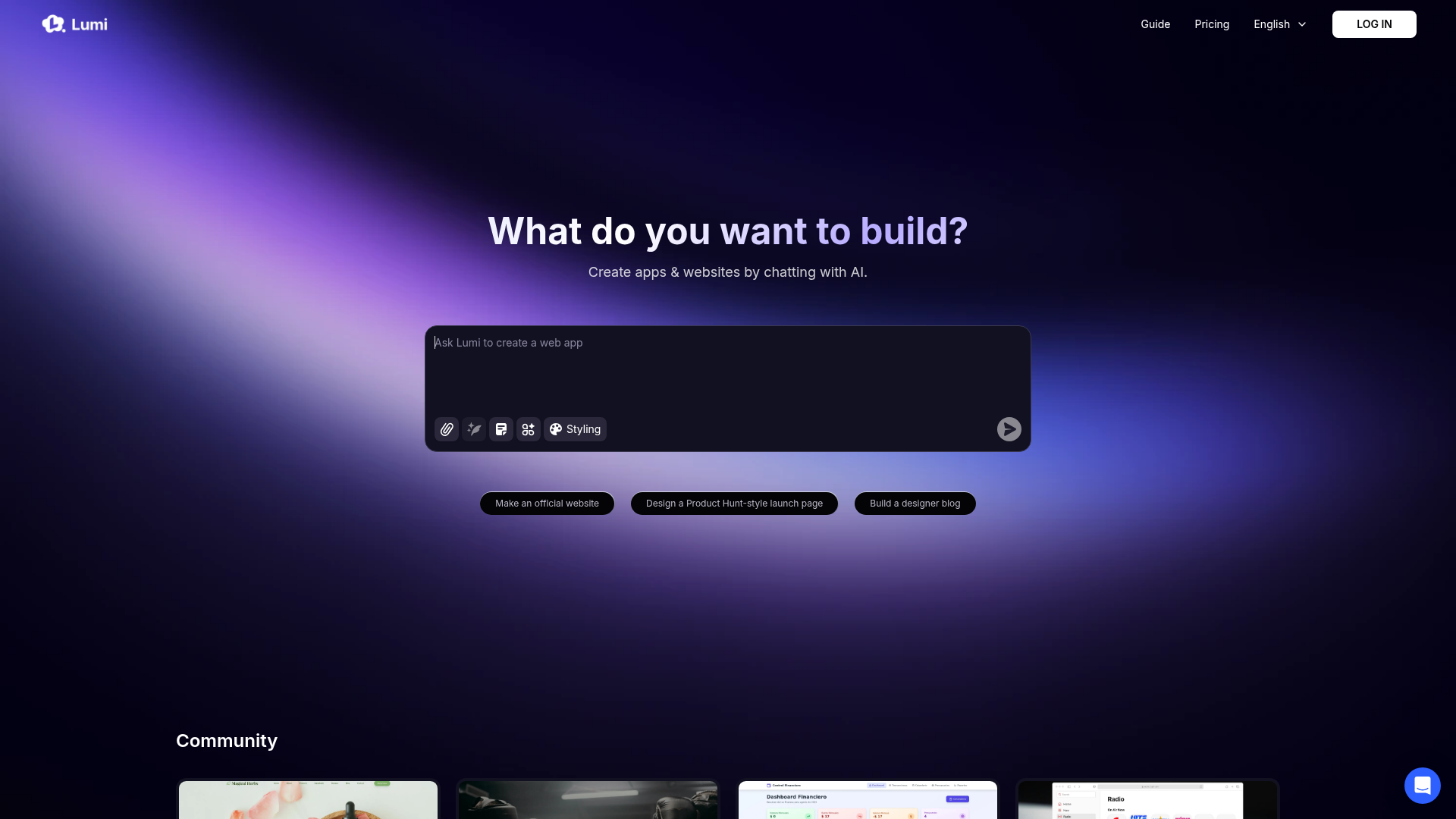
Strengths
- User-Friendly Experience: The conversational interface makes it easy for users to communicate their design needs without technical jargon.
- Time-Saving: Reduces the time typically required for coding and design, allowing for quicker project turnarounds.
- Flexibility in Design: Offers a range of templates and styling options to suit different types of projects.
- Community Engagement: Access to a community of users for support and idea sharing enhances the user experience.
Limitations
- Limited Advanced Features: May not cater to users needing highly complex functionalities beyond standard templates.
- Learning Curve for New Users: While intuitive, some users might need time to adapt to the chat-based creation process.
What You Get
Key Features
- AI-Powered Design: Lumi enables users to create apps and websites by engaging in a conversation with AI, simplifying the design process.
- Styling Options: Offers various styling tools to customize the look and feel of digital products, ensuring they meet specific aesthetic preferences.
- Community Support: Users can connect with others through platforms like Discord and Twitter, fostering a supportive environment for collaboration and feedback.
- Versatile Templates: Provides templates for creating official websites, launch pages similar to Product Hunt, and designer blogs, catering to diverse project needs.
- ProsUser-Friendly Experience: The conversational interface makes it easy for users to communicate their design needs without technical jargon.Time-Saving: Reduces the time typically required for coding and design, allowing for quicker project turnarounds.Flexibility in Design: Offers a range of templates and styling options to suit different types of projects.Community Engagement: Access to a community of users for support and idea sharing enhances the user experience.ConsLimited Advanced Features: May not cater to users needing highly complex functionalities beyond standard templates.Learning Curve for New Users: While intuitive, some users might need time to adapt to the chat-based creation process.
Best For
- Small Business Owners: Crafting professional websites without needing a development team.
- Freelance Designers: Streamlining project workflows to deliver designs faster.
- Startups: Building launch pages to attract early adopters and investors.
- Educational Institutions: Using Lumi for teaching web development concepts.
- Uncommon Use Cases: Non-profit organizations creating awareness campaigns; Artists designing interactive online portfolios.
Similar Tools
Weekly Issue
⚡
Website Builders tools · weekly digest
The AI Weekly — free in your inbox
New AI tools, pricing changes, expert picks, and hidden gems — curated by Mr. Spark every week. Join 5,000+ readers who stay ahead of the AI curve.
No spam, ever
Unsubscribe anytime
100% free