
Pricing Details
Subscription Model: Microsoft Copilot is available through a subscription model, details of which can be found on the official website. Free Trial: A free trial period is offered to let users experience its features firsthand. Disclaimer: Please note that pricing information may not be up to date. For the most accurate and current pricing details, refer to the official Microsoft Copilot website.
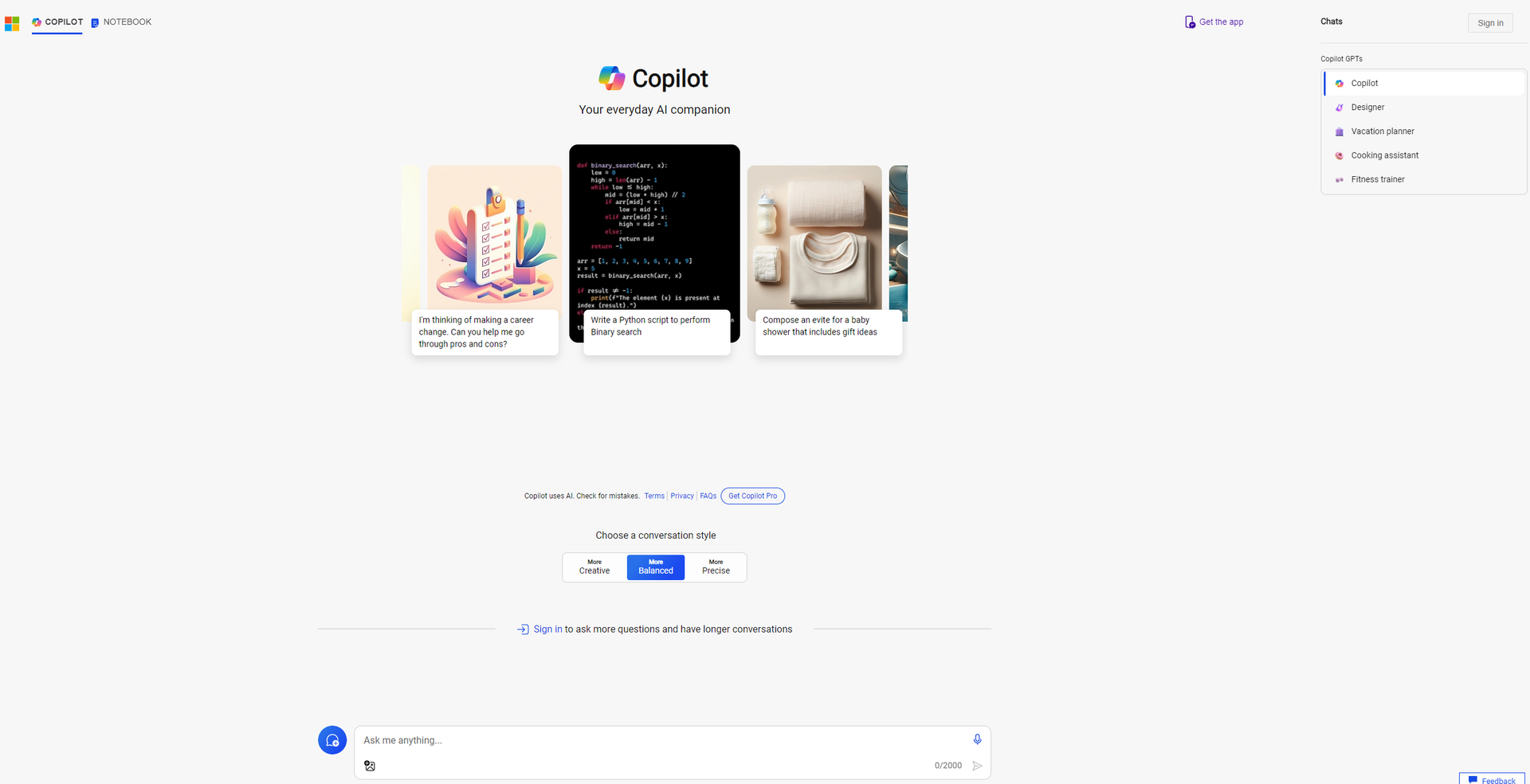
Product Visuals (1 images)
Strengths
- Increased Productivity: By automating routine tasks, Microsoft Copilot helps users save valuable time.
- Enhanced Organization: The AI-driven notebook feature makes managing tasks, notes, and reminders a breeze.
- Intuitive Search Functionality: Its deep search capability ensures that all necessary information is just a query away.
- Seamless Integration: Works effortlessly with other Microsoft tools, providing a cohesive user experience.
Limitations
- Learning Curve: New users may need time to fully leverage all features.
- Microsoft Ecosystem Dependency: Maximum benefits are reaped when used within the Microsoft ecosystem.
- Potential Overreliance: Users might become overly dependent on AI for task management and organization.
Building your AI toolkit?
Save Microsoft Copilot and 1,000+ tools — free with Google, no spam
What You Get
Key Features
- Deep Search: Microsoft Copilot's advanced search capabilities allow users to quickly find the information they need across various platforms and databases.
- AI-driven Notebook: An intuitive notebook feature that helps in organizing notes, tasks, and reminders efficiently, all powered by AI.
- User-Friendly Interface: The design is sleek and intuitive, making it accessible for users of all tech-savviness levels.
- Cross-Platform Compatibility: Microsoft Copilot seamlessly integrates with various Microsoft products and services, enhancing its utility within the Microsoft ecosystem.
- ProsIncreased Productivity: By automating routine tasks, Microsoft Copilot helps users save valuable time.Enhanced Organization: The AI-driven notebook feature makes managing tasks, notes, and reminders a breeze.Intuitive Search Functionality: Its deep search capability ensures that all necessary information is just a query away.Seamless Integration: Works effortlessly with other Microsoft tools, providing a cohesive user experience.ConsLearning Curve: New users may need time to fully leverage all features.Microsoft Ecosystem Dependency: Maximum benefits are reaped when used within the Microsoft ecosystem.Potential Overreliance: Users might become overly dependent on AI for task management and organization.
Best For
- Business Professionals: Enhancing productivity through streamlined task management.
- Students: Organizing study materials and schedules more efficiently.
- Project Managers: Keeping track of project timelines and deliverables.
- Writers and Researchers: For deep search capabilities that aid in gathering and organizing information.
- Uncommon Use Cases: Non-profits using it for organizing fundraising events and campaigns; Personal users for managing household tasks and schedules.
Integrations
Microsoft Teams Compatibility: Enhances collaboration within teams. OneNote Integration: Seamlessly works with OneNote for note-taking and organization. Office 365 Support: Integrates with Office 365 suite for a comprehensive productivity boost. API Access: Offers developers API access for creating custom solutions.
Similar Tools
Weekly Issue
⚡
Writing Gen tools · weekly digest
The AI Weekly — free in your inbox
New AI tools, pricing changes, expert picks, and hidden gems — curated by Mr. Spark every week. Join 5,000+ readers who stay ahead of the AI curve.
No spam, ever
Unsubscribe anytime
100% free