
Pricing Details
Free Tier: Start with Mobirise AI Website Builder at no cost. Premium Extensions: For advanced features and functionalities, premium extensions are available for purchase. Disclaimer: For the most accurate and current pricing details, refer to the Mobirise AI Website Builder website.
Product Visuals (1 images)
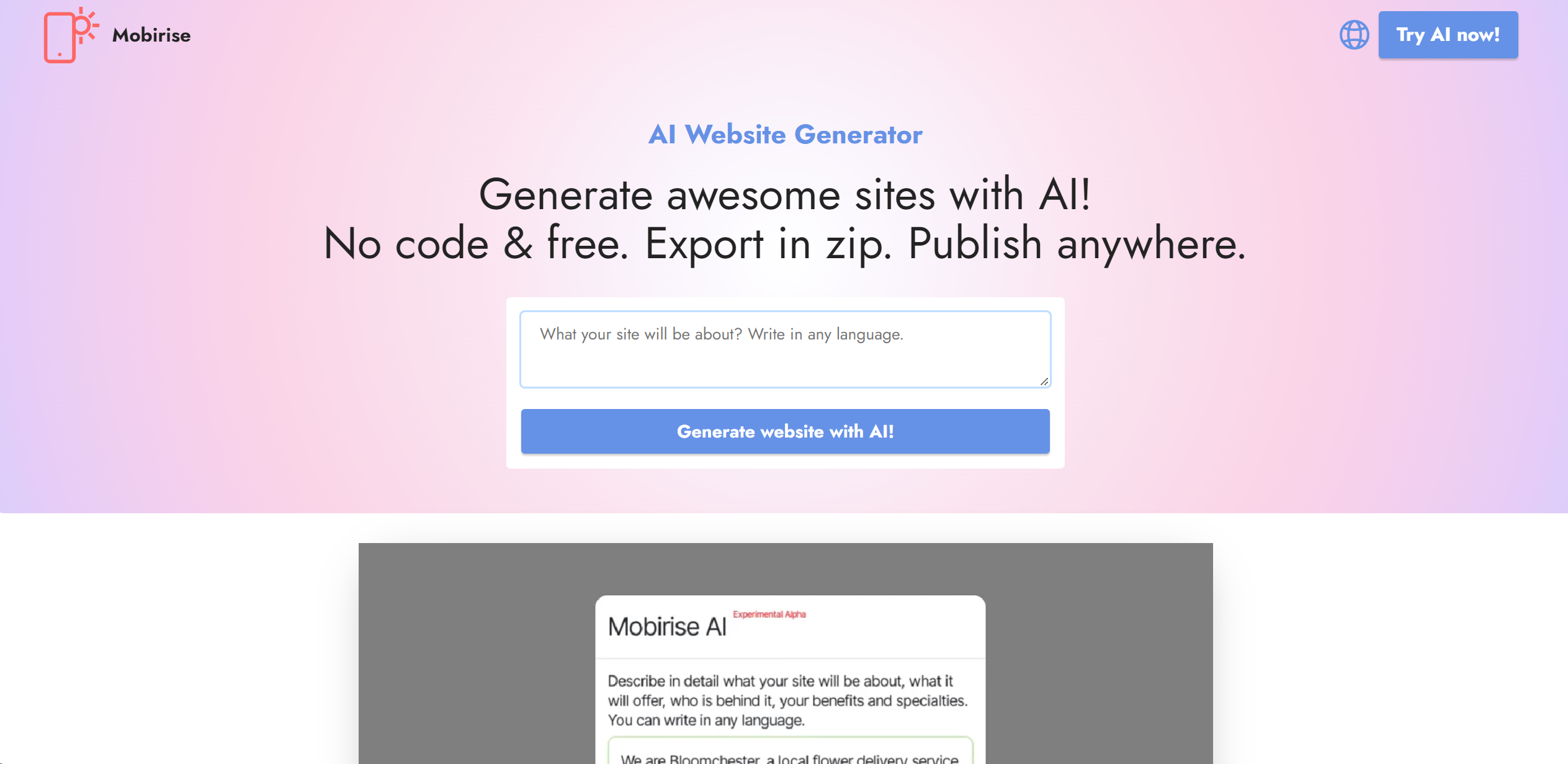
Strengths
- User-Friendly Interface: Designed to be intuitive, making it accessible for users of all skill levels.
- Time-Saving: Automates the design process, allowing users to focus on content and business strategy.
- Cost-Effective: Offers a free version, making it an attractive option for individuals and small businesses.
- Flexibility: Users have full control over their website's look and feel, with options to edit, style, and regenerate content as needed.
Limitations
- Initial Learning Curve: While designed to be user-friendly, first-time users may require time to fully grasp all available features.
- Limited Integration: May not support as many third-party integrations as some competitors.
- Over-reliance on AI: While AI simplifies the design process, users looking for highly specific customizations may need to utilize the code editor.
Building your AI toolkit?
Save Mobirise AI Website Builder and 1,000+ tools — free with Google, no spam
What You Get
Key Features
- Unlimited AI Designs: Generate limitless sophisticated designs with a simple prompt, eliminating the need for extensive coding or design expertise.
- No-Code Solution: Focus on what you want your site to convey, and let the AI handle the rest, from layout generation to content creation.
- Customization and Styling: Offers extensive options for customization, including style, color scheme, typography, and more, ensuring your brand identity shines through.
- Regeneration and Editing: Not satisfied with the initial design? The tool allows for easy regeneration of any section until perfection is achieved.
- Code Editor Extension: For those who want to dive deeper, the Code Editor extension provides the freedom to tweak HTML/CSS code for unparalleled customization.
- E-commerce Features: With the SmartCart extension, setting up an online store is straightforward, supporting both PayPal and Stripe for secure transactions.
- ProsUser-Friendly Interface: Designed to be intuitive, making it accessible for users of all skill levels.Time-Saving: Automates the design process, allowing users to focus on content and business strategy.Cost-Effective: Offers a free version, making it an attractive option for individuals and small businesses.Flexibility: Users have full control over their website's look and feel, with options to edit, style, and regenerate content as needed.ConsInitial Learning Curve: While designed to be user-friendly, first-time users may require time to fully grasp all available features.Limited Integration: May not support as many third-party integrations as some competitors.Over-reliance on AI: While AI simplifies the design process, users looking for highly specific customizations may need to utilize the code editor.
Best For
- Small to Medium-Sized Businesses: Utilizing the tool to quickly establish an online presence.
- Freelancers: Creating personalized portfolios to showcase their work.
- Non-Profit Organizations: Developing websites to promote their causes without heavy investment in web development.
- Educational Institutions: For projects or to digitalize their presence.
- Uncommon Use Cases: Hobbyists creating niche websites for communities; Event organizers setting up landing pages for upcoming events.
Integrations
Social Media Feeds: Integrate feeds from Facebook, Twitter, Instagram, and TikTok. Media Compatibility: Supports YouTube, Vimeo, and SoundCloud for a rich multimedia experience. E-commerce Integration: Through the SmartCart extension, seamlessly set up an online store. Google Tools: Utilize Google Fonts and Google Maps to enhance your site.
Similar Tools
Weekly Issue
⚡
Website Builders tools · weekly digest
The AI Weekly — free in your inbox
New AI tools, pricing changes, expert picks, and hidden gems — curated by Mr. Spark every week. Join 5,000+ readers who stay ahead of the AI curve.
No spam, ever
Unsubscribe anytime
100% free