
Pricing Details
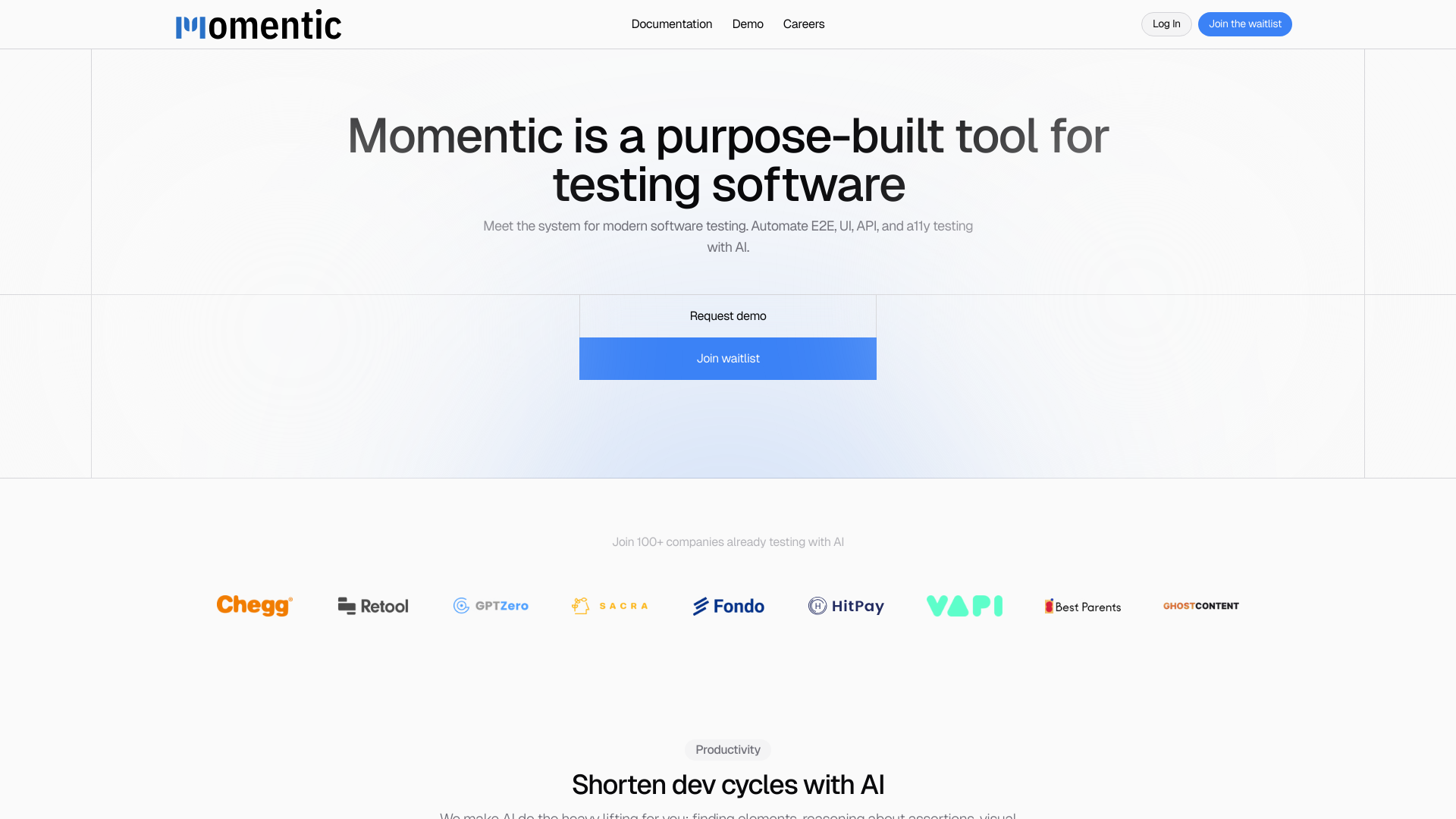
Free Trial: Get started with Momentic at no cost to explore its capabilities. Subscription Plans: Detailed pricing is available upon request through the Momentic website. Disclaimer: For the most accurate and current pricing details, please refer to the official Momentic website.
Product Visuals (1 images)
Strengths
- Enhanced Productivity: AI does the heavy lifting, significantly shortening development cycles by automating repetitive testing tasks.
- User-Friendly Interface: Features an intuitive editor and interactive browser preview that simplifies the creation of complex tests.
- Highly Adaptable: Runs tests in various environments, supporting both local and CI/CD pipeline integrations.
- Plain English Interaction: Allows users to describe elements and assertions in plain English, making it accessible even to less experienced developers.
Limitations
- Limited Public Information: As a relatively new tool, some potential users might find it challenging to locate extensive user reviews or detailed case studies.
- Advanced Features Learning Curve: While designed to be user-friendly, some users may require time to fully leverage all advanced features.
- Dependency on Modern Technology: Requires up-to-date software environments to integrate smoothly.
What You Get
Key Features
- AI-Driven Element Location: Momentic uses AI to intuitively locate elements based on plain English descriptions, moving away from traditional methods like XPath or CSS selectors.
- Dynamic Assertion Crafting: Create powerful assertions based on any logical statement or visual condition, enhancing test robustness.
- Automated Test Recording: Simply record your interactions, and Momentic will automatically generate the necessary tests.
- Local Application Testing: Use the Momentic app to develop and run tests locally without the need for a publicly accessible URL.
- Smart Waiting Mechanism: Automatically tracks in-flight requests and waits for them to complete, ensuring tests run smoothly.
- Integration with CI/CD Pipelines: Compatible with popular CI/CD tools like GitHub Actions, CircleCI, and GitLab Pipelines.
- ProsEnhanced Productivity: AI does the heavy lifting, significantly shortening development cycles by automating repetitive testing tasks.User-Friendly Interface: Features an intuitive editor and interactive browser preview that simplifies the creation of complex tests.Highly Adaptable: Runs tests in various environments, supporting both local and CI/CD pipeline integrations.Plain English Interaction: Allows users to describe elements and assertions in plain English, making it accessible even to less experienced developers.ConsLimited Public Information: As a relatively new tool, some potential users might find it challenging to locate extensive user reviews or detailed case studies.Advanced Features Learning Curve: While designed to be user-friendly, some users may require time to fully leverage all advanced features.Dependency on Modern Technology: Requires up-to-date software environments to integrate smoothly.
Best For
- Software Development Companies: Employ Momentic for streamlined testing across development phases.
- Quality Assurance Professionals: Utilize the tool to perform detailed and automated testing with less manual effort.
- Tech Startups: Leverage Momentic to maintain agile development cycles and ensure high-quality software releases.
- Educational Institutions: Use in tech courses to teach modern testing techniques.
- Uncommon Use Cases: Non-tech companies use Momentic to ensure the software reliability of their digital tools.
Integrations
GitHub Actions: Seamlessly integrates, facilitating continuous integration and delivery. CircleCI and GitLab Pipelines: Supports major CI/CD platforms to enhance development workflows. Local and Cloud Testing: Offers flexible testing solutions that cater to diverse development environments. Browser Control: Advanced browser interaction capabilities for comprehensive testing scenarios.
Similar Tools
Weekly Issue
⚡
No-Code tools · weekly digest
The AI Weekly — free in your inbox
New AI tools, pricing changes, expert picks, and hidden gems — curated by Mr. Spark every week. Join 5,000+ readers who stay ahead of the AI curve.
No spam, ever
Unsubscribe anytime
100% free