
Pricing Details
Free Trial: Motion offers a free trial, allowing users to explore its features before committing. Subscription Plans: Detailed pricing information is available on the Motion website, catering to both individual users and teams. Disclaimer: Please note that pricing information may fluctuate. For the most current details, refer to the official Motion website.
Product Visuals (1 images)
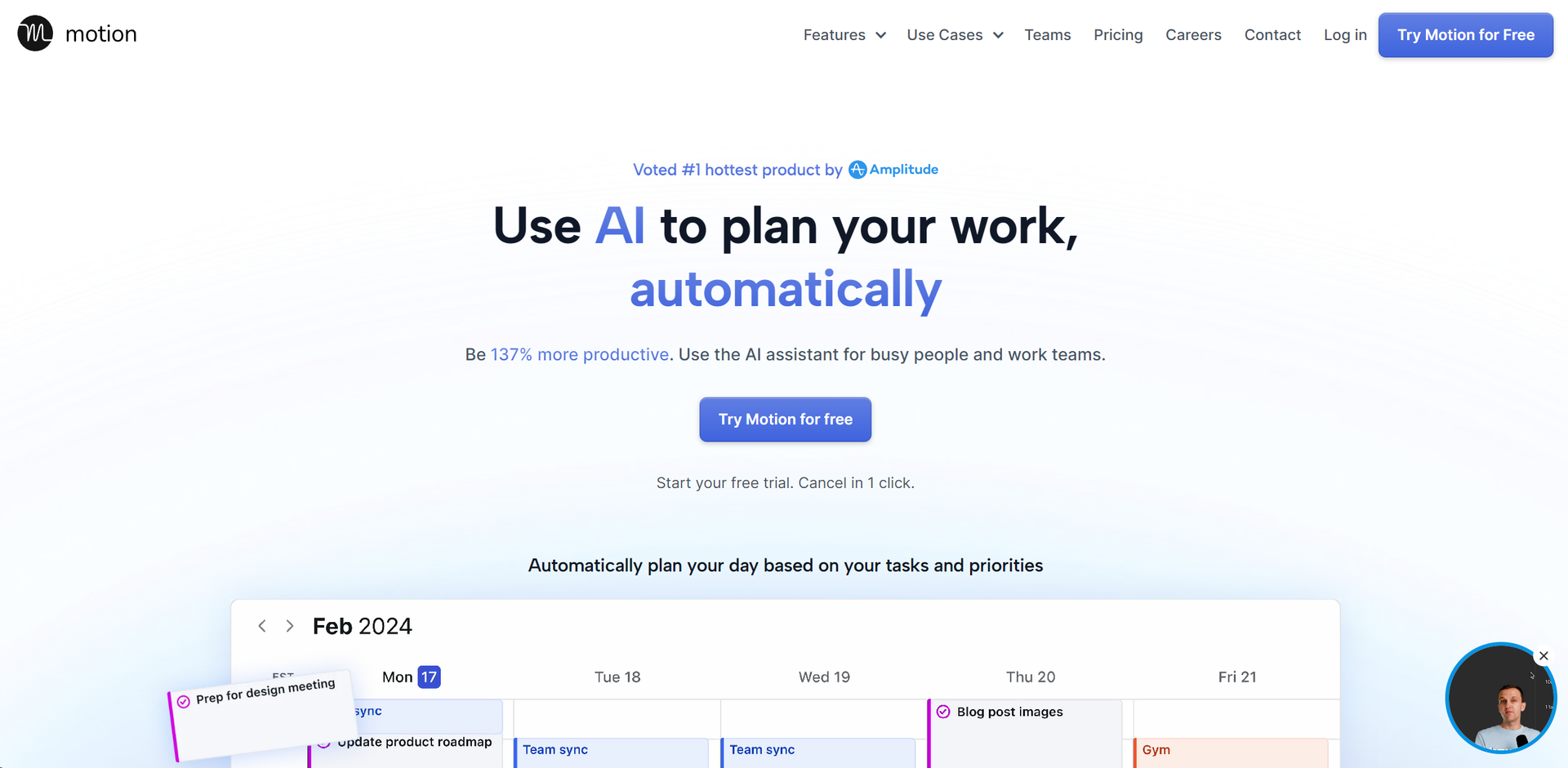
Strengths
- Increased Productivity: Users report a significant boost in productivity, with the tool's AI planning capabilities allowing for more efficient use of time.
- Stress Reduction: By automating task prioritization and scheduling, Motion reduces the cognitive load, leading to less stress and overwhelm.
- Enhanced Focus: Motion guards your time, limiting interruptions and enabling focused work periods.
- One Tool for Everything: Combines the functionalities of project management apps, to-do lists, and meeting schedulers into one platform.
Limitations
- Learning Curve: New users may need time to fully understand and leverage all of Motion's features.
- Dependency on Digital Setup: Those preferring traditional, non-digital planning methods might find the transition challenging.
- Limited Third-Party Integrations: While Motion offers some integrations, users might find the need for more extensive third-party compatibility.
What You Get
Key Features
- Task Scheduling: Motion automatically organizes your tasks and projects, scheduling them on your calendar and adjusting in real-time to ensure optimal productivity.
- Task Prioritization: With its advanced algorithm, Motion evaluates all your tasks and projects, prioritizing them based on deadlines, dependencies, and other criteria, so you always know what to focus on next.
- Project Management: Simplify complex projects into actionable plans. Motion handles the planning, allowing you to concentrate on execution.
- Automated Meeting Scheduling: Streamline the process of scheduling meetings with automated booking pages and availability management, ensuring meetings are set at ideal times.
- Workload Reporting: Motion provides insights into your workload, helping set realistic deadlines and prevent overcommitment.
- Calendar Syncing: Integrate all your work and personal calendars into one master calendar for seamless management of your schedule.
- ProsIncreased Productivity: Users report a significant boost in productivity, with the tool's AI planning capabilities allowing for more efficient use of time.Stress Reduction: By automating task prioritization and scheduling, Motion reduces the cognitive load, leading to less stress and overwhelm.Enhanced Focus: Motion guards your time, limiting interruptions and enabling focused work periods.One Tool for Everything: Combines the functionalities of project management apps, to-do lists, and meeting schedulers into one platform.ConsLearning Curve: New users may need time to fully understand and leverage all of Motion's features.Dependency on Digital Setup: Those preferring traditional, non-digital planning methods might find the transition challenging.Limited Third-Party Integrations: While Motion offers some integrations, users might find the need for more extensive third-party compatibility.
Best For
- Service Businesses: For managing client projects and internal tasks efficiently.
- IT Service Providers: To streamline project timelines and task assignments.
- Marketing and Design Agencies: For organizing creative projects and collaboration.
- Law Firms and Consulting Businesses: To prioritize case work and manage deadlines.
- Functional Teams within Larger Organizations: Including startups, product teams, and executive teams, leveraging Motion for cross-functional project management.
- Uncommon Use Cases: Educational institutions use Motion for planning academic projects, while freelancers utilize it for juggling multiple client projects.
Integrations
Calendar Integration: Supports Google Calendar, Outlook Calendar, and Apple Calendar (iCloud), offering a unified view of all schedules. API Access: Developers can connect Motion with other tools through Zapier, enhancing its functionality. Meeting Platforms: Integrates with Zoom and Google Meet for seamless scheduling of virtual meetings. Email Compatibility: Works with Gmail and Outlook for direct task addition from emails.
Similar Tools



Weekly Issue
⚡
Personal Assistant tools · weekly digest
The AI Weekly — free in your inbox
New AI tools, pricing changes, expert picks, and hidden gems — curated by Mr. Spark every week. Join 5,000+ readers who stay ahead of the AI curve.
No spam, ever
Unsubscribe anytime
100% free