
Pricing Details
Free Tier: Try Notta for free with basic features. Premium Plans: Start at $9.00 per month, offering extended features and support. Disclaimer: Please note that pricing information may not be up to date. For the most accurate and current pricing details, refer to the official Notta website.
Product Visuals (1 images)
Strengths
- Time Efficiency: Reduces the time required for transcription and summarization from hours to minutes, enabling swift decision-making.
- Cost-Effective: Offers significant cost savings over traditional transcription services, with automated tools that minimize manual effort.
- High Accuracy: Ensures high transcription accuracy even in multi-speaker environments, thanks to advanced voice recognition technology.
- Enhanced Collaboration: Features like shared workspaces and document sharing improve teamwork and project management.
Limitations
- Learning Curve: New users may require some time to fully leverage all features and integrations.
- Language Limitations: Currently supports a limited number of languages for transcription and translation, which may not cover all user needs.
- Dependence on Internet Connection: As a cloud-based platform, it requires a stable internet connection to function effectively.
What You Get
Key Features
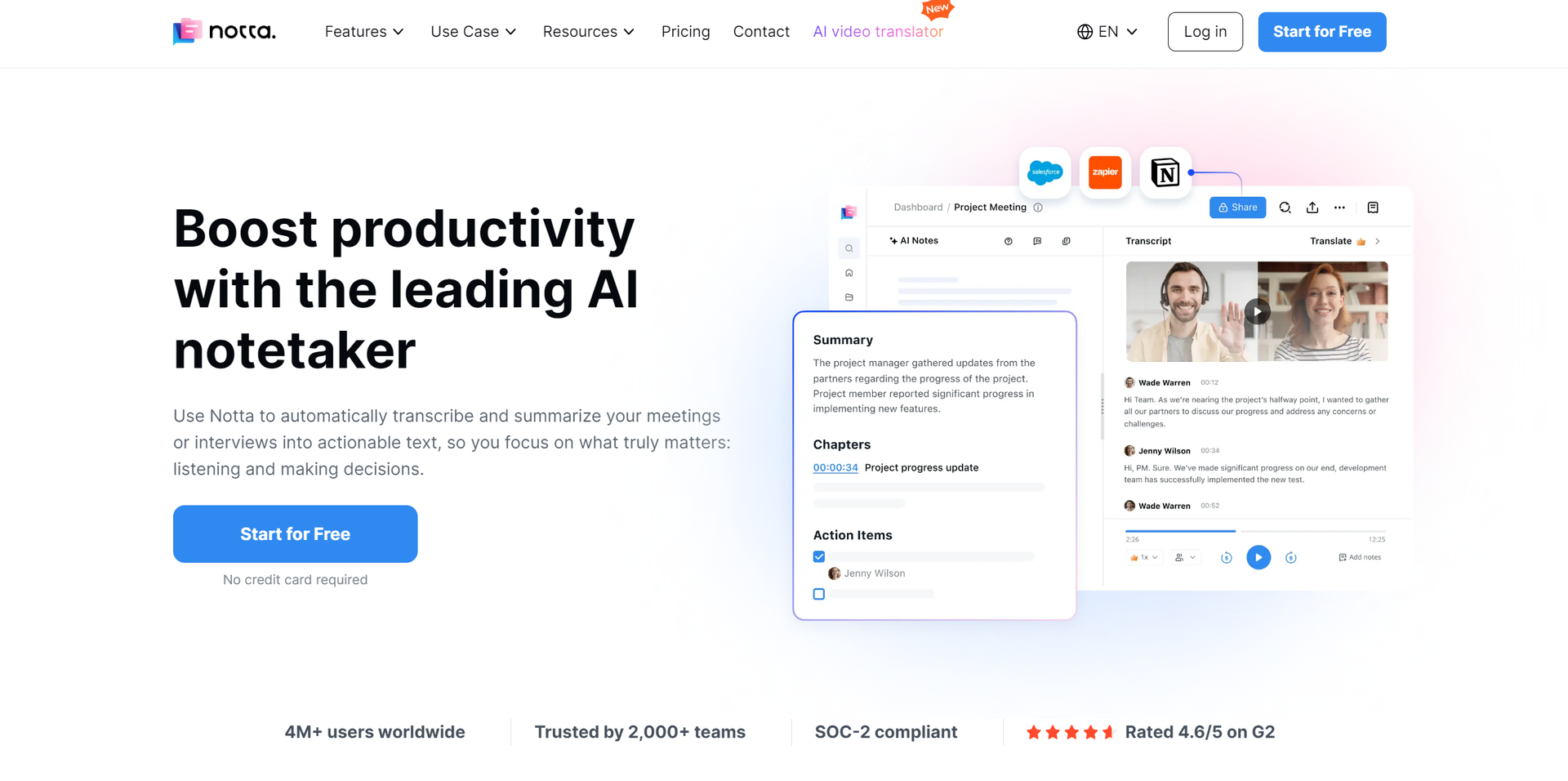
- Real-Time Transcription and Translation: Notta offers immediate transcription of audio into text and can translate between multiple languages, including English, Japanese, Chinese, and Vietnamese.
- AI-Powered Summarization: Utilizes AI to automatically summarize key points from spoken content, making it easier to digest and analyze important information.
- Cross-Platform Compatibility: Available as a web application, mobile app (iOS and Android), and Chrome extension, Notta ensures accessibility across different devices and platforms.
- Advanced Search and Tagging: Allows users to quickly find specific parts of the audio or text data with the help of efficient search functions and tagging capabilities.
- Integration with Popular Tools: Seamlessly works with Google Calendar, Zoom, Microsoft Teams, and other commonly used platforms to facilitate efficient scheduling and information management.
- ProsTime Efficiency: Reduces the time required for transcription and summarization from hours to minutes, enabling swift decision-making.Cost-Effective: Offers significant cost savings over traditional transcription services, with automated tools that minimize manual effort.High Accuracy: Ensures high transcription accuracy even in multi-speaker environments, thanks to advanced voice recognition technology.Enhanced Collaboration: Features like shared workspaces and document sharing improve teamwork and project management.ConsLearning Curve: New users may require some time to fully leverage all features and integrations.Language Limitations: Currently supports a limited number of languages for transcription and translation, which may not cover all user needs.Dependence on Internet Connection: As a cloud-based platform, it requires a stable internet connection to function effectively.
Best For
- Corporate Teams: For documenting meetings and sharing transcripts across departments.
- Journalists and Media Professionals: Utilizing the tool to quickly transcribe interviews and create content.
- Academic Institutions: Teachers and students use Notta for lecture transcription and study material preparation.
- Healthcare Professionals: To document patient interactions and medical meetings accurately.
- Uncommon Use Cases: Used by podcasters for episode transcription and by legal professionals for recording testimonies and depositions.
Similar Tools
Weekly Issue
⚡
Translator tools · weekly digest
The AI Weekly — free in your inbox
New AI tools, pricing changes, expert picks, and hidden gems — curated by Mr. Spark every week. Join 5,000+ readers who stay ahead of the AI curve.
No spam, ever
Unsubscribe anytime
100% free