
Pricing Details
Free Tier: Get started with Optimizer AI with limited features at no cost. Pro Tier: Full access to all features and sounds starting from $10 per month. Disclaimer: For the most accurate and current pricing details, refer to the official Optimizer AI website.
Product Visuals (1 images)
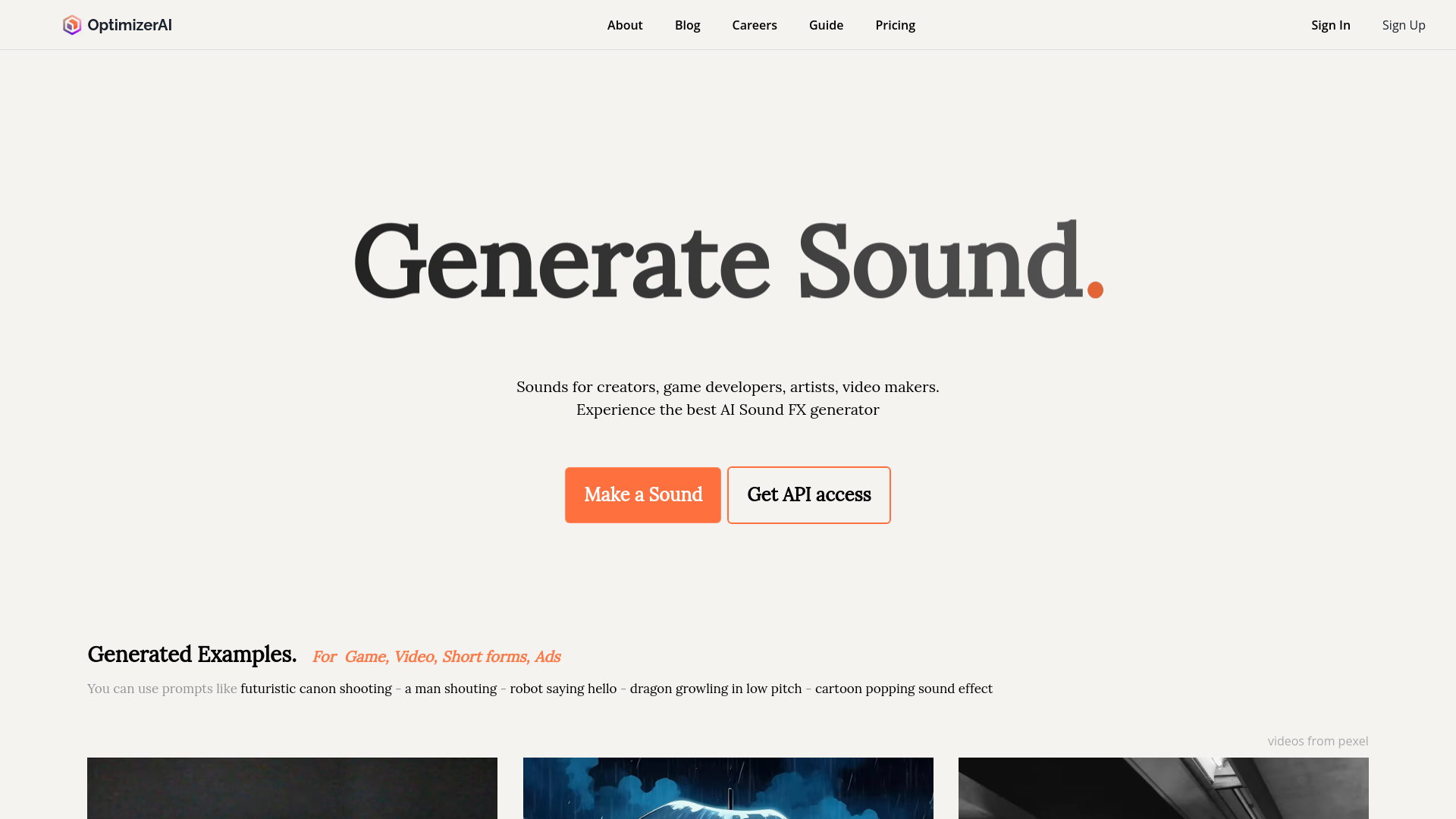
Strengths
- Innovative Sound Creation: Enables the creation of unique sound effects that can be tailored to specific project needs.
- Time Efficiency: Significantly reduces the time required to produce quality sound effects.
- Cost-Effective: Eliminates the need for expensive sound design resources or outsourcing.
- User-Friendly Interface: Designed with a straightforward interface that is easy for beginners and professionals alike.
Limitations
- Limited Integration: Currently offers limited third-party integration, which may be a drawback for users relying on other platforms.
- Learning Curve: New users may need some time to fully grasp all functionalities.
- Availability of Advanced Features: Some anticipated features like video to sound conversion are still in development.
Building your AI toolkit?
Save Optimizer AI and 1,000+ tools — free with Google, no spam
What You Get
Key Features
- Text-to-Sound Effect Generation: Transform written prompts into vivid sound effects effortlessly.
- High-Quality Audio Output: Produces sounds in stereo, 44.1kHz, ensuring professional audio quality.
- Diverse Sound Library: Access a wide range of sounds from different categories suitable for games, videos, and animations.
- API Access: Integrate Optimizer AI’s capabilities directly into your projects with an easy-to-use API.
- Upcoming Features: Stay ahead with upcoming features like video to sound conversion, enhancing the tool’s versatility.
- ProsInnovative Sound Creation: Enables the creation of unique sound effects that can be tailored to specific project needs.Time Efficiency: Significantly reduces the time required to produce quality sound effects.Cost-Effective: Eliminates the need for expensive sound design resources or outsourcing.User-Friendly Interface: Designed with a straightforward interface that is easy for beginners and professionals alike.ConsLimited Integration: Currently offers limited third-party integration, which may be a drawback for users relying on other platforms.Learning Curve: New users may need some time to fully grasp all functionalities.Availability of Advanced Features: Some anticipated features like video to sound conversion are still in development.
Best For
- Game Developers: Employing the tool to create dynamic sound effects for interactive gameplay.
- Video Producers: Enhancing video productions with tailored soundscapes.
- Digital Artists: Integrating unique sounds into digital art installations.
- Educational Content Creators: Using sound effects to make learning materials more engaging.
- Uncommon Use Cases: Podcasters using sound effects to enrich the auditory experience of their shows; Event organizers integrating custom sounds into performances.
Integrations
API Access: Developers can integrate Optimizer AI's capabilities into their applications seamlessly. Future Integrations: Planned expansions for compatibility with major video editing software.
Similar Tools
Weekly Issue
⚡
Audio Editing tools · weekly digest
The AI Weekly — free in your inbox
New AI tools, pricing changes, expert picks, and hidden gems — curated by Mr. Spark every week. Join 5,000+ readers who stay ahead of the AI curve.
No spam, ever
Unsubscribe anytime
100% free