
Pricing Details
Free Tier: Offers basic features at no cost, allowing users to get started with PaperBrain. Premium Tier: Provides full access to advanced features through a subscription starting at $9.99 per month. Disclaimer: Pricing information may not be up-to-date. For the most accurate details, please refer to the official PaperBrain website.
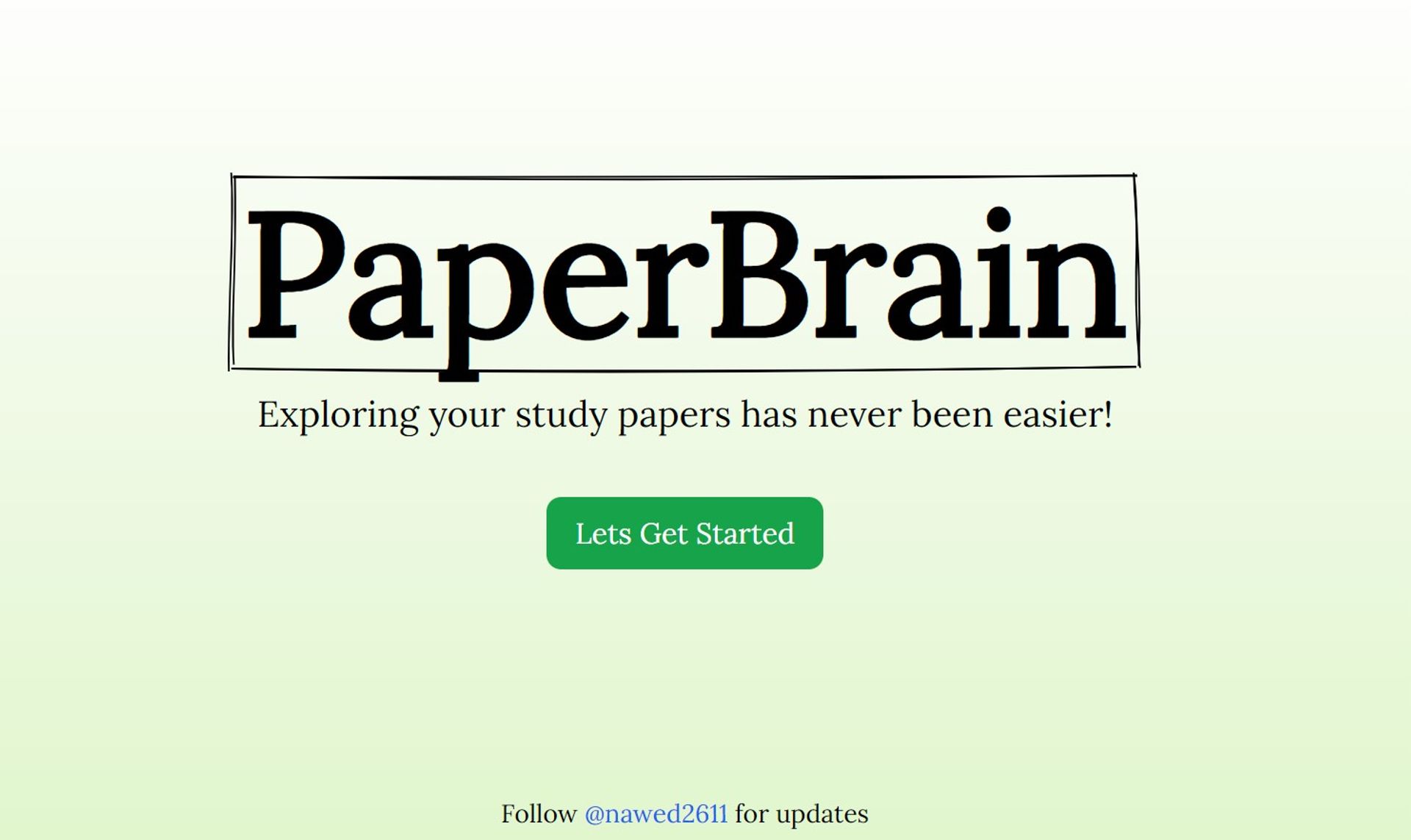
Product Visuals (1 images)
Strengths
- Enhanced Productivity: Significantly reduces the time spent on managing academic literature, allowing users to focus more on research.
- User-Centric Design: Tailored to provide a seamless and intuitive experience specifically designed for academic users.
- Academic Networking: Facilitates connections with peers through collaborative features, fostering academic collaboration.
- Cross-Platform Access: Ensures accessibility across various devices, enabling users to access their library from anywhere.
Limitations
- Learning Curve: New users may require some time to fully grasp and utilize all the features effectively.
- Limited File Formats: Currently optimized for PDF documents, with potential for expansion to support additional formats in the future.
- Subscription Model: While basic features are available for free, access to advanced features may require a paid subscription.
Building your AI toolkit?
Save PaperBrain and 1,000+ tools — free with Google, no spam
What You Get
Key Features
- Smart Organization: Automatically categorizes papers into a personalized library tailored to individual preferences.
- Intuitive Annotation: Allows users to highlight text and add notes directly onto PDF documents for enhanced comprehension.
- Reference Manager: Simplifies the citation process by providing built-in referencing tools, saving time and effort.
- Collaborative Workspaces: Offers shared spaces where groups can collaborate on research projects and engage in discussions.
- AI-Powered Summaries: Generates concise summaries of academic papers, facilitating quick understanding of complex material.
- ProsEnhanced Productivity: Significantly reduces the time spent on managing academic literature, allowing users to focus more on research.User-Centric Design: Tailored to provide a seamless and intuitive experience specifically designed for academic users.Academic Networking: Facilitates connections with peers through collaborative features, fostering academic collaboration.Cross-Platform Access: Ensures accessibility across various devices, enabling users to access their library from anywhere.ConsLearning Curve: New users may require some time to fully grasp and utilize all the features effectively.Limited File Formats: Currently optimized for PDF documents, with potential for expansion to support additional formats in the future.Subscription Model: While basic features are available for free, access to advanced features may require a paid subscription.
Best For
- University Students: Utilizing the tool to manage their thesis research, course readings, and academic projects.
- Academic Researchers: Employing PaperBrain to stay organized and up-to-date with the latest literature in their respective fields.
- Professors: Leveraging the tool to organize course materials, conduct research, and manage publications.
- Librarians: Incorporating PaperBrain into digital resource management systems within academic institutions.
- Uncommon Use Cases: Non-profit organizations utilizing PaperBrain for policy research, and book clubs using it for collaborative reading and discussion sessions.
Integrations
Cloud Storage Services: Syncs seamlessly with popular cloud storage platforms, ensuring easy access to documents from anywhere. Academic Databases: Integrates with major academic search engines and databases, enhancing research efficiency. Zotero and Mendeley: Compatible with other reference management tools, facilitating a smooth transition for existing users. Browser Extensions: Offers extensions for easy addition of web-sourced academic papers, further streamlining the research process.
Similar Tools
Weekly Issue
⚡
Research tools · weekly digest
The AI Weekly — free in your inbox
New AI tools, pricing changes, expert picks, and hidden gems — curated by Mr. Spark every week. Join 5,000+ readers who stay ahead of the AI curve.
No spam, ever
Unsubscribe anytime
100% free