
Pricing Details
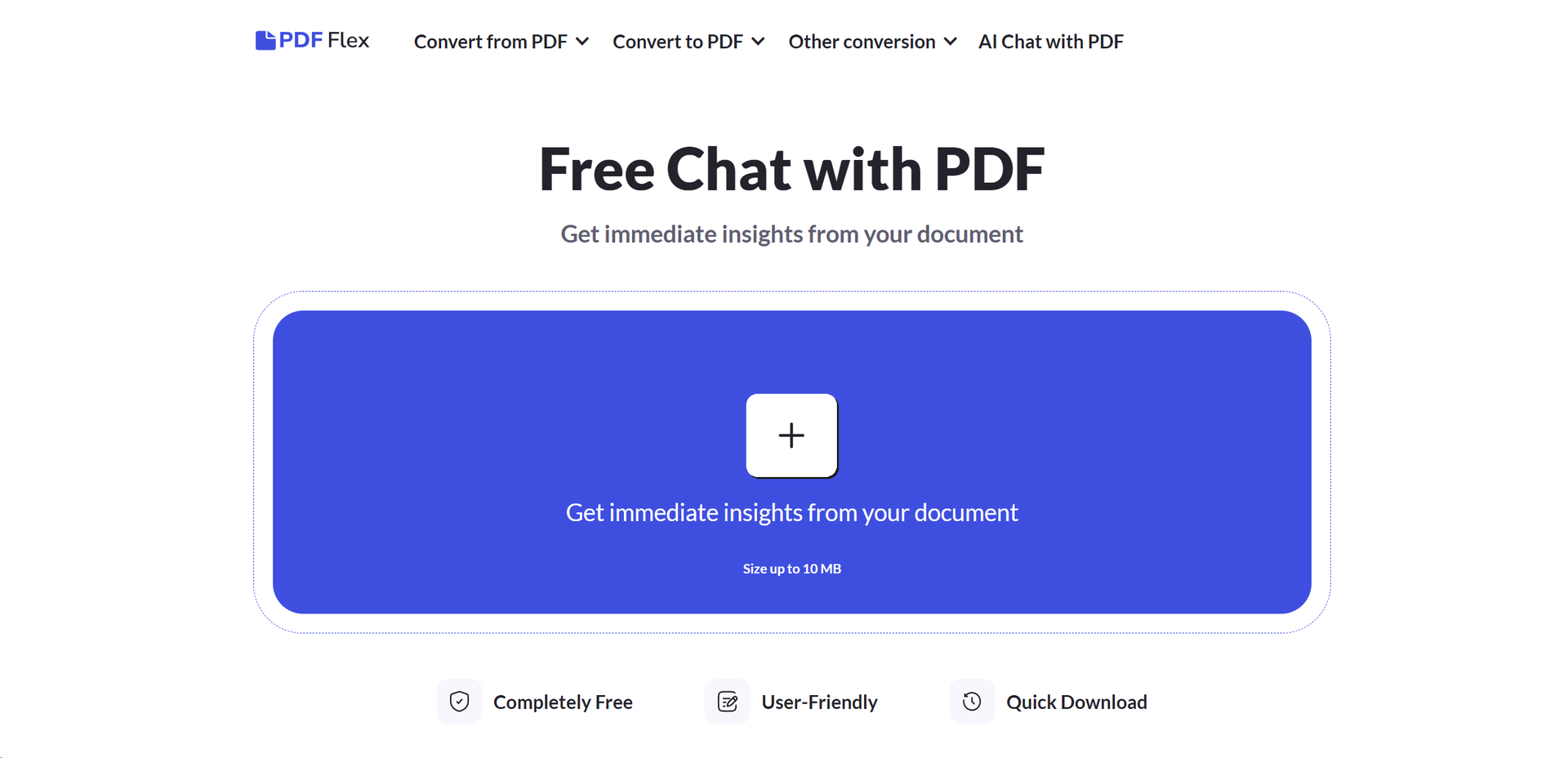
Completely Free: PDF Flex offers all its features, including the AI chat with PDF, without any cost. Disclaimer: For the most accurate and current details on offerings and functionalities, please visit the official PDF Flex website.
Product Visuals (1 images)
Strengths
- Rapid File Transformation: Speeds up the process of document conversion and information retrieval, significantly enhancing productivity.
- No Login Requirement: Offers immediate and hassle-free access to all features without the need for user registration or login.
- Versatility in Use: Suitable for a wide array of users, from students and researchers to professionals across various industries.
- Quality Assurance: Delivers high-quality conversion results, maintaining the original document's layout and formatting.
Limitations
- File Size Limitation: Currently supports documents up to 10 MB, which may restrict the processing of larger files.
- Language Support: While it supports multiple languages, the accuracy and effectiveness of non-English document interactions may vary.
- Internet Dependency: Requires a stable internet connection for all functionalities, which might limit offline accessibility.
What You Get
Key Features
- AI Chat with PDF: Engage in real-time conversations with your PDF documents, asking questions and receiving instant answers.
- Broad Conversion Spectrum: Convert documents to and from PDF format, including Word, EPUB, PPTX, PNG, JPG, and many more.
- High-Quality Outcomes: Ensures the preservation of document integrity and formatting during conversion processes.
- Cross-Platform Accessibility: Accessible on Windows, Mac OS, Linux, iOS, and Android, facilitating seamless document management across devices.
- User-Friendly Interface: Designed for ease of use, enabling users to navigate and utilize the tool's features without a steep learning curve.
- Secure and Private: Utilizes HTTPS encryption to protect your documents and does not retain files post-conversion, ensuring data privacy.
- ProsRapid File Transformation: Speeds up the process of document conversion and information retrieval, significantly enhancing productivity.No Login Requirement: Offers immediate and hassle-free access to all features without the need for user registration or login.Versatility in Use: Suitable for a wide array of users, from students and researchers to professionals across various industries.Quality Assurance: Delivers high-quality conversion results, maintaining the original document's layout and formatting.ConsFile Size Limitation: Currently supports documents up to 10 MB, which may restrict the processing of larger files.Language Support: While it supports multiple languages, the accuracy and effectiveness of non-English document interactions may vary.Internet Dependency: Requires a stable internet connection for all functionalities, which might limit offline accessibility.
Best For
- PDF Flex caters to a diverse user base, offering valuable functionalities for:
- Students and Academics: For summarizing research papers and extracting key information from study materials.
- Professionals: Utilized in various fields such as legal, healthcare, and finance for efficient document handling and information retrieval.
- Content Creators: Aids in converting digital content into preferred formats for distribution or archival purposes.
- IT and Software Developers: Leveraged for documentation management and integrating PDF functionalities into custom applications.
- Uncommon Use Cases: Beneficial for individuals with visual impairments requiring document content to be easily accessible; also used by librarians for archiving and digitizing print materials.
Integrations
Cross-Platform Support: Works seamlessly across major operating systems including Windows, Mac OS, Linux, iOS, and Android. Secure Document Handling: Employs HTTPS encryption to ensure data privacy and security throughout the document conversion process. User-Friendly Design: The interface is crafted for ease of use, requiring no specialized knowledge or training to navigate.
Similar Tools

Weekly Issue
⚡
Research tools · weekly digest
The AI Weekly — free in your inbox
New AI tools, pricing changes, expert picks, and hidden gems — curated by Mr. Spark every week. Join 5,000+ readers who stay ahead of the AI curve.
No spam, ever
Unsubscribe anytime
100% free