
Pricing Details
Annual Subscription: $6.25 per month with a 30-day money-back guarantee, offering a cost-effective solution for consistent writing improvement. Disclaimer: Please note that pricing information may not be up to date. For the most accurate and current pricing details, refer to the official Pismo website.
Product Visuals (1 images)
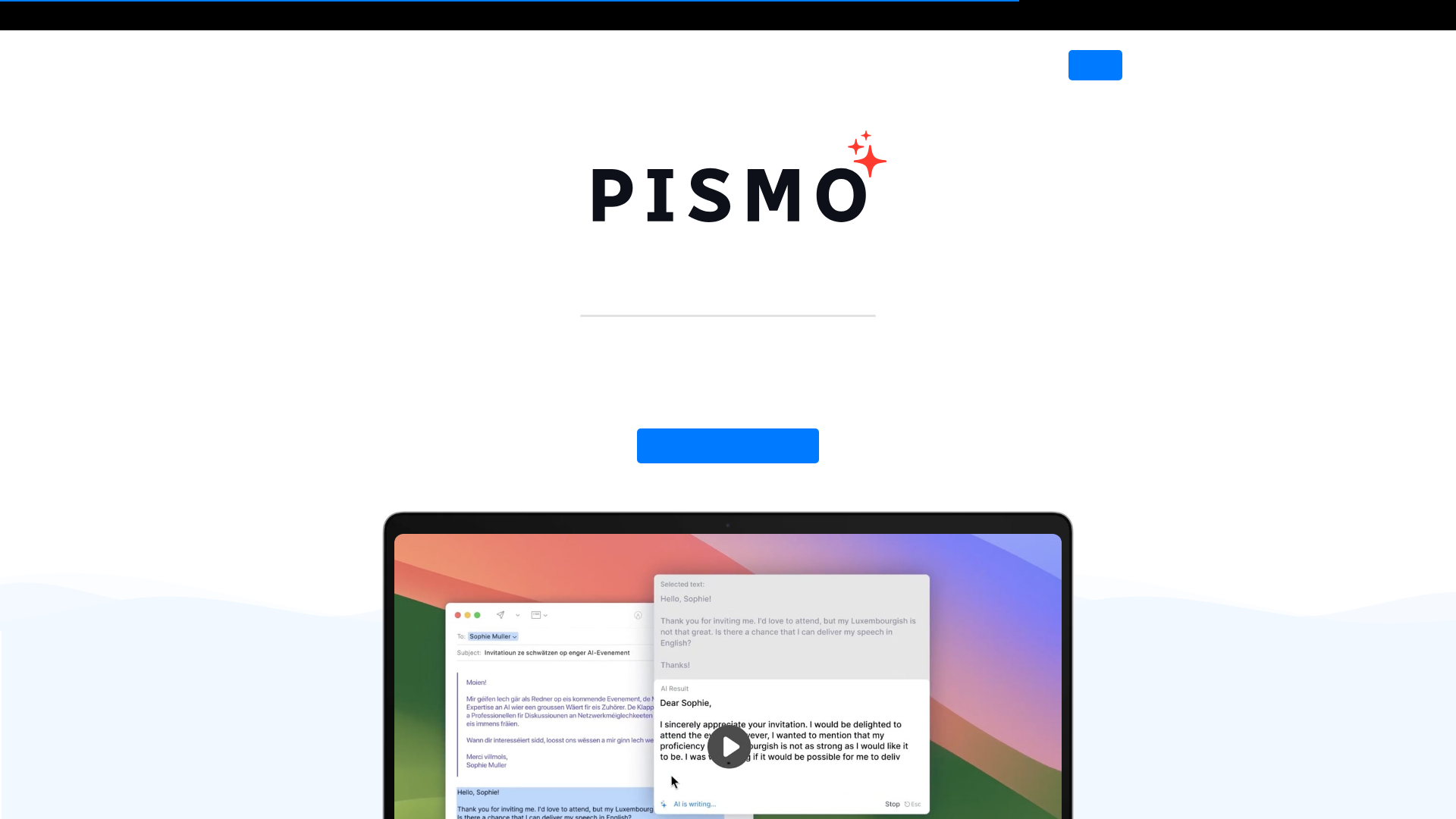
Strengths
- Seamless Integration: Works across all applications on Mac and Windows, allowing for consistent use without the need to switch between tools.
- User-Friendly Interface: The intuitive design ensures a smooth user experience, making it easy to access features with just a hotkey.
- Highly Customizable: Offers the ability to create custom prompts and shortcuts, enhancing productivity by tailoring the tool to specific needs.
- Privacy-Focused: Prioritizes user privacy by securely transferring and storing data, without processing the text externally.
Limitations
- Initial Learning Curve: Some users might need time to fully utilize all advanced features and customizations.
- Internet Dependency: Requires an active internet connection to function, which might be a limitation for users with unreliable network access.
What You Get
Key Features
- AI-Powered Enhancements: Improve the quality and clarity of your writing with AI-driven suggestions and corrections, ensuring your text is polished and professional.
- Multilingual Translation: Effortlessly translate your text into various languages, making it easier to communicate with a global audience.
- Customizable Text Length and Tone: Adjust the length and tone of your writing to suit different contexts and audiences, whether you need to expand on ideas or maintain brevity.
- Grammar and Spelling Corrections: Eliminate errors with advanced AI tools that provide real-time corrections for spelling and grammar mistakes.
- ProsSeamless Integration: Works across all applications on Mac and Windows, allowing for consistent use without the need to switch between tools.User-Friendly Interface: The intuitive design ensures a smooth user experience, making it easy to access features with just a hotkey.Highly Customizable: Offers the ability to create custom prompts and shortcuts, enhancing productivity by tailoring the tool to specific needs.Privacy-Focused: Prioritizes user privacy by securely transferring and storing data, without processing the text externally.ConsInitial Learning Curve: Some users might need time to fully utilize all advanced features and customizations.Internet Dependency: Requires an active internet connection to function, which might be a limitation for users with unreliable network access.
Best For
- Content Writers: Enhancing the quality of articles, blogs, and reports with AI-driven writing improvements.
- Business Professionals: Crafting professional emails, presentations, and documentation with greater precision and clarity.
- Students and Academics: Assisting in writing essays, theses, and research papers, ensuring academic rigor and coherence.
- Multilingual Communicators: Translating and simplifying text for international communication and collaboration.
- Uncommon Use Cases: Used by travel bloggers to quickly translate local content; adopted by non-native English speakers to improve language proficiency in professional settings.
Similar Tools
Weekly Issue
⚡
Translator tools · weekly digest
The AI Weekly — free in your inbox
New AI tools, pricing changes, expert picks, and hidden gems — curated by Mr. Spark every week. Join 5,000+ readers who stay ahead of the AI curve.
No spam, ever
Unsubscribe anytime
100% free