
Pricing Details
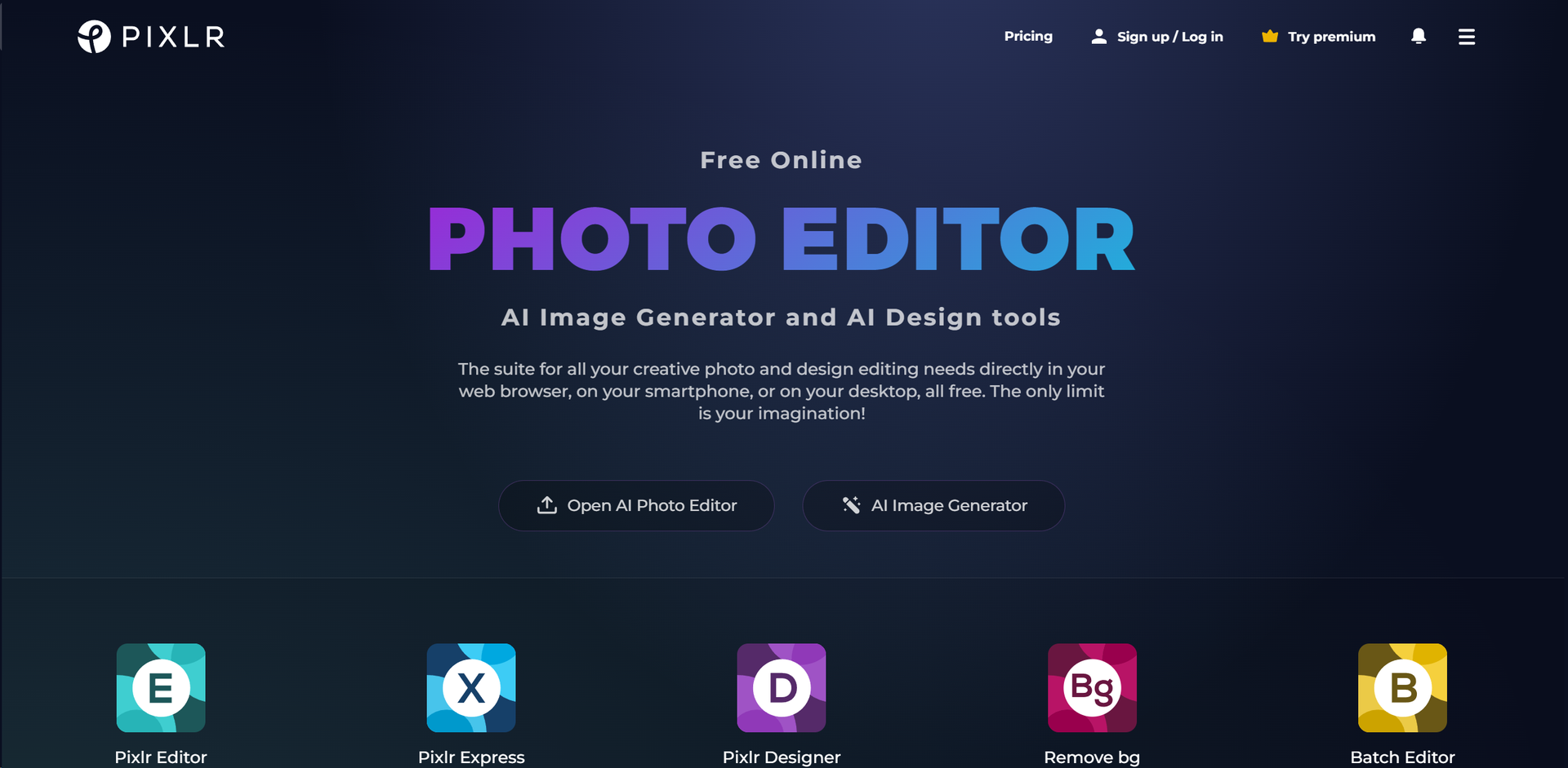
Free Version: Access to a wide array of editing tools and features at no cost. Premium Subscription: Enhanced features and content, starting from a competitive monthly fee. Disclaimer: For the most accurate and current pricing details, refer to Pixlr's official website.
Product Visuals (1 images)
Strengths
- Versatility: Caters to a wide range of creative tasks, from simple edits to complex designs.
- User-Friendly Interface: Intuitive and easy to navigate, making it accessible for users of all skill levels.
- No Installation Required: Being web-based, it eliminates the need for software downloads, offering convenience and flexibility.
- Free Access: Offers robust features for free, with additional premium options for advanced needs.
Limitations
- Internet Dependency: Requires a stable internet connection for access, which might limit usability in offline scenarios.
- Feature Limitations in Free Version: While comprehensive, the free version has limitations that can be unlocked with a subscription.
- Learning Curve for Advanced Features: Some of the more sophisticated tools may require a learning period, especially for those new to photo editing.
Building your AI toolkit?
Save Pixlr: AI-Powered Editor and 1,000+ tools — free with Google, no spam
What You Get
Key Features
- AI-Powered Generative Tools: Revolutionize your creative process with AI Image Generator, Generative Fill, and Generative Expand, transforming simple text or concepts into visually captivating artwork.
- Comprehensive Photo Editing: Offers a broad spectrum of editing tools, from basic adjustments to advanced retouching, drawing, filters, and effects, catering to all levels of expertise.
- Cross-Platform Accessibility: Edit your images seamlessly across web, desktop, and mobile platforms, ensuring a consistent and efficient workflow regardless of the device used.
- Education and Learning Resources: Provides a wealth of tutorials, tips, and guides to help users maximize their use of the platform, perfect for both beginners and seasoned professionals looking to refine their skills.
- ProsVersatility: Caters to a wide range of creative tasks, from simple edits to complex designs.User-Friendly Interface: Intuitive and easy to navigate, making it accessible for users of all skill levels.No Installation Required: Being web-based, it eliminates the need for software downloads, offering convenience and flexibility.Free Access: Offers robust features for free, with additional premium options for advanced needs.ConsInternet Dependency: Requires a stable internet connection for access, which might limit usability in offline scenarios.Feature Limitations in Free Version: While comprehensive, the free version has limitations that can be unlocked with a subscription.Learning Curve for Advanced Features: Some of the more sophisticated tools may require a learning period, especially for those new to photo editing.
Best For
- Digital Marketers: For creating compelling visuals for campaigns and social media.
- Graphic Designers: For quick edits and designs when traditional software isn’t accessible.
- Photographers: For enhancing photos with advanced editing tools.
- Educators and Students: As a learning tool in digital artistry and design courses.
- Uncommon Use Cases: Non-profits utilizing the platform for creating impactful visual content; hobbyists exploring digital art.
Integrations
Cross-Platform Support: Works on web, desktop, and mobile devices. File Compatibility: Supports a wide range of image formats for editing and exporting. Educational Integration: Offers resources and plans tailored for educational use, promoting learning and creativity.
Similar Tools
Weekly Issue
⚡
Image Gen tools · weekly digest
The AI Weekly — free in your inbox
New AI tools, pricing changes, expert picks, and hidden gems — curated by Mr. Spark every week. Join 5,000+ readers who stay ahead of the AI curve.
No spam, ever
Unsubscribe anytime
100% free