
Pricing Details
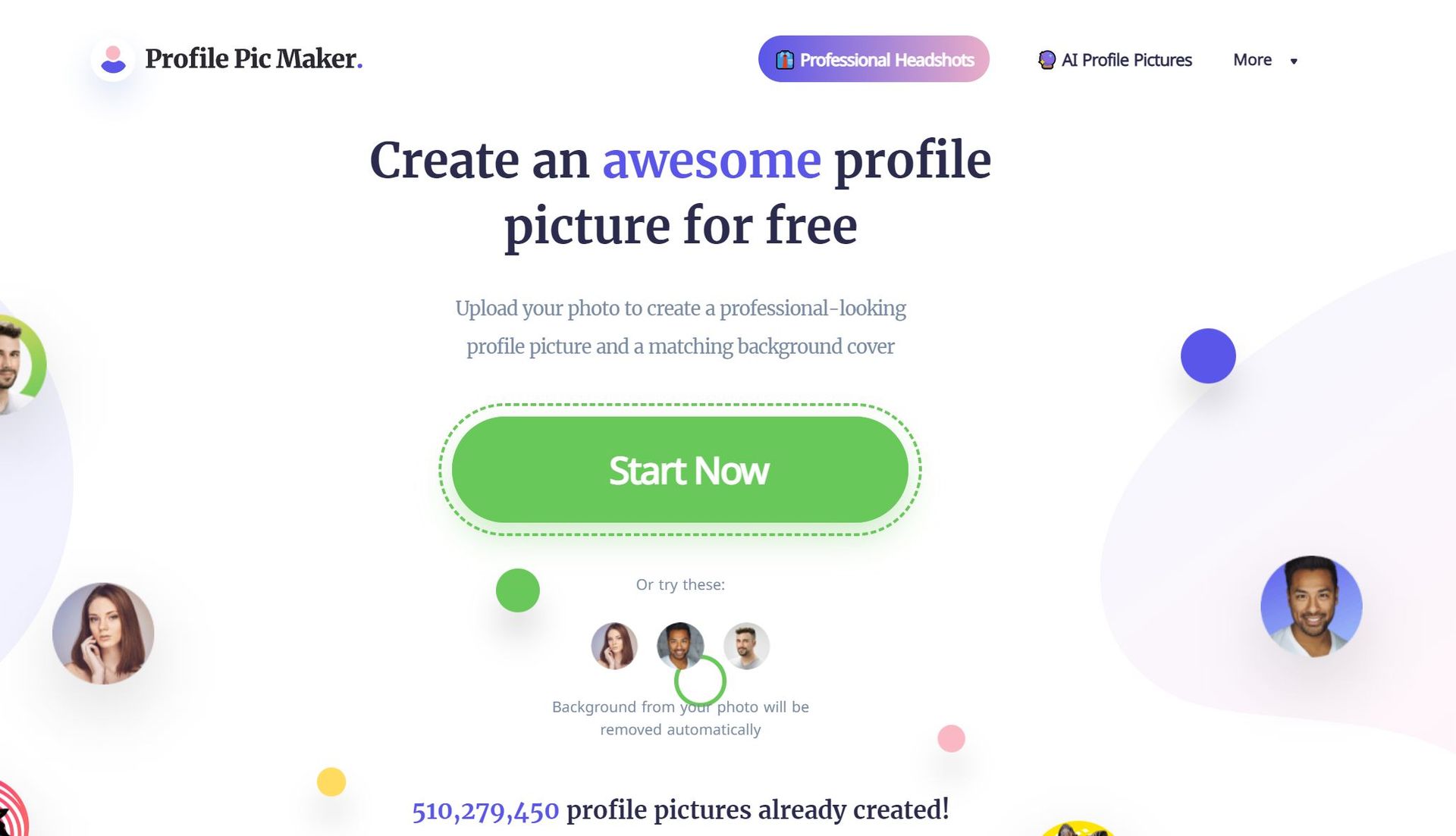
Free Tier: Users can access most features of Profile Picture Maker without any cost, making it an excellent tool for individuals looking to enhance their online presence without investment. Disclaimer: Please note that pricing information may not be up to date. For the most accurate and current pricing details, refer to the official Profile Picture Maker website.
Product Visuals (1 images)
Strengths
- Ease of Use: Intuitive design makes profile picture creation accessible to everyone, regardless of technical skill.
- Versatility: Suitable for a wide range of uses, from social media and business cards to CVs and email signatures.
- Quality Output: Produces high-quality, professional-looking profile pictures that can significantly boost online engagement.
- Free to Use: Offers a robust set of features without the need for a credit card, making it accessible to a wide audience.
Limitations
- Limited Advanced Editing: While it offers a variety of editing tools, professionals might find the features somewhat basic.
- File Size Restriction: Supports JPG/PNG up to 5MB, which may limit options for users with higher resolution photos.
- Background Removal Precision: Though constantly improving, the background remover may struggle with highly complex backgrounds.
Building your AI toolkit?
Save Profile Picture Maker and 1,000+ tools — free with Google, no spam
What You Get
Key Features
- AI Portrait Editor: Harnessing the power of artificial intelligence to fine-tune and enhance your profile pictures to perfection.
- Background Removal and Replacement: Effortlessly remove or change the background of your images for a more professional or creative look.
- AI Portrait Enhancer: Automatically adjusts your photo to showcase your best self, improving lighting, contrast, and other details.
- Professional Templates: Choose from a vast selection of templates tailored for various professional and social needs.
- ProsEase of Use: Intuitive design makes profile picture creation accessible to everyone, regardless of technical skill.Versatility: Suitable for a wide range of uses, from social media and business cards to CVs and email signatures.Quality Output: Produces high-quality, professional-looking profile pictures that can significantly boost online engagement.Free to Use: Offers a robust set of features without the need for a credit card, making it accessible to a wide audience.ConsLimited Advanced Editing: While it offers a variety of editing tools, professionals might find the features somewhat basic.File Size Restriction: Supports JPG/PNG up to 5MB, which may limit options for users with higher resolution photos.Background Removal Precision: Though constantly improving, the background remover may struggle with highly complex backgrounds.
Best For
- Social Media Enthusiasts: Enhancing their online presence with creative and polished profile pictures.
- Professionals: Crafting business-oriented headshots for LinkedIn, resumes, and email signatures.
- Teams: Creating uniform profile pictures to present a cohesive brand image online.
- Creative Individuals: Experimenting with various styles and templates for unique personal branding.
- Uncommon Use Cases: Educational institutions using it as a tool for teaching marketing and personal branding; Freelancers and entrepreneurs utilizing it to create professional images for business pitches and websites.
Integrations
Currently, Profile Picture Maker focuses on providing a standalone service without explicit integrations with social media platforms or professional networking sites. However, the generated images are universally compatible and can be used across all major platforms.
Similar Tools
Weekly Issue
⚡
Social Media tools · weekly digest
The AI Weekly — free in your inbox
New AI tools, pricing changes, expert picks, and hidden gems — curated by Mr. Spark every week. Join 5,000+ readers who stay ahead of the AI curve.
No spam, ever
Unsubscribe anytime
100% free