
Pricing Details
Free Tier: A limited version available to get a taste of ProWritingAid's capabilities. Premium Tier: Starts at $20 per month, offering full access to all features and reports. Disclaimer: For the most accurate and current pricing details, refer to the official ProWritingAid website.
Product Visuals (1 images)
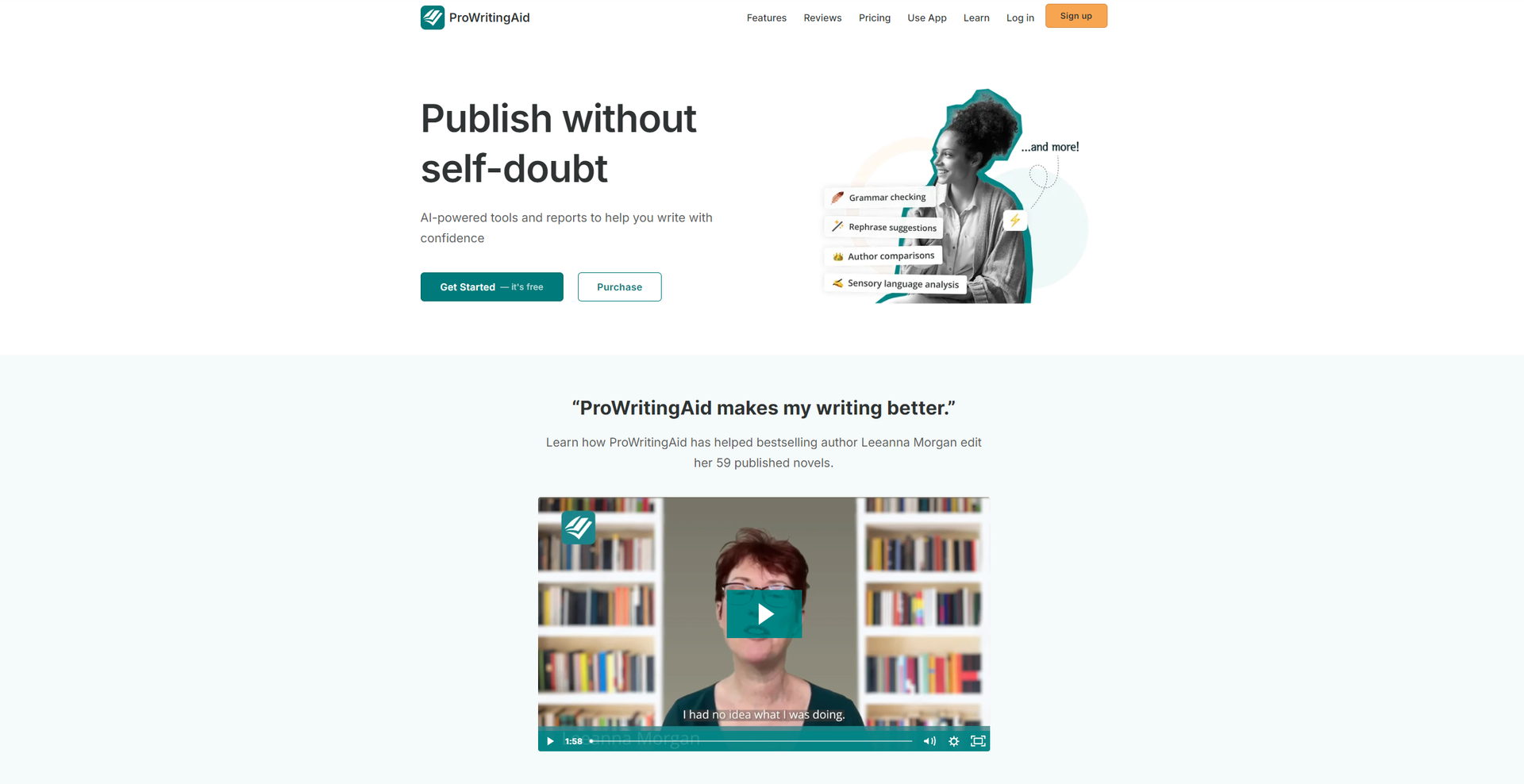
Strengths
- Enhances Writing Quality: By addressing a wide range of issues, from basic grammar to complex style nuances, it significantly improves the quality of your writing.
- Saves Time: The immediate feedback and comprehensive reports speed up the editing process, saving valuable time for writers.
- Versatile Use Cases: It's incredibly useful for various users, including students, professionals, and creative writers, making it a versatile tool in any writer's toolkit.
- Educational Benefits: Beyond corrections, it educates users on their writing mistakes, helping them to improve their writing skills over time.
Limitations
- Overwhelming Amount of Feedback: For some users, the detailed reports and numerous suggestions can be overwhelming, particularly for those less familiar with writing intricacies.
- May Require a Learning Curve: Maximizing the tool's potential and understanding how to apply its many suggestions effectively can take some time.
- Subscription Cost: While there is a free version, access to the most powerful features requires a subscription, which might be a consideration for budget-conscious users.
Building your AI toolkit?
Save ProWritingAid and 1,000+ tools — free with Google, no spam
What You Get
Key Features
- Grammar Checker and Style Editor: ProWritingAid excels in identifying grammatical errors and stylistic issues, offering suggestions that improve your writing's overall clarity and strength.
- In-Depth Reports: The tool provides over 20 different reports on various aspects of your writing, including style, readability, and overused words, offering actionable insights to refine your work.
- Real-Time Editing Suggestions: As you write, ProWritingAid offers instant feedback on your text, allowing for swift corrections and improvements.
- Integration Across Platforms: Whether you're drafting in Google Docs, Microsoft Word, Scrivener, or any other writing platform, ProWritingAid seamlessly integrates to offer its features wherever you prefer to write.
- ProsEnhances Writing Quality: By addressing a wide range of issues, from basic grammar to complex style nuances, it significantly improves the quality of your writing.Saves Time: The immediate feedback and comprehensive reports speed up the editing process, saving valuable time for writers.Versatile Use Cases: It's incredibly useful for various users, including students, professionals, and creative writers, making it a versatile tool in any writer's toolkit.Educational Benefits: Beyond corrections, it educates users on their writing mistakes, helping them to improve their writing skills over time.ConsOverwhelming Amount of Feedback: For some users, the detailed reports and numerous suggestions can be overwhelming, particularly for those less familiar with writing intricacies.May Require a Learning Curve: Maximizing the tool's potential and understanding how to apply its many suggestions effectively can take some time.Subscription Cost: While there is a free version, access to the most powerful features requires a subscription, which might be a consideration for budget-conscious users.
Best For
- Creative Writers: Crafting compelling narratives with enhanced descriptions and stronger character development.
- Professionals: Producing clear, concise, and impactful business documents, emails, and reports.
- Educators: Assisting in teaching writing skills and providing feedback on student assignments.
- Non-Native English Speakers: Improving their English writing proficiency for academic or professional purposes.
- Uncommon Use Cases: Screenwriters refining scripts for better dialogue and pacing; Bloggers optimizing their posts for SEO and reader engagement.
Integrations
Google Docs and Microsoft Word Integration: Offers suggestions directly in your favorite word processors. Desktop App Compatibility: Works with Scrivener and other desktop writing applications. Browser Extension: Available for Chrome, Firefox, and Safari, enabling editing across the web. API Access: For businesses and developers looking to integrate ProWritingAid's capabilities into their own applications.
Similar Tools


Weekly Issue
⚡
Writing Gen tools · weekly digest
The AI Weekly — free in your inbox
New AI tools, pricing changes, expert picks, and hidden gems — curated by Mr. Spark every week. Join 5,000+ readers who stay ahead of the AI curve.
No spam, ever
Unsubscribe anytime
100% free