
Pricing Details
Custom Pricing: Book a demo with the sales team to see all pricing options. Disclaimer: Please note that pricing information may not be up to date. For the most accurate and current pricing details, refer to the official QualGent website.
Product Visuals (1 images)
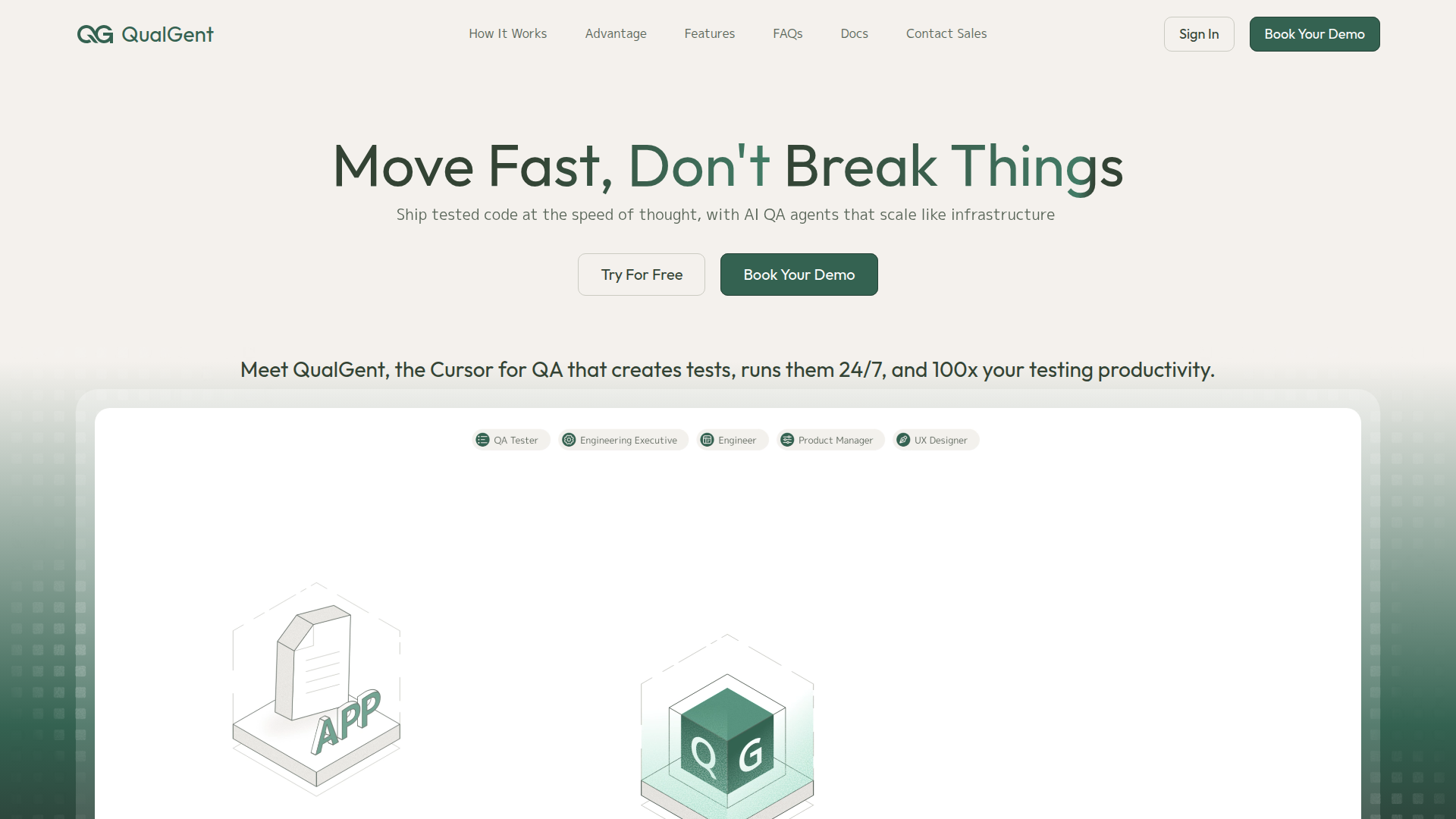
Strengths
- Huge coverage vs manual QA: 24/7 autonomous runs and parallelization mean many more user flows and devices get exercised than a typical manual team could manage.
- Accessible test authoring: Natural language tests let product managers, designers, and non‑coding QA staff contribute cases directly.
- Less maintenance pain: Self‑healing UI interactions reduce time spent updating scripts after every layout or component tweak.
- Mobile‑first depth: Strong support for real devices, system integrations, and cross‑platform mobile stacks caters directly to modern app teams.
- Fast onboarding: No‑card trial, guided setup, and familiar dashboards help teams reach first meaningful runs in hours, not weeks.
Limitations
- Relatively young product: As a newer YC‑backed entrant, community content, templates, and third‑party plugins are still growing.
- Mobile bias: Web‑only organizations heavily invested in classic browser tools may not get as much immediate value.
- Usage‑based economics: Teams with extremely high test‑run volumes could see spend climb and will need to actively manage quotas and schedules.
What You Get
Key Features
- AI test case creation from real product context: Ingests PRDs, user stories, repos, and Figma files to auto‑generate structured test plans and edge cases, including import from tools like TestRail, Qase, and Xray.
- Autonomous, self‑healing AI testers: Vision‑based agents click, scroll, and swipe like a real user, adapt to UI changes, remember past failures, and even run with different personas such as new user or power user.
- Massive parallel execution on devices: Scales from a single run to thousands of AI agents in parallel across emulators and real devices, with detailed videos, logs, and reports in minutes.
- Deep mobile coverage: Handles push notifications, permissions, camera, GPS, backgrounding, Bluetooth, deep links, multi‑app flows, and backend/API validation across iOS, Android, and web views.
- Localization‑friendly testing: Reuses one test suite across localized UIs in dozens of languages, including right‑to‑left layouts, without relying on fragile element IDs.
- CI/CD and workflow integration: Hooks into CI/CD so tests can run on every commit, posting results into existing developer workflows and dashboards.
- ProsHuge coverage vs manual QA: 24/7 autonomous runs and parallelization mean many more user flows and devices get exercised than a typical manual team could manage.Accessible test authoring: Natural language tests let product managers, designers, and non‑coding QA staff contribute cases directly.Less maintenance pain: Self‑healing UI interactions reduce time spent updating scripts after every layout or component tweak.Mobile‑first depth: Strong support for real devices, system integrations, and cross‑platform mobile stacks caters directly to modern app teams.Fast onboarding: No‑card trial, guided setup, and familiar dashboards help teams reach first meaningful runs in hours, not weeks.ConsRelatively young product: As a newer YC‑backed entrant, community content, templates, and third‑party plugins are still growing.Mobile bias: Web‑only organizations heavily invested in classic browser tools may not get as much immediate value.Usage‑based economics: Teams with extremely high test‑run volumes could see spend climb and will need to actively manage quotas and schedules.
Best For
- Mobile product teams: Startups and scaleups shipping consumer or fintech apps that need fast iteration without exploding QA headcount.
- Enterprise mobile groups: Larger companies with complex iOS and Android estates looking to cut regression cycles from days to minutes.
- QA leaders and engineers: Specialists responsible for coverage, stability, and flaky‑test reduction in mobile pipelines.
- Product managers and designers: Non‑engineering stakeholders who want to validate flows and UX changes via natural language test descriptions.
- Uncommon Use Cases: Localization teams stress‑testing multilingual and right‑to‑left interfaces; design orgs validating prototype flows directly from Figma before full implementation.
Similar Tools
Weekly Issue
⚡
AI Agents tools · weekly digest
The AI Weekly — free in your inbox
New AI tools, pricing changes, expert picks, and hidden gems — curated by Mr. Spark every week. Join 5,000+ readers who stay ahead of the AI curve.
No spam, ever
Unsubscribe anytime
100% free