
Pricing Details
Free Trial: Users can start with a free trial to test functionalities. Subscription Plans: Detailed pricing is available upon request through the official Recall.ai website. Disclaimer: For the most accurate and current pricing details, refer to the official Recall.ai website.
Product Visuals (1 images)
Strengths
- Saves Development Time: Streamlines bot deployment across platforms, significantly cutting down development hours.
- Enhanced Meeting Accessibility: Works across all user plans and does not require host privileges.
- High Scalability: Capable of managing thousands of concurrent virtual machines daily.
- Real-Time Interaction: Facilitates real-time interactions within meetings through chat and data streaming.
Limitations
- Initial Setup Complexity: While integration is streamlined, initial setup might require technical knowledge.
- Platform Dependency: Effectiveness can vary based on the third-party platform's stability and updates.
- Limited Customization Options: Some users might find the customization options for bots somewhat restricted.
Building your AI toolkit?
Save Recall.ai and 1,000+ tools — free with Google, no spam
What You Get
Key Features
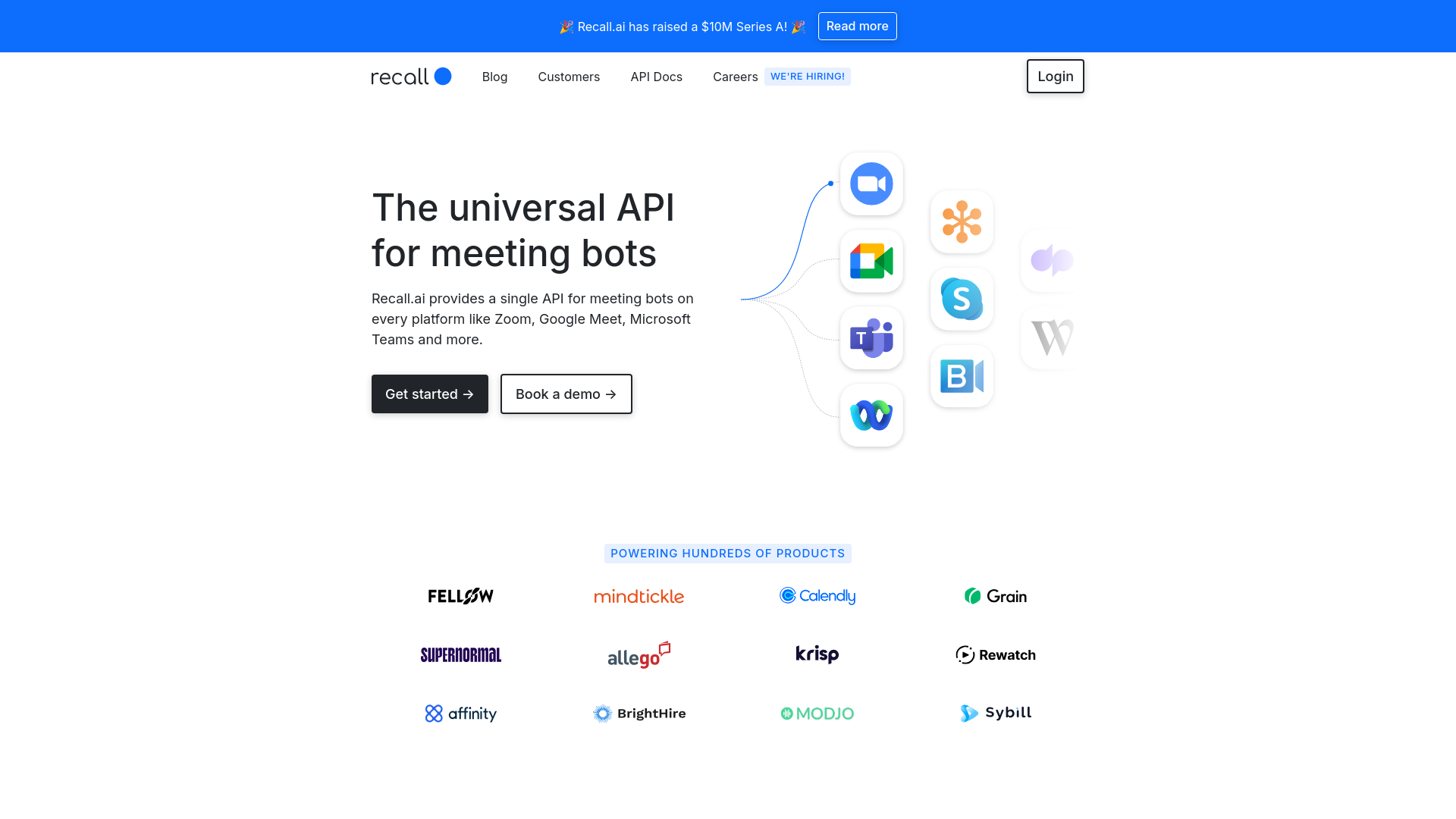
- Universal API Compatibility: Seamless integration with major meeting platforms including Zoom, Google Meet, and Microsoft Teams.
- Real-Time Data Access: Enables access to real-time transcripts, video, audio, and meeting chats.
- Comprehensive Data Output: Offers options to output audio and video, such as JPEG images or MP3 files during meetings.
- Security and Compliance: Adheres to major security standards like SOC2, GDPR, CCPA, and HIPAA, ensuring data is handled securely.
- Developer-Friendly Setup: Quick integration with minimal coding required, supported by examples in Python, Ruby, and Node.js.
- ProsSaves Development Time: Streamlines bot deployment across platforms, significantly cutting down development hours.Enhanced Meeting Accessibility: Works across all user plans and does not require host privileges.High Scalability: Capable of managing thousands of concurrent virtual machines daily.Real-Time Interaction: Facilitates real-time interactions within meetings through chat and data streaming.ConsInitial Setup Complexity: While integration is streamlined, initial setup might require technical knowledge.Platform Dependency: Effectiveness can vary based on the third-party platform's stability and updates.Limited Customization Options: Some users might find the customization options for bots somewhat restricted.
Best For
- Software Developers: Utilizing the API to build custom meeting bots quickly.
- Tech Companies: Integrating meeting bots to enhance their product offerings.
- Educational Institutions: Facilitating remote classes and lectures through enhanced meeting interactions.
- Healthcare Providers: Leveraging secure meeting bots for confidential consultations.
- Uncommon Use Cases: Used by event organizers to streamline virtual events; adopted by customer support teams to improve response times during live interactions.
Integrations
Meeting Platform Integration: Fully compatible with Zoom, Google Meet, and Microsoft Teams. Data Handling: Supports real-time transcription and metadata access. Security Standards: Complies with SOC2, GDPR, CCPA, and HIPAA. Development Languages: Provides support for Python, Ruby, and Node.js integrations.
Similar Tools
Weekly Issue
⚡
AI Agents tools · weekly digest
The AI Weekly — free in your inbox
New AI tools, pricing changes, expert picks, and hidden gems — curated by Mr. Spark every week. Join 5,000+ readers who stay ahead of the AI curve.
No spam, ever
Unsubscribe anytime
100% free