
Pricing Details
Free: $0 per month, $1.5 per credit. Basic access. Education: $15 per month for 30 credits. Includes Free Tier benefits, 66% credit discount, and unlimited private models. Creator: $20 per month for the first month, then $30 per month for 30 credits. Adds a 44% credit discount, unlimited private models, and advanced 3D model fusion tools. Business: $60 per month for the first month, then $120 per month for 208 credits. Includes Creator benefits plus a 62% credit discount, ChatAvatar exports, and high-poly 4K textures. Enterprise: Custom pricing per month for large-scale production, API access, private deployment, module customization, and asset adaptation. Disclaimer: Please note that pricing information may not be up to date. For the most accurate and current pricing details, refer to the official Rodin website.
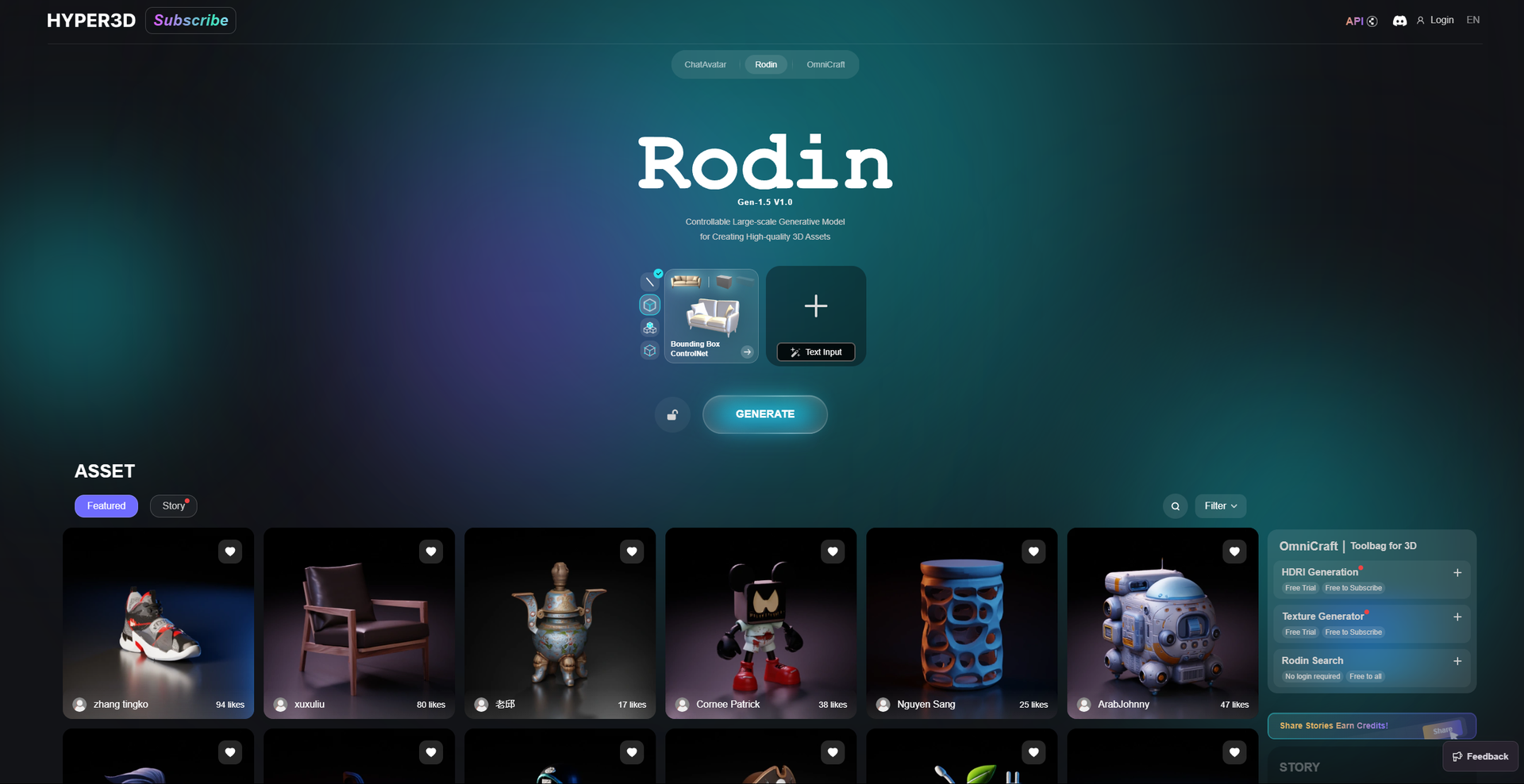
Product Visuals (1 images)
Strengths
- Time Efficiency: Significantly reduces the time needed to create complex 3D models, allowing for quicker project turnarounds.
- User-Friendly: The intuitive design makes it accessible to both beginners and seasoned professionals.
- Cost-Effective: Automates tasks that typically require expensive software or extensive manual effort.
- High-Quality Output: Delivers professional-grade, realistic 3D models that meet industry standards.
Limitations
- Initial Learning Curve: Users new to 3D modeling might require some time to fully grasp the advanced features.
- Limited Customization: While versatile, the tool may not offer all the customization options that some specialized professionals seek.
- Integration Limitations: Although it supports popular formats, integration with niche software might be limited.
What You Get
Key Features
- AI-Driven Modeling: Rodin uses advanced AI algorithms to automate the creation of detailed 3D models, reducing the time and expertise required.
- Real-Time Rendering: The tool provides real-time rendering capabilities, allowing users to visualize their models instantly as they make adjustments.
- Intuitive Interface: Designed with user experience in mind, Rodin features an intuitive interface that simplifies navigation and enhances productivity.
- Cross-Platform Compatibility: Rodin supports multiple file formats and integrates seamlessly with popular 3D modeling software, ensuring flexibility in workflow.
- ProsTime Efficiency: Significantly reduces the time needed to create complex 3D models, allowing for quicker project turnarounds.User-Friendly: The intuitive design makes it accessible to both beginners and seasoned professionals.Cost-Effective: Automates tasks that typically require expensive software or extensive manual effort.High-Quality Output: Delivers professional-grade, realistic 3D models that meet industry standards.ConsInitial Learning Curve: Users new to 3D modeling might require some time to fully grasp the advanced features.Limited Customization: While versatile, the tool may not offer all the customization options that some specialized professionals seek.Integration Limitations: Although it supports popular formats, integration with niche software might be limited.
Best For
- Game Developers: Leveraging Rodin to create intricate game environments and characters efficiently.
- Virtual Reality Designers: Utilizing the tool for crafting immersive VR experiences.
- Architectural Firms: Employing Rodin for developing detailed architectural models and visualizations.
- Film and Animation Studios: Using the tool for creating realistic animated sequences and special effects.
- Uncommon Use Cases: Adopted by educational institutions for teaching 3D modeling courses; Used by indie game developers to streamline asset creation.
Similar Tools



Design tools · weekly digest
The AI Weekly — free in your inbox
New AI tools, pricing changes, expert picks, and hidden gems — curated by Mr. Spark every week. Join 5,000+ readers who stay ahead of the AI curve.