
Pricing Details
Lite: $9.99 per month. Includes 300 minutes of voice generation, 55 languages, 15+ voice styles, language translation, multi-voice scripts, mobile/web access, and commercial rights. Great for individuals just starting out. Premium: $24.99 per month. Adds 2,400 monthly voice minutes, Zapier integration, unlimited downloads, and unlimited storage—ideal for heavy personal use or advanced solo workflows. Business: $30 per month per seat. Includes 3,000 minutes per seat, centralized billing, user roles and permissions, plus premium and priority support—tailored for teams and small businesses. Enterprise: Custom pricing. Designed for larger organizations needing advanced API access, custom seats, internal/external integrations, feature development, security compliance, and dedicated support. Requires consultation. Disclaimer: Please note that pricing information may not be up to date. For the most accurate and current pricing details, refer to the official Speaktor website.
Product Visuals (1 images)
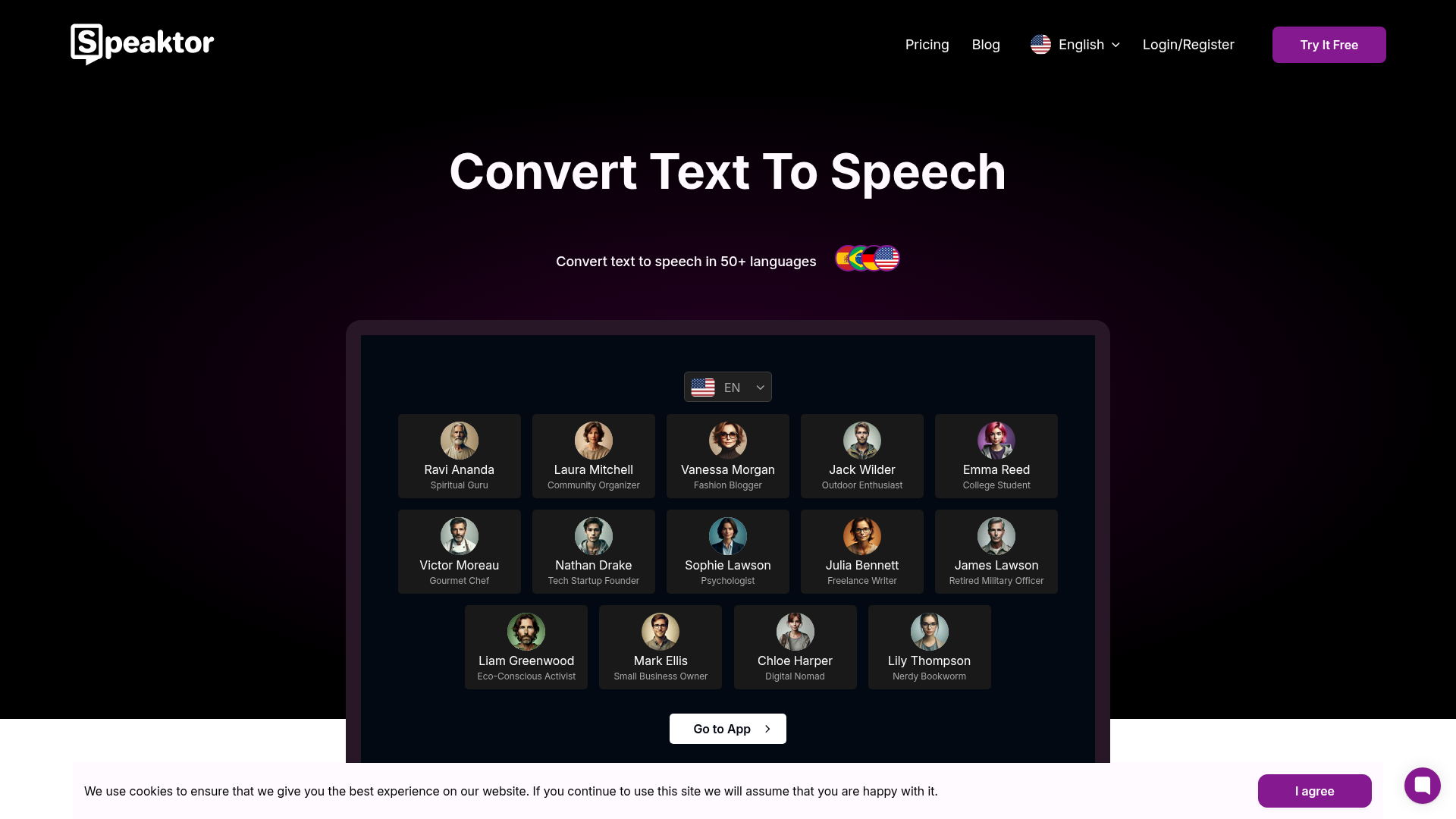
Strengths
- Time Efficiency: Quickly transforms text into speech, reducing the time needed for manual audio recording.
- Accessibility: Enhances content accessibility for visually impaired users or those who prefer auditory learning.
- Cost-Effective: Eliminates the need for professional voiceover services, offering a budget-friendly alternative.
- User-Friendly Interface: Intuitive design allows users of all skill levels to navigate and utilize the tool effectively.
Limitations
- Limited Voice Variety: While offering multiple voices, the selection may be limited compared to some competitors.
- Initial Setup Required: Users may need to invest time initially to set up preferences and familiarize themselves with the features.
What You Get
Key Features
- Natural Language Processing: Speaktor uses cutting-edge AI algorithms to produce lifelike voiceovers that mimic human speech patterns, ensuring a smooth listening experience.
- Multi-Language Support: The tool supports a wide range of languages, making it suitable for global use and diverse audiences.
- Customizable Voice Options: Users can choose from various voice profiles to match the tone and style of their content.
- Batch Processing: Efficiently convert multiple text files into audio simultaneously, saving time and increasing productivity.
- ProsTime Efficiency: Quickly transforms text into speech, reducing the time needed for manual audio recording.Accessibility: Enhances content accessibility for visually impaired users or those who prefer auditory learning.Cost-Effective: Eliminates the need for professional voiceover services, offering a budget-friendly alternative.User-Friendly Interface: Intuitive design allows users of all skill levels to navigate and utilize the tool effectively.ConsLimited Voice Variety: While offering multiple voices, the selection may be limited compared to some competitors.Initial Setup Required: Users may need to invest time initially to set up preferences and familiarize themselves with the features.
Best For
- Content Creators: Utilizing Speaktor to convert blogs and articles into engaging podcasts or audio versions.
- Educators: Employing the tool to create audio lessons and materials for students.
- Businesses: Leveraging Speaktor for creating audio versions of reports and presentations.
- Accessibility Advocates: Using the tool to make content accessible for individuals with visual impairments.
- Uncommon Use Cases: Adopted by language learners to improve listening skills; Used by audiobook creators for expedited production.
Text to Speech tools · weekly digest
The AI Weekly — free in your inbox
New AI tools, pricing changes, expert picks, and hidden gems — curated by Mr. Spark every week. Join 5,000+ readers who stay ahead of the AI curve.