Pricing Details
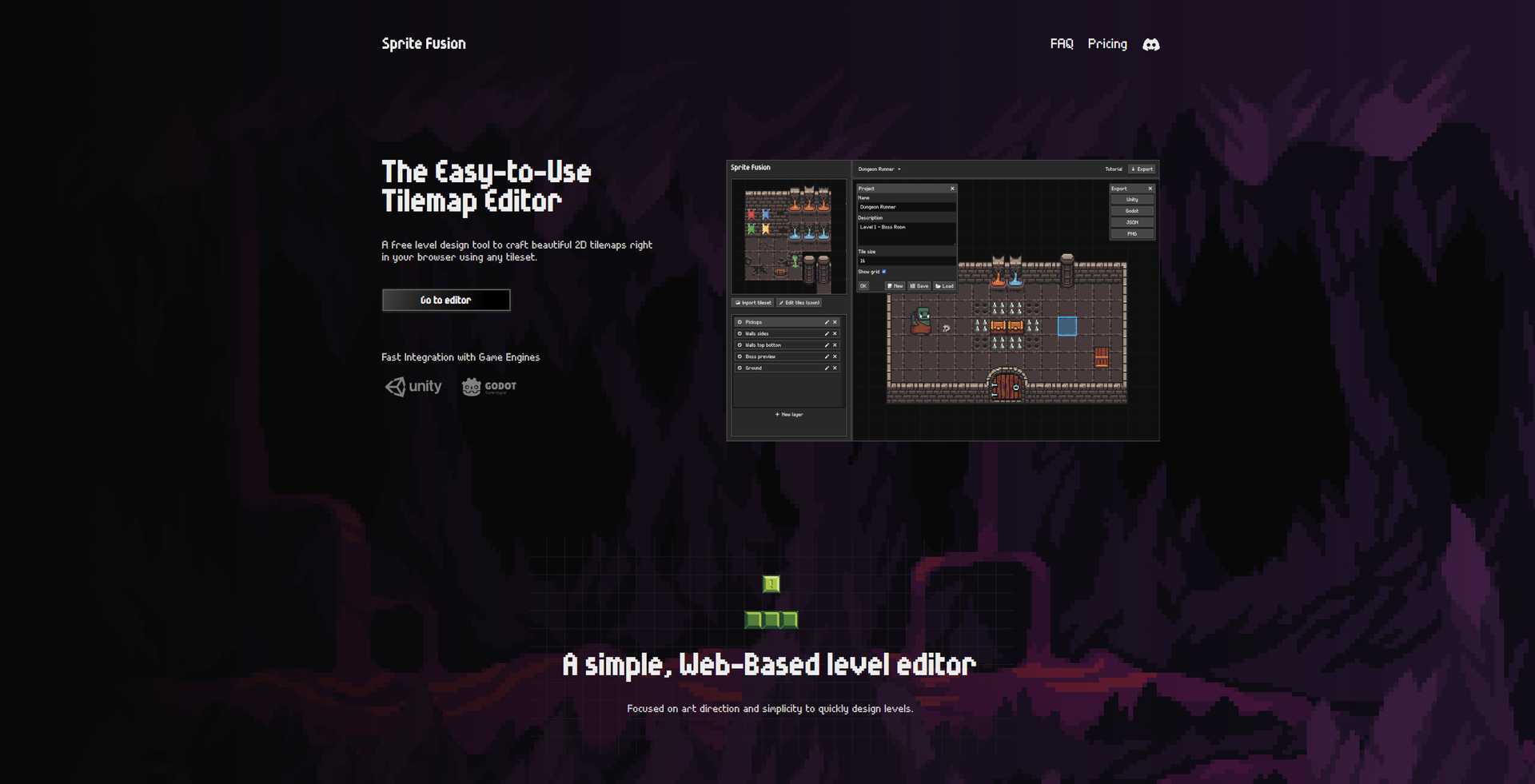
Free Web Version: Design your tilemap directly online with no cost or login required. Collector's Edition: Available for a one-time purchase of $11.99, offering offline access, faster exports, and free lifetime updates. Disclaimer: Please note that pricing information may not be up to date. For the most accurate and current pricing details, refer to the official Sprite Fusion website.
Product Visuals (1 images)
Strengths
- Cost-Effective Solution: Completely free to use online, with no account creation required, offering significant savings for game developers.
- Efficient Workflow: The drag-and-drop and auto-tiling features significantly speed up the level design process.
- Versatile Application: Supports both personal and commercial projects, allowing users to monetize their creations without additional costs.
- Community Engagement: Active Discord community for user support and showcasing projects.
Limitations
- Limited Advanced Features: While suitable for many projects, advanced users may find the feature set lacking for highly complex game designs.
- Initial Learning Curve: Beginners might need some time to become familiar with the tilemap editing tools.
Building your AI toolkit?
Save Sprite Fusion and 1,000+ tools — free with Google, no spam
What You Get
Key Features
- User-Friendly Interface: Sprite Fusion offers an intuitive tilemap editor that supports drag-and-drop functionality and clipboard paste, making it accessible for users of all skill levels.
- Seamless Integration: The tool allows for direct export of tilemaps as native packages for Unity, Godot, and Defold, facilitating smooth integration into existing game projects.
- Auto-Tiling System: Includes an easy-to-use auto-tile feature that simplifies terrain design by automatically placing tiles based on their neighbors.
- Cross-Platform Compatibility: Available as both a web version and a downloadable desktop edition, compatible with Windows, macOS, and Linux.
- ProsCost-Effective Solution: Completely free to use online, with no account creation required, offering significant savings for game developers.Efficient Workflow: The drag-and-drop and auto-tiling features significantly speed up the level design process.Versatile Application: Supports both personal and commercial projects, allowing users to monetize their creations without additional costs.Community Engagement: Active Discord community for user support and showcasing projects.ConsLimited Advanced Features: While suitable for many projects, advanced users may find the feature set lacking for highly complex game designs.Initial Learning Curve: Beginners might need some time to become familiar with the tilemap editing tools.
Best For
- Indie Game Developers: Utilizing Sprite Fusion for cost-effective and efficient 2D game design.
- Game Design Students: Employed as a learning tool in educational settings to teach game development fundamentals.
- Freelance Game Artists: Leveraging the tool for quick prototyping and client projects.
- Mobile Game Developers: Using Sprite Fusion’s native export features for mobile-friendly game engines like Defold.
- Uncommon Use Cases: Adopted by digital artists for creating interactive art projects; used by educators for teaching digital design principles.
Similar Tools



Weekly Issue
⚡
Design tools · weekly digest
The AI Weekly — free in your inbox
New AI tools, pricing changes, expert picks, and hidden gems — curated by Mr. Spark every week. Join 5,000+ readers who stay ahead of the AI curve.
No spam, ever
Unsubscribe anytime
100% free