
Pricing Details
Free Version: Get started with Stable Audio without any initial investment. Professional License: Tailored for commercial use, offering additional features and support. Disclaimer: Please note that pricing information may not be up to date. For the most accurate and current pricing details, refer to the official Stable Audio website.
Product Visuals (1 images)
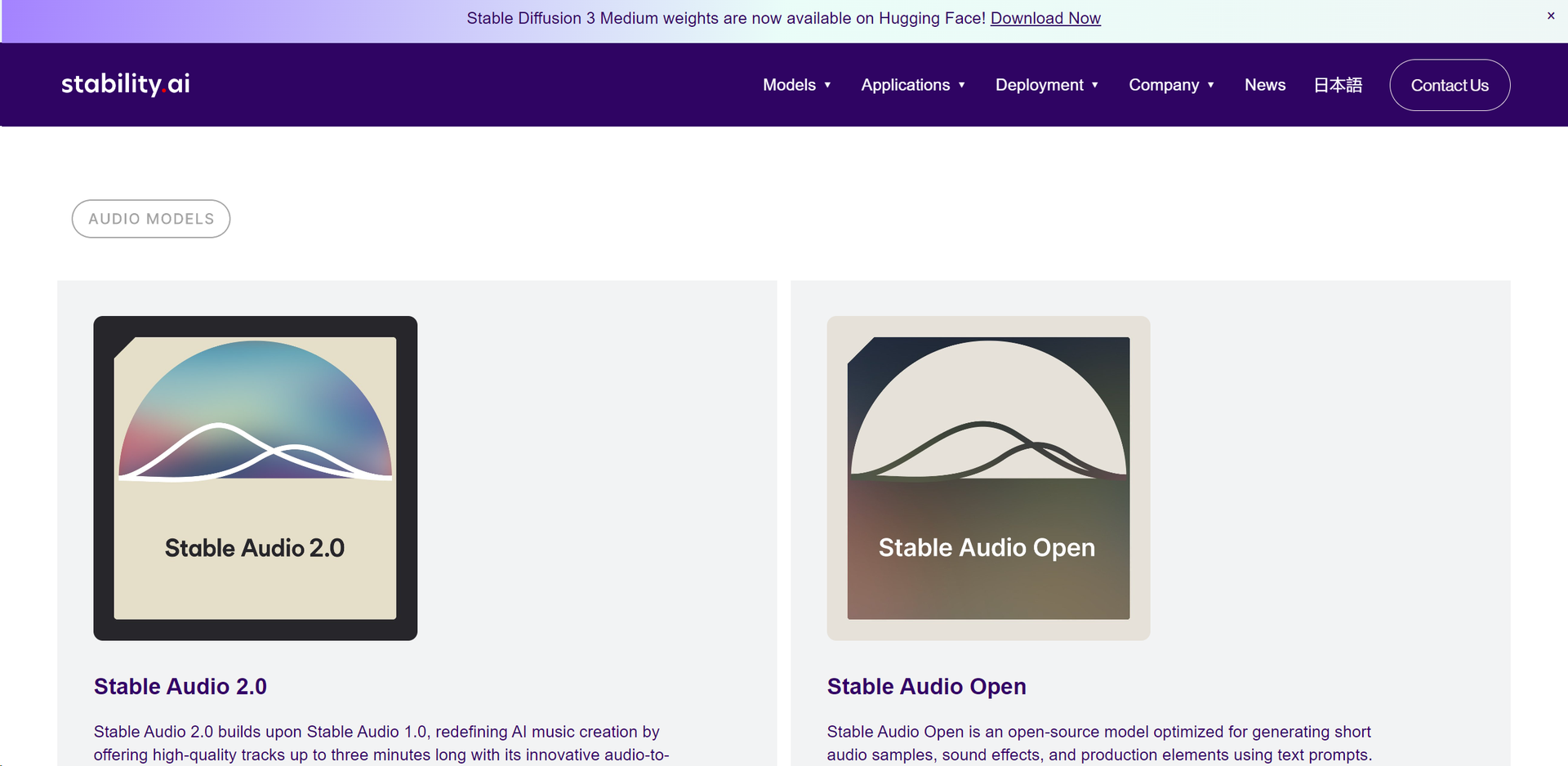
Strengths
- Innovative Sound Manipulation: Easily create and modify sounds without the need for extensive audio engineering knowledge.
- Cost-Effective: Reduces the need for expensive studio time and professional audio editing services.
- User-Friendly Interface: Intuitive design that simplifies the audio creation process.
- Versatile Application: Suitable for music producers, filmmakers, game developers, and more.
Limitations
- Complexity for Beginners: New users may find the range of features and capabilities daunting.
- Hardware Requirements: Optimal performance may require high-end hardware.
- Limited by Input Quality: The quality of output heavily depends on the quality of the input audio samples.
Building your AI toolkit?
Save Stable Audio and 1,000+ tools — free with Google, no spam
What You Get
Key Features
- Audio-to-Audio Generation: Transform basic audio samples into rich, complex soundscapes with simple natural language prompts.
- High-Quality Track Production: Generate tracks up to three minutes long, maintaining a high standard of audio fidelity.
- Open-Source Model: Access Stable Audio Open, optimized for creating short audio samples and sound effects.
- Flexible Licensing and Deployment: Choose from various licensing options that best suit your project needs and enjoy the benefits of self-hosting capabilities.
- ProsInnovative Sound Manipulation: Easily create and modify sounds without the need for extensive audio engineering knowledge.Cost-Effective: Reduces the need for expensive studio time and professional audio editing services.User-Friendly Interface: Intuitive design that simplifies the audio creation process.Versatile Application: Suitable for music producers, filmmakers, game developers, and more.ConsComplexity for Beginners: New users may find the range of features and capabilities daunting.Hardware Requirements: Optimal performance may require high-end hardware.Limited by Input Quality: The quality of output heavily depends on the quality of the input audio samples.
Best For
- Music Producers: Utilizing the tool to experiment with new sound textures and effects.
- Film and Game Developers: Employing the tool to create unique soundtracks and audio effects.
- Content Creators: Leveraging the tool to enhance audio quality in podcasts and videos.
- Sound Designers: Using the tool for efficient and creative sound design workflows.
- Uncommon Use Cases: Academic researchers analyzing audio patterns; DJs creating custom tracks for live performances.
Integrations
API Access: Easily integrate Stable Audio with other software using its API. Cloud Platforms: Compatible with major cloud platforms, ensuring flexibility in deployment. Data Import and Export: Supports a variety of audio file formats for seamless workflow integration. Community Contributions: Benefit from a growing library of sounds and effects created by the user community.
Similar Tools
Weekly Issue
⚡
Audio Editing tools · weekly digest
The AI Weekly — free in your inbox
New AI tools, pricing changes, expert picks, and hidden gems — curated by Mr. Spark every week. Join 5,000+ readers who stay ahead of the AI curve.
No spam, ever
Unsubscribe anytime
100% free