
Pricing Details
Free Tier: Explore Thumbly's capabilities with a generous free trial. Pro Tier: Advanced features and unlimited access starting at competitive rates. Disclaimer: For the most accurate and current pricing details, please refer to the official Thumbly website. Recommended: Design Generator AI Best AI Image Generators Project Management AI Tools
Product Visuals (1 images)
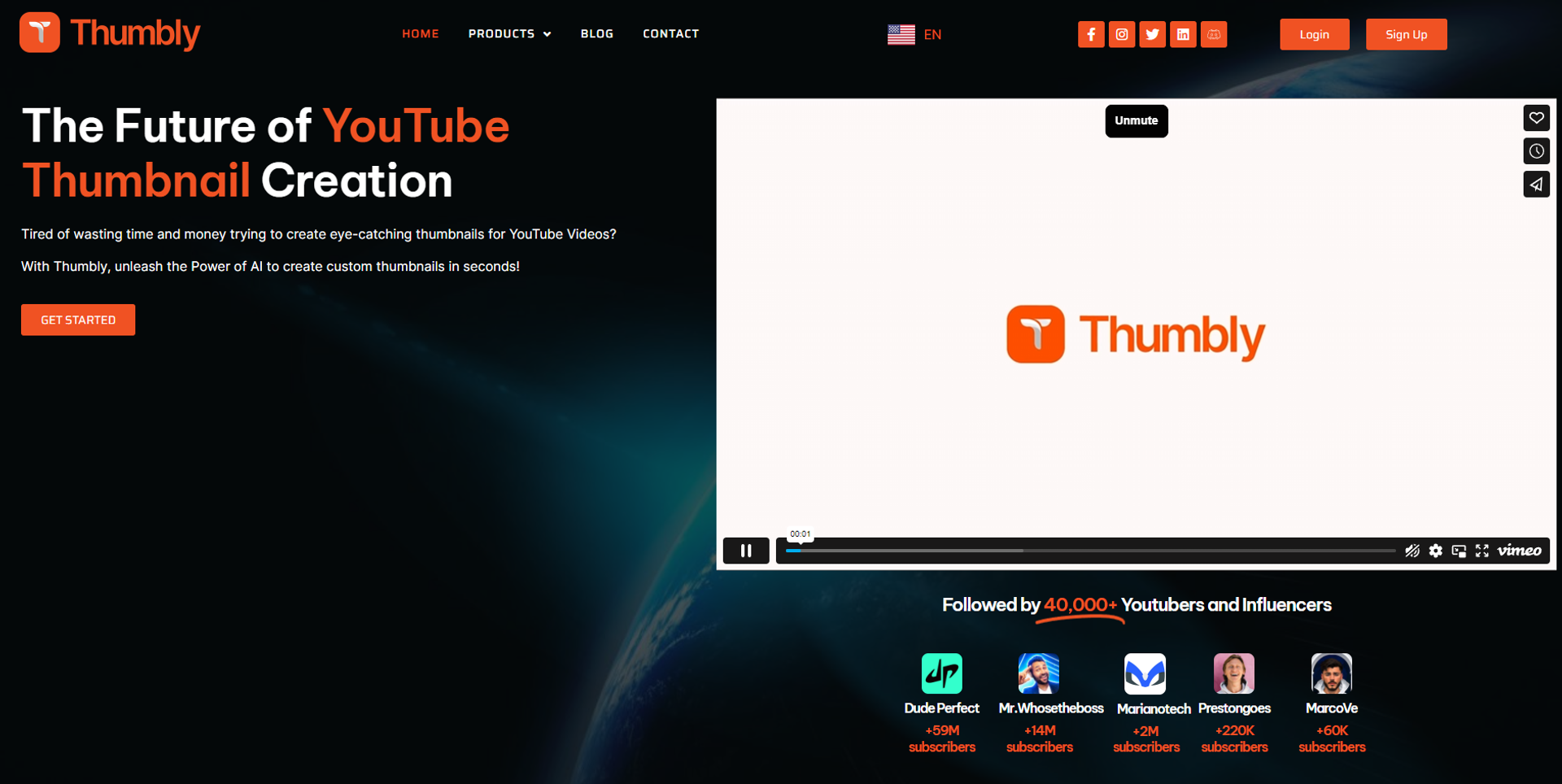
Strengths
- Boosts Viewer Engagement: Increases the likelihood of clicks with visually appealing thumbnails.
- Time-Saving: Generates custom thumbnails in seconds, freeing up time for other creative processes.
- No Expertise Required: User-friendly even for those with limited technical or design skills.
- Cost-Effective: Offers affordable solutions without compromising on quality or effectiveness.
- Data-Driven Insights: Leverages AI technology to understand what works, ensuring high-quality, impactful results.
Limitations
- Reliance on AI: May limit creative control and customization for those who prefer hands-on thumbnail design.
- Learning Curve: Some users might need time to familiarize themselves with the platform's full capabilities.
- Internet Dependency: Requires a stable internet connection for optimal functionality and access to features.
What You Get
Key Features
- AI-Driven Thumbnail Generator: Harnesses a rich dataset of YouTube analytics to produce thumbnails tailored to maximize engagement.
- User-Friendly Interface: Designed with simplicity, ensuring an intuitive experience for novices and seasoned creators.
- Title Generator: Crafts engaging titles that complement your thumbnails, boosting your video's discoverability.
- Free Thumbnail Rating Tool: Offers instant feedback on your thumbnails, helping you optimize them for better performance.
- Affordable and Efficient: Provides a cost-effective solution that saves time while enhancing productivity and viewer interaction.
- ProsBoosts Viewer Engagement: Increases the likelihood of clicks with visually appealing thumbnails.Time-Saving: Generates custom thumbnails in seconds, freeing up time for other creative processes.No Expertise Required: User-friendly even for those with limited technical or design skills.Cost-Effective: Offers affordable solutions without compromising on quality or effectiveness.Data-Driven Insights: Leverages AI technology to understand what works, ensuring high-quality, impactful results.ConsReliance on AI: May limit creative control and customization for those who prefer hands-on thumbnail design.Learning Curve: Some users might need time to familiarize themselves with the platform's full capabilities.Internet Dependency: Requires a stable internet connection for optimal functionality and access to features.
Best For
- Content Creators: Seeking to enhance their channel's visual appeal and viewer engagement.
- Digital Marketers: Utilizing the platform to create compelling thumbnails for campaigns and YouTube ads.
- Social Media Strategists: Leveraging Thumbly to boost the performance of video content across platforms.
- Graphic Designers: Finding Thumbly a time-saving tool for quick thumbnail creation without sacrificing quality.
- Uncommon Use Cases: Educational institutions incorporating Thumbly into digital marketing curriculums; Independent filmmakers using the tool to generate promotional thumbnails for their projects.
Integrations
While specific details on compatibilities and integrations were not provided, Thumbly's focus on YouTube content creation suggests seamless integration with social media platforms and content management systems commonly used by creators.
Similar Tools
Weekly Issue
⚡
Social Media tools · weekly digest
The AI Weekly — free in your inbox
New AI tools, pricing changes, expert picks, and hidden gems — curated by Mr. Spark every week. Join 5,000+ readers who stay ahead of the AI curve.
No spam, ever
Unsubscribe anytime
100% free