
Pricing Details
Free: $0 per month. Create 1 website using a basic collection of blocks. Personal: $15 per month. Includes 1 website with full access to blocks, a custom domain, and additional features. Business: $25 per month. Supports up to 5 websites, includes all Personal features, and adds code export. Disclaimer: Please note that pricing information may not be up to date. For the most accurate and current pricing details, refer to the official Tilda website.
Product Visuals (1 images)
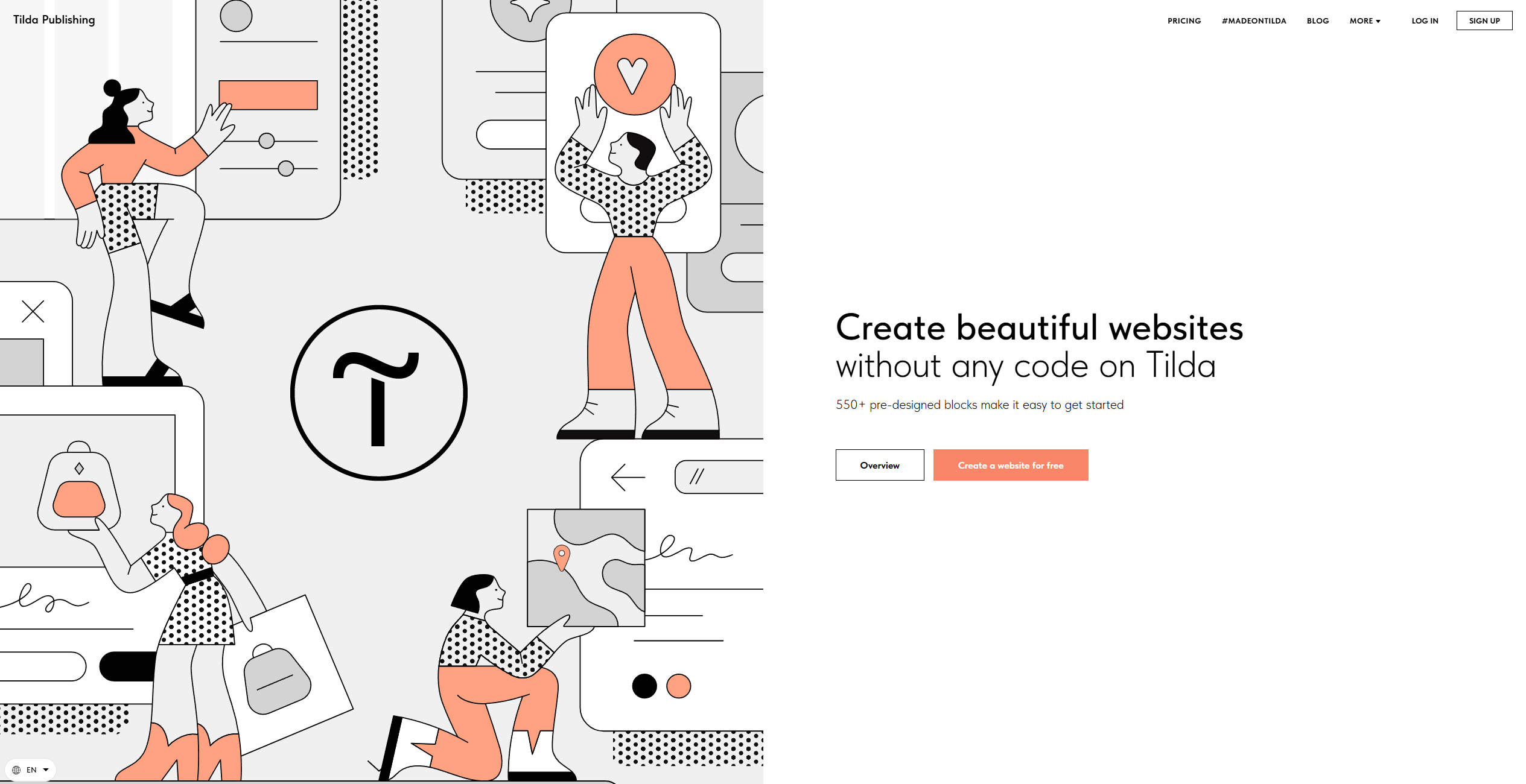
Strengths
- User-Friendly Interface: The intuitive drag-and-drop builder makes website creation straightforward and enjoyable.
- Cost-Effective Solution: With various pricing tiers, Tilda offers affordable options for different user needs.
- High Customization: From typography to visual content, users can tailor every aspect of their website.
- Integrated SEO Tools: Built-in features like clean URLs and meta tags enhance search engine visibility.
Limitations
- Initial Learning Curve: New users might need some time to explore the full extent of Tilda’s features.
- Limited Third-Party Integrations: While Tilda supports many integrations, some users may find the selection limited compared to other platforms.
What You Get
Key Features
- AI-Powered Website Creation: Describe your business in a few phrases, and Tilda’s AI generates a complete website page with compelling copy and images.
- Extensive Block Library: Access over 550 pre-designed blocks for diverse content types, ensuring a flexible and harmonious website layout.
- Zero Block Editor: For users seeking custom designs, the Zero Block editor allows for unique and adaptable web layouts.
- Responsive Design: Websites built on Tilda are automatically optimized for all devices, ensuring a seamless user experience across desktops, tablets, and smartphones.
- ProsUser-Friendly Interface: The intuitive drag-and-drop builder makes website creation straightforward and enjoyable.Cost-Effective Solution: With various pricing tiers, Tilda offers affordable options for different user needs.High Customization: From typography to visual content, users can tailor every aspect of their website.Integrated SEO Tools: Built-in features like clean URLs and meta tags enhance search engine visibility.ConsInitial Learning Curve: New users might need some time to explore the full extent of Tilda’s features.Limited Third-Party Integrations: While Tilda supports many integrations, some users may find the selection limited compared to other platforms.
Best For
- E-commerce Businesses: Creating online stores with integrated payment solutions.
- Digital Marketing Agencies: Designing landing pages and campaign content with ease.
- Freelancers and Creatives: Building personal portfolios and blogs to showcase their work.
- Educational Institutions: Implementing Tilda for teaching materials and course content.
- Uncommon Use Cases: Non-profit organizations using Tilda for dynamic program pages; Startups crafting visually engaging investor presentations.
Similar Tools

Weekly Issue
⚡
Website Builders tools · weekly digest
The AI Weekly — free in your inbox
New AI tools, pricing changes, expert picks, and hidden gems — curated by Mr. Spark every week. Join 5,000+ readers who stay ahead of the AI curve.
No spam, ever
Unsubscribe anytime
100% free