
Pricing Details
Free Plan: Manage tasks with basic features at no cost. Standard Plan: At $5 per user/month if billed annually, offering advanced board and timeline views. Premium Plan: Priced at $10 per user/month when billed annually, includes additional automation and integration capabilities. Enterprise Plan: Custom pricing for comprehensive control and support for larger organizations. Disclaimer: Pricing details are subject to change. For the most accurate and current information, please refer to the Trello website.
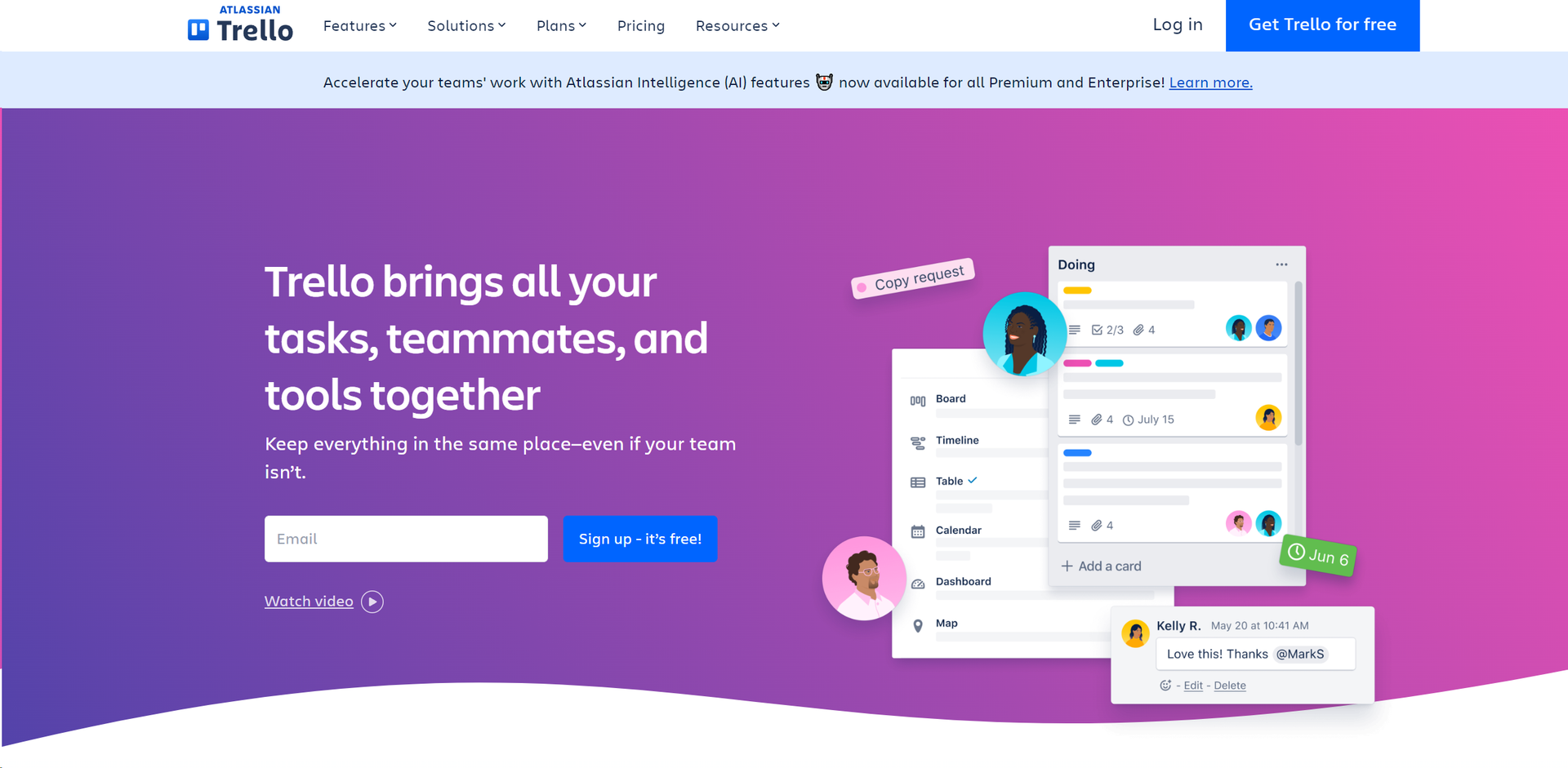
Product Visuals (1 images)
Strengths
- Enhanced Collaboration: Keeps teams synchronized, regardless of location, facilitating remote work and real-time updates.
- Customizable Workflows: Adapt the tool to fit different project needs and team sizes, making it suitable for a wide range of industries.
- User-Friendly Interface: Easy to use for beginners, with drag-and-drop functionality and a simple, clean design.
- Scalability: Suitable for both small startups and large enterprises, with features that cater to varying levels of complexity.
Limitations
- Overwhelming for Large Teams: While scalable, the interface can become cluttered with too many boards or cards, potentially overwhelming users.
- Limited Offline Functionality: Relies heavily on internet connectivity, which can be a limitation in areas with poor internet access.
- Feature Limitations in Free Version: Some advanced features are only available in paid versions, which might restrict smaller teams or individuals.
What You Get
Key Features
- Visual Project Boards: Create customizable boards for different projects, allowing teams to visualize workflow stages from start to finish.
- Butler Automation: Automate routine tasks and set custom rules and commands to save time and reduce manual work.
- Power-Ups: Enhance functionality by integrating with other tools like Slack, Google Drive, and more, creating a centralized workspace.
- Templates: Access a variety of pre-made templates designed by industry leaders to kickstart your projects and maintain consistency across teams.
- Flexible Views: Switch between various views like Timeline, Calendar, and Table to manage your projects from different perspectives.
- Mobile and Desktop Apps: Stay connected and manage tasks on-the-go with Trello’s responsive mobile and desktop applications.
- ProsEnhanced Collaboration: Keeps teams synchronized, regardless of location, facilitating remote work and real-time updates.Customizable Workflows: Adapt the tool to fit different project needs and team sizes, making it suitable for a wide range of industries.User-Friendly Interface: Easy to use for beginners, with drag-and-drop functionality and a simple, clean design.Scalability: Suitable for both small startups and large enterprises, with features that cater to varying levels of complexity.ConsOverwhelming for Large Teams: While scalable, the interface can become cluttered with too many boards or cards, potentially overwhelming users.Limited Offline Functionality: Relies heavily on internet connectivity, which can be a limitation in areas with poor internet access.Feature Limitations in Free Version: Some advanced features are only available in paid versions, which might restrict smaller teams or individuals.
Best For
- Marketing Teams: Plan and track marketing campaigns, from ideation to execution.
- Software Developers: Manage sprints, backlogs, and bug tracking to enhance software development processes.
- Project Managers: Oversee multiple projects, ensuring deadlines are met and resources are allocated efficiently.
- Educational Institutions: Organize academic projects and administrative tasks.
- Uncommon Use Cases: Used by event planners for organizing large-scale events; utilized by non-profits for grant and volunteer management.
Integrations
Extensive Power-Up Integrations: Connect with tools like Jira, Confluence, and hundreds of other apps. API Access: Developers can build custom integrations and features with Trello’s well-documented API. Cross-Platform Availability: Available on Web, iOS, and Android platforms, ensuring accessibility across all devices. Real-Time Sync: Keeps all team members updated instantly, enhancing collaborative efforts.
Similar Tools

Weekly Issue
⚡
Marketing tools · weekly digest
The AI Weekly — free in your inbox
New AI tools, pricing changes, expert picks, and hidden gems — curated by Mr. Spark every week. Join 5,000+ readers who stay ahead of the AI curve.
No spam, ever
Unsubscribe anytime
100% free