
Pricing Details
Yearly Subscription: $4/month, discounted from $12/month, for full feature access and high priority processing. Monthly Subscription: $8/month, offering the same full features as the yearly plan. Lifetime Access: A one-time payment of $99 for continuous access to all features without recurring fees. Disclaimer: For the most accurate and current pricing details, refer to the official Video Candy website.
Product Visuals (1 images)
Strengths
- No Watermark: Paid plans allow for watermark-free videos, ensuring a professional look.
- High Priority Processing: Reduces waiting time with faster video processing capabilities.
- Generous File Size Limit: Users can upload files up to 4 GB, accommodating larger video projects.
- Versatile Editing Options: A well-rounded suite of editing tools caters to virtually any video editing need.
Limitations
- Time Limit on Processing: Even with high priority, there is a 20-minute processing time limit.
- Paid Plans Required for Full Features: Access to all features necessitates a subscription.
- Learning Curve: New users might require some time to get accustomed to the plethora of features available.
Building your AI toolkit?
Save Video Candy and 1,000+ tools — free with Google, no spam
What You Get
Key Features
- Intuitive Video Editor: Offers a user-friendly interface that simplifies the editing process.
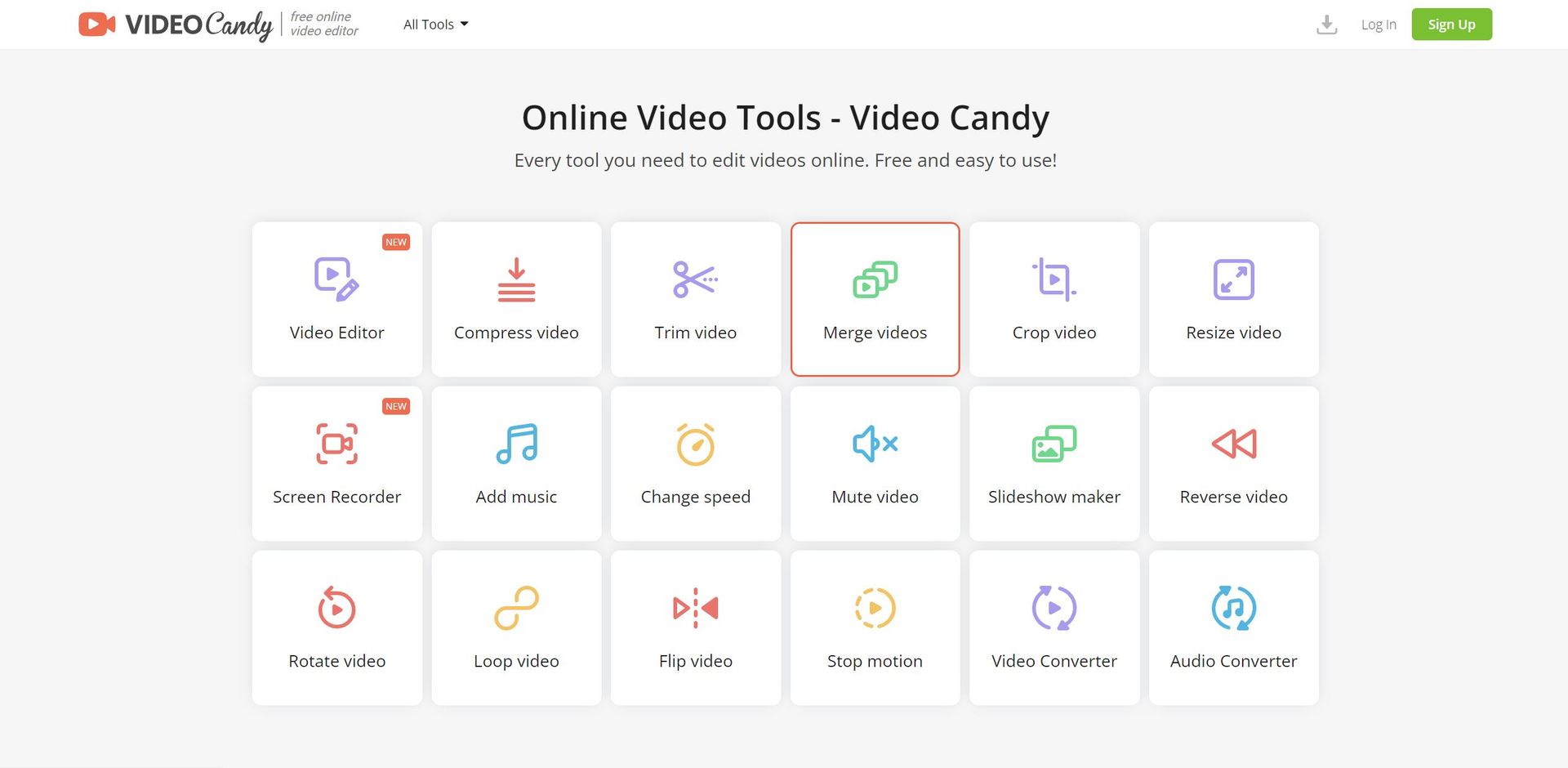
- Wide Range of Tools: Includes over 40 tools such as video compression, trimming, merging, and more.
- Screen Recorder: Allows users to capture their screen activity for various purposes.
- Audio Manipulation: Enables adding music, changing video speed, and removing audio from videos.
- High-Quality Outputs: Ensures videos are exported without compromising on quality.
- ProsNo Watermark: Paid plans allow for watermark-free videos, ensuring a professional look.High Priority Processing: Reduces waiting time with faster video processing capabilities.Generous File Size Limit: Users can upload files up to 4 GB, accommodating larger video projects.Versatile Editing Options: A well-rounded suite of editing tools caters to virtually any video editing need.ConsTime Limit on Processing: Even with high priority, there is a 20-minute processing time limit.Paid Plans Required for Full Features: Access to all features necessitates a subscription.Learning Curve: New users might require some time to get accustomed to the plethora of features available.
Best For
- Content Creators: Utilizing the platform to produce engaging content for various social media platforms.
- Marketing Professionals: Crafting compelling video advertisements and promotional materials.
- Educators: Creating educational content and presentations with multimedia elements.
- Small Business Owners: Producing video content for branding and online presence.
- Uncommon Use Cases: Utilized by non-profit organizations for awareness campaigns; Adopted by hobbyists for personal video projects.
Integrations
Browser-Based: Accessible on multiple web browsers without the need for software downloads. File Compatibility: Supports various video and audio file formats for editing and conversion. Cloud Storage Integration: Enables users to save and retrieve files from cloud storage services. Cross-Platform Use: Works across different operating systems since it's web-based.
Similar Tools



Weekly Issue
⚡
Video Editing tools · weekly digest
The AI Weekly — free in your inbox
New AI tools, pricing changes, expert picks, and hidden gems — curated by Mr. Spark every week. Join 5,000+ readers who stay ahead of the AI curve.
No spam, ever
Unsubscribe anytime
100% free