
Pricing Details
Free Tier: Experience Vocal Remover with basic features at no cost. Premium Tier: Unlock enhanced features and higher processing limits starting at a competitive price. Disclaimer: Please note that pricing information may not be up to date. For the most accurate and current pricing details, refer to the Vocal Remover website.
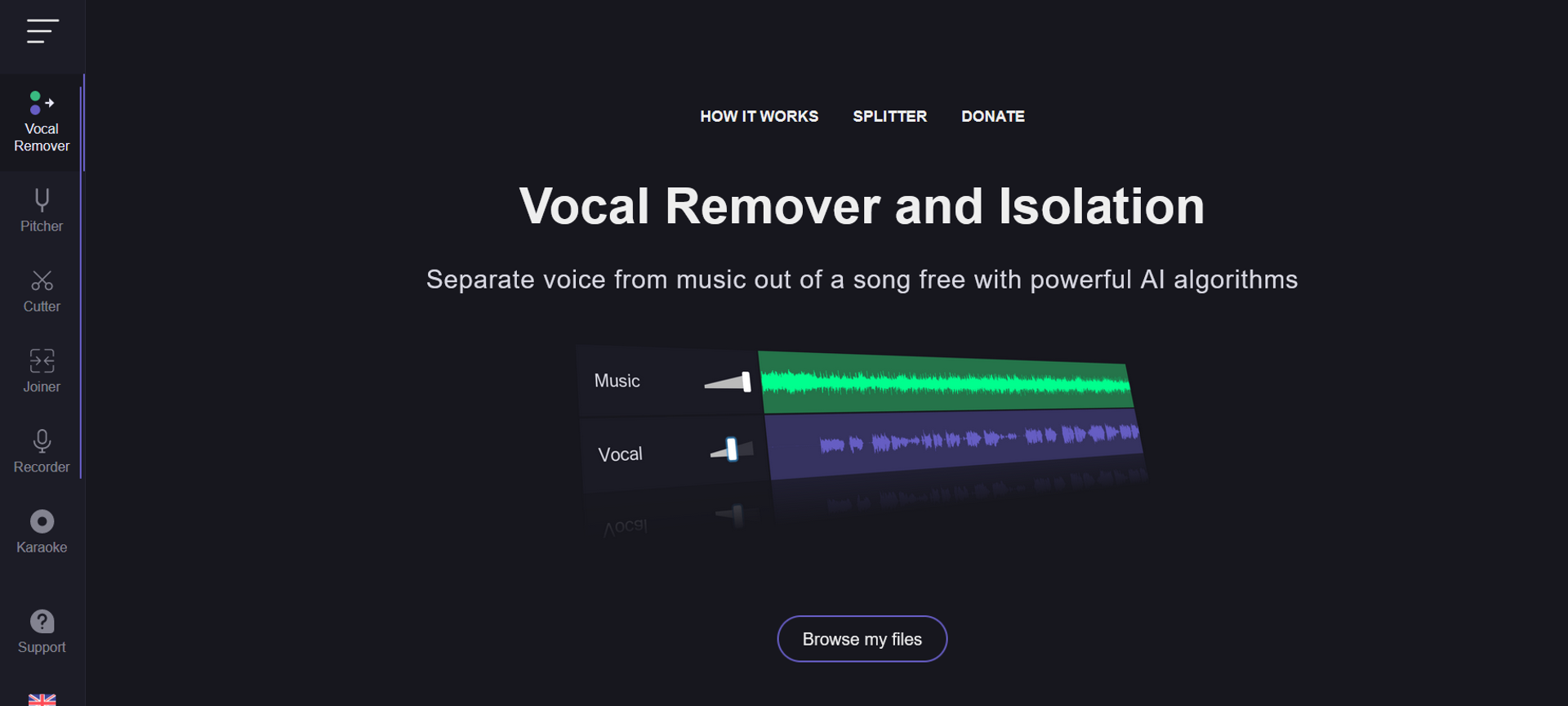
Product Visuals (1 images)
Strengths
- Effortless Operation: Simplifies the complex process of vocal and instrumental separation with just a few clicks.
- Time-Saving: The batch processing feature significantly reduces the time required to process multiple files.
- High-Quality Outputs: Produces clean and clear tracks, minimizing audio artifacts.
- Accessibility: Available online, it eliminates the need for downloading software, offering flexibility and convenience.
Limitations
- Internet Dependency: Being an online tool, it requires a stable internet connection for optimal performance.
- File Size Limitations: There might be restrictions on the size of the files that can be uploaded and processed.
- Processing Time: For larger files or during peak usage times, the processing time may be longer than anticipated.
Building your AI toolkit?
Save Vocal Remover and 1,000+ tools — free with Google, no spam
What You Get
Key Features
- High-Quality Vocal Isolation: Utilizes AI-driven algorithms to separate vocals with high precision, ensuring clean instrumental tracks.
- User-Friendly Interface: Designed with simplicity in mind, allowing users of all skill levels to easily navigate and use the tool.
- Batch Processing: Supports the processing of multiple files simultaneously, saving time and enhancing productivity.
- Versatility: Capable of handling a wide range of music genres and file formats, making it a versatile choice for various audio projects.
- ProsEffortless Operation: Simplifies the complex process of vocal and instrumental separation with just a few clicks.Time-Saving: The batch processing feature significantly reduces the time required to process multiple files.High-Quality Outputs: Produces clean and clear tracks, minimizing audio artifacts.Accessibility: Available online, it eliminates the need for downloading software, offering flexibility and convenience.ConsInternet Dependency: Being an online tool, it requires a stable internet connection for optimal performance.File Size Limitations: There might be restrictions on the size of the files that can be uploaded and processed.Processing Time: For larger files or during peak usage times, the processing time may be longer than anticipated.
Best For
- Music Producers: Utilizing the tool to create samples or backing tracks.
- DJs: Preparing custom tracks for mixing and live performances.
- Karaoke Enthusiasts: Creating instrumental versions of songs for karaoke sessions.
- Content Creators: Producing clear voice-overs by removing background music from clips.
- Uncommon Use Cases: Vocal Remover is also being used by educators for creating teaching materials and by podcasters for cleaning up audio segments.
Integrations
Web-Based Platform: Easily accessible from any device with a web browser. File Format Support: Compatible with a wide range of audio file formats for versatility. No Software Installation Required: Eliminates compatibility issues with operating systems or hardware.
Similar Tools
Weekly Issue
⚡
Audio Editing tools · weekly digest
The AI Weekly — free in your inbox
New AI tools, pricing changes, expert picks, and hidden gems — curated by Mr. Spark every week. Join 5,000+ readers who stay ahead of the AI curve.
No spam, ever
Unsubscribe anytime
100% free