
Pricing Details
Free: $0 per month. Includes 2 million AI tokens, visual drag-and-drop editor, API and data integration, import of coded components, responsive web app building, free hosting (up to 500 app sessions), and chat support. Essential: $20 per month. Includes 10 million AI tokens and everything in Free, plus Launch or Scale hosting, code export and self-hosting, GitHub sync, and daily editor auto-backup. Pro: $50 per month. Includes 25 million AI tokens and everything in Essential, plus seat collaboration, hourly editor auto-backups, and unlimited manual backups. Partner: $80 per month. Includes 35 million AI tokens and everything in Pro, plus free hosting (up to 1,000 monthly sessions), staging on WeWeb subdomain, free workspace joining, project transfer to customers, partner directory listing, and 20% referral commission. Disclaimer: Please note that pricing information may not be up to date. For the most accurate and current pricing details, refer to the official WeWeb website.
Product Visuals (1 images)
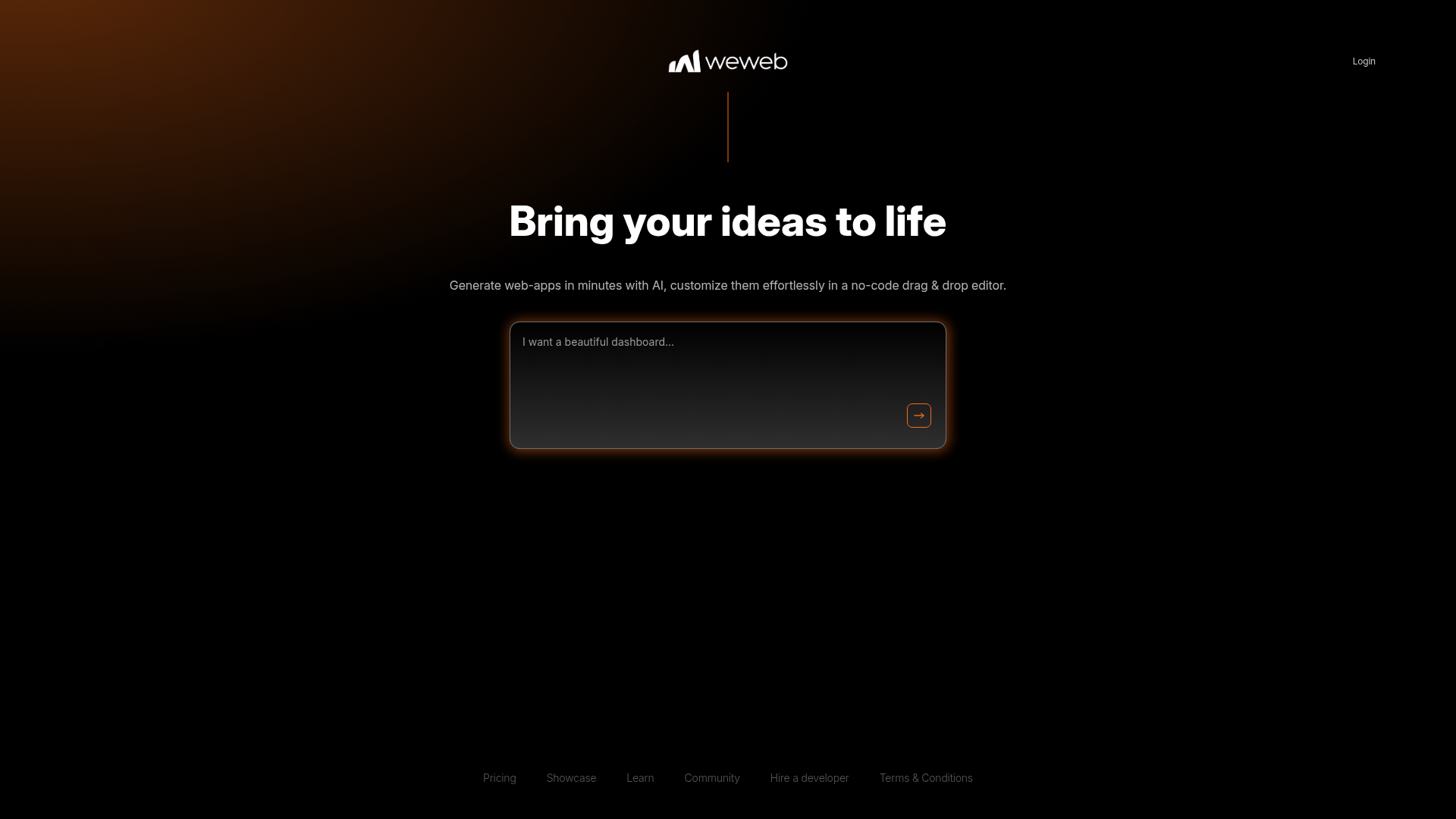
Strengths
- Rapid Development: The AI-driven approach significantly reduces the time required to develop web applications.
- User-Friendly Interface: The no-code editor is intuitive, making it accessible for users with varying levels of technical expertise.
- Customization Flexibility: Users can effortlessly tweak and adjust their web apps to fit specific needs and preferences.
- Community Resources: Access to a community of developers and users provides valuable insights and support.
Limitations
- Initial Setup: Users might experience minor hiccups during the initial setup process.
- Limited Advanced Features: While great for quick builds, WeWeb might lack some advanced features required for complex applications.
- Integration Restrictions: Some users may find limitations in integrating with third-party services.
What You Get
Key Features
- AI-Assisted Development: WeWeb utilizes AI to speed up the web app creation process, allowing users to build applications 10 times faster than traditional methods.
- No-Code Editor: The platform features a user-friendly drag-and-drop editor, making customization accessible without the need for coding skills.
- Workspace Selection: Users can choose and manage different workspaces, facilitating organized and efficient project management.
- Community Support: With a strong community presence, WeWeb offers resources and support for users looking to enhance their skills and projects.
- ProsRapid Development: The AI-driven approach significantly reduces the time required to develop web applications.User-Friendly Interface: The no-code editor is intuitive, making it accessible for users with varying levels of technical expertise.Customization Flexibility: Users can effortlessly tweak and adjust their web apps to fit specific needs and preferences.Community Resources: Access to a community of developers and users provides valuable insights and support.ConsInitial Setup: Users might experience minor hiccups during the initial setup process.Limited Advanced Features: While great for quick builds, WeWeb might lack some advanced features required for complex applications.Integration Restrictions: Some users may find limitations in integrating with third-party services.
Best For
- Startups: Quickly bring product ideas to market without extensive development costs.
- Freelancers: Create custom web applications for clients efficiently.
- Small Businesses: Develop internal tools and customer-facing apps without a large IT team.
- Educators: Use the platform for teaching web development concepts in a no-code environment.
- Uncommon Use Cases: Non-profits leveraging WeWeb for campaign management apps; Artists creating interactive portfolios.
Similar Tools
Website Builders tools · weekly digest
The AI Weekly — free in your inbox
New AI tools, pricing changes, expert picks, and hidden gems — curated by Mr. Spark every week. Join 5,000+ readers who stay ahead of the AI curve.