
Pricing Details
Mini: $10 per month. Best for landing pages. Includes 2 pages, 10 GB bandwidth, and a custom domain. Basic: $20 per month. Ideal for basic sites. Includes 1,000 pages, 50 GB bandwidth, and password protection. Pro: $40 per month. Designed for growing sites. Includes 10,000 pages, 100 GB bandwidth, and 10 CMS collections. Disclaimer: Please note that pricing information may not be up to date. For the most accurate and current pricing details, refer to the official Wireframer AI website.
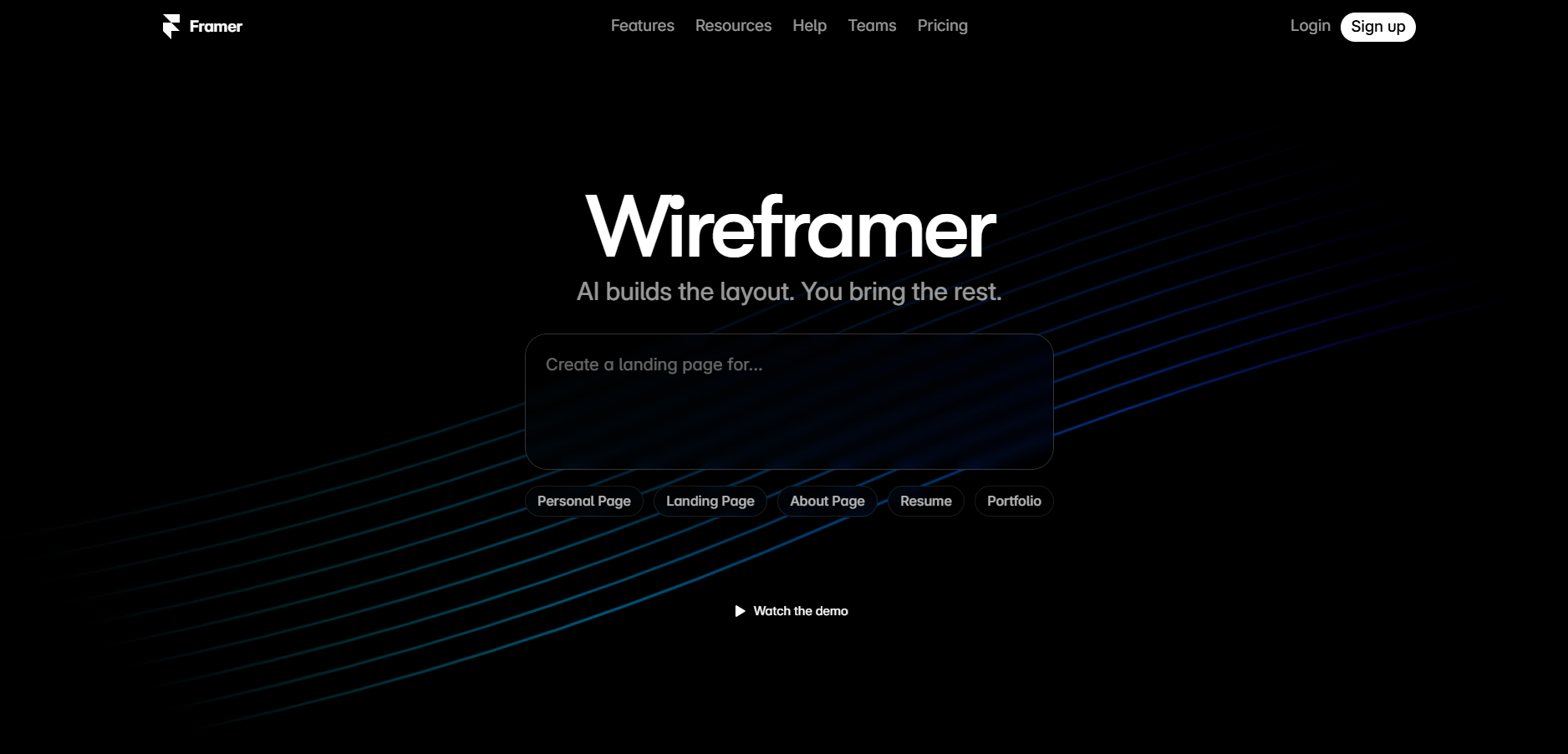
Product Visuals (1 images)
Strengths
- Time Efficiency: Accelerates the web design process by automating layout creation and offering smart suggestions.
- User-Friendly Interface: The intuitive design allows users to navigate and utilize features without a steep learning curve.
- Cost-Effective: Reduces the need for extensive design and development resources, cutting down on overall project costs.
- Flexibility: Offers the ability to tweak designs and layouts without starting from scratch, providing creative freedom.
Limitations
- Limited Styling Options: Focuses primarily on structure rather than style, which may require additional tools for full customization.
- Initial Setup Time: While the interface is user-friendly, setting up initial layouts may take some time for new users.
Building your AI toolkit?
Save Wireframer AI and 1,000+ tools — free with Google, no spam
What You Get
Key Features
- Responsive Layouts: Automatically generates layouts that adapt to different screen sizes, ensuring a consistent user experience across devices.
- AI-Driven Suggestions: Provides smart prompts and suggestions to enhance the design process, allowing users to adjust and add sections with ease.
- Interactive Components: Enables the creation of interactive elements and animations without the need for coding.
- Scalable Design: Supports the addition of multiple pages and components, making it easy to expand from a basic layout to a full-fledged website.
- ProsTime Efficiency: Accelerates the web design process by automating layout creation and offering smart suggestions.User-Friendly Interface: The intuitive design allows users to navigate and utilize features without a steep learning curve.Cost-Effective: Reduces the need for extensive design and development resources, cutting down on overall project costs.Flexibility: Offers the ability to tweak designs and layouts without starting from scratch, providing creative freedom.ConsLimited Styling Options: Focuses primarily on structure rather than style, which may require additional tools for full customization.Initial Setup Time: While the interface is user-friendly, setting up initial layouts may take some time for new users.
Best For
- Web Designers: Using the tool to quickly build responsive wireframes and prototypes.
- Startups: Leveraging it to create landing pages and MVPs efficiently.
- Marketing Teams: Utilizing it for building campaign-specific microsites with minimal resources.
- Freelancers: Adopting it for creating personal portfolios and client projects.
- Uncommon Use Cases: Used by educational institutions for teaching web design principles; adopted by event organizers for creating event-specific web pages.
Similar Tools
Website Builders tools · weekly digest
The AI Weekly — free in your inbox
New AI tools, pricing changes, expert picks, and hidden gems — curated by Mr. Spark every week. Join 5,000+ readers who stay ahead of the AI curve.