
Pricing Details
Free Plan: $0 per month. Includes 1GB of storage, 720p exports with watermark, and access to a free trial of AI tools. Standard Plan: $9.99 per month. Includes 20GB storage, 1080p export without watermarks, basic video editing features, 60 minutes of subtitles per month, access to high-quality asset resources, 1,000+ templates and effects, and tools for compressing and converting. Premium Plan: $17.99 per month. Includes everything in the Standard plan plus 50GB storage, 120 minutes of automatic subtitles with translation, and access to 10+ AI features like audio denoiser, voice clone, AI music generator, and image enhancer. Disclaimer: Please note that pricing information may not be up to date. For the most accurate and current pricing details, refer to the official WonderShare Media.io website.
Product Visuals (1 images)
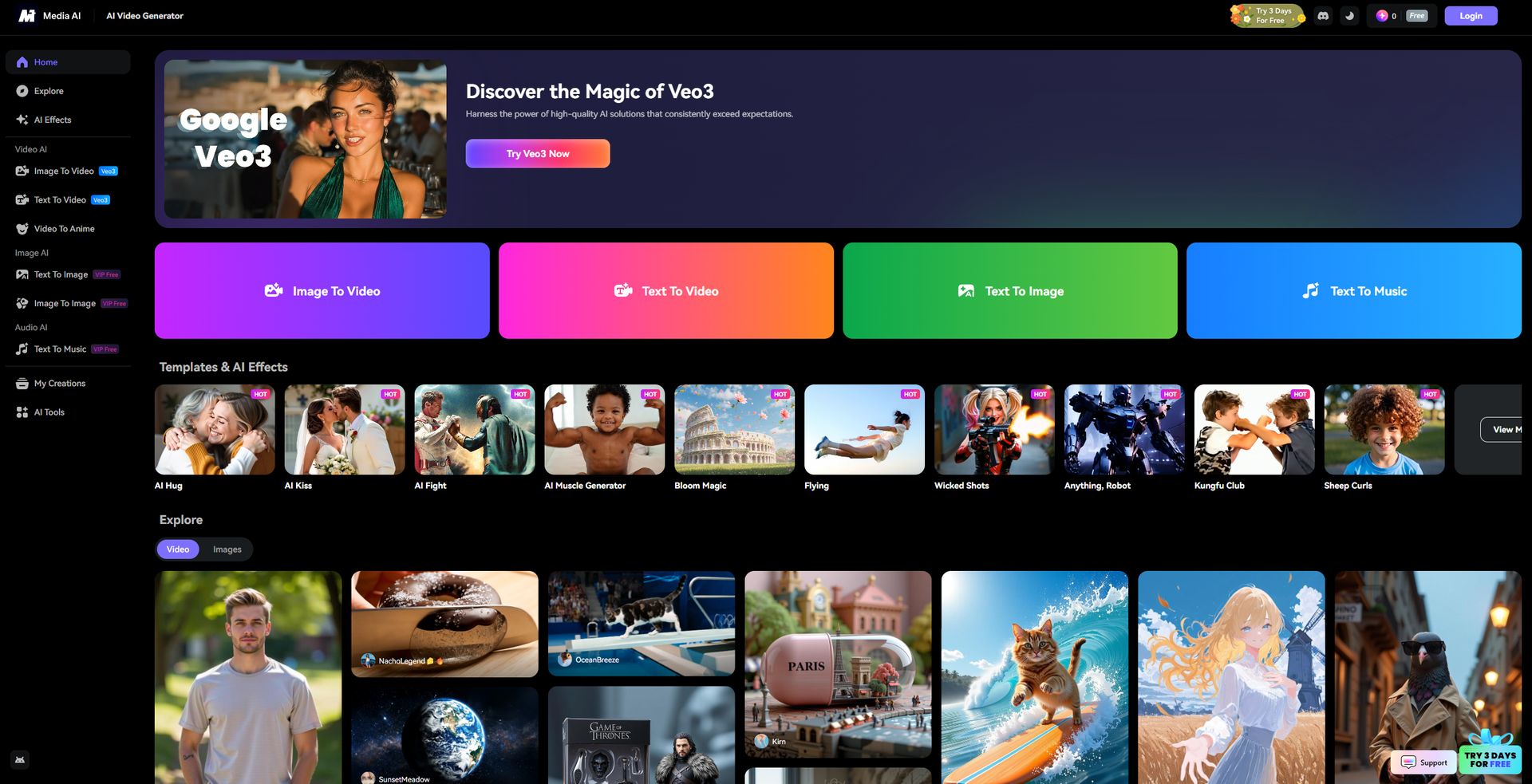
Strengths
- Versatile Functionality: Offers a wide array of tools for video, image, and audio editing, accommodating diverse creative needs.
- User-Friendly Design: Intuitive interface that simplifies the editing process, making it accessible to users of all skill levels.
- Cost-Effective Solutions: Provides affordable pricing options compared to traditional software, with a free tier available for basic use.
- High-Quality Output: Delivers professional-grade results with minimal effort, enhancing the quality of content across various media.
Limitations
- Watermark on Free Plan: The free version includes watermarks on exported content, which may limit its use for professional purposes.
- Limited Third-Party Integrations: Currently, the platform has restricted compatibility with other software, which could hinder workflow integration.
- Daily Usage Limits: Free users face restrictions on the number of content generations per day.
Building your AI toolkit?
Save WonderShare Media.io and 1,000+ tools — free with Google, no spam
What You Get
Key Features
- AI Video Generation: Transform images and text into videos with advanced AI algorithms, adding motions, effects, and music for captivating content.
- Image to Anime Conversion: Convert photos into anime-style visuals using various artistic templates like Felt, Pixel, and Watercolor.
- Audio Editing and Enhancement: Utilize AI tools for noise reduction, voice changing, and vocal removal to refine audio tracks effortlessly.
- Comprehensive Editing Suite: Access a range of editing tools for video, image, and audio, including background removal, upscaling, and object removal.
- ProsVersatile Functionality: Offers a wide array of tools for video, image, and audio editing, accommodating diverse creative needs.User-Friendly Design: Intuitive interface that simplifies the editing process, making it accessible to users of all skill levels.Cost-Effective Solutions: Provides affordable pricing options compared to traditional software, with a free tier available for basic use.High-Quality Output: Delivers professional-grade results with minimal effort, enhancing the quality of content across various media.ConsWatermark on Free Plan: The free version includes watermarks on exported content, which may limit its use for professional purposes.Limited Third-Party Integrations: Currently, the platform has restricted compatibility with other software, which could hinder workflow integration.Daily Usage Limits: Free users face restrictions on the number of content generations per day.
Best For
- Content Creators: Leveraging the platform for producing engaging multimedia content for social media and online platforms.
- Marketing Professionals: Utilizing the tools for creating promotional videos and ads with minimal resources.
- Educators and Trainers: Employing the software to develop instructional videos and learning materials.
- Freelancers in Creative Industries: Adopting the platform for quick and efficient content creation tasks.
- Uncommon Use Cases: Used by podcasters for enhancing audio quality; Employed by event organizers to create promotional materials.
Similar Tools



Video Editing tools · weekly digest
The AI Weekly — free in your inbox
New AI tools, pricing changes, expert picks, and hidden gems — curated by Mr. Spark every week. Join 5,000+ readers who stay ahead of the AI curve.