
Pricing Details
Free: $0 per month; includes 500 new-user bonus credits, 1 backend project, 1 monthly Credit Care, and code upload access. Pro: $20 per month; includes 2,000 credits plus 1,000 monthly, 30 monthly Credit Care, 4 backend projects, yearly credit top-ups, branding removal, code download, in-project editing, fullscreen sharing, and credit rollovers. Ultra: $60 per month; includes 6,000 credits plus 3,000 monthly, 100 monthly Credit Care, 12 backend projects, yearly credit top-ups, one-on-one support, data training opt-out, credit rollovers, fullscreen sharing, and early feature access. Disclaimer: Please note that pricing information may not be up to date. For the most accurate and current pricing details, refer to the official YouWare website.
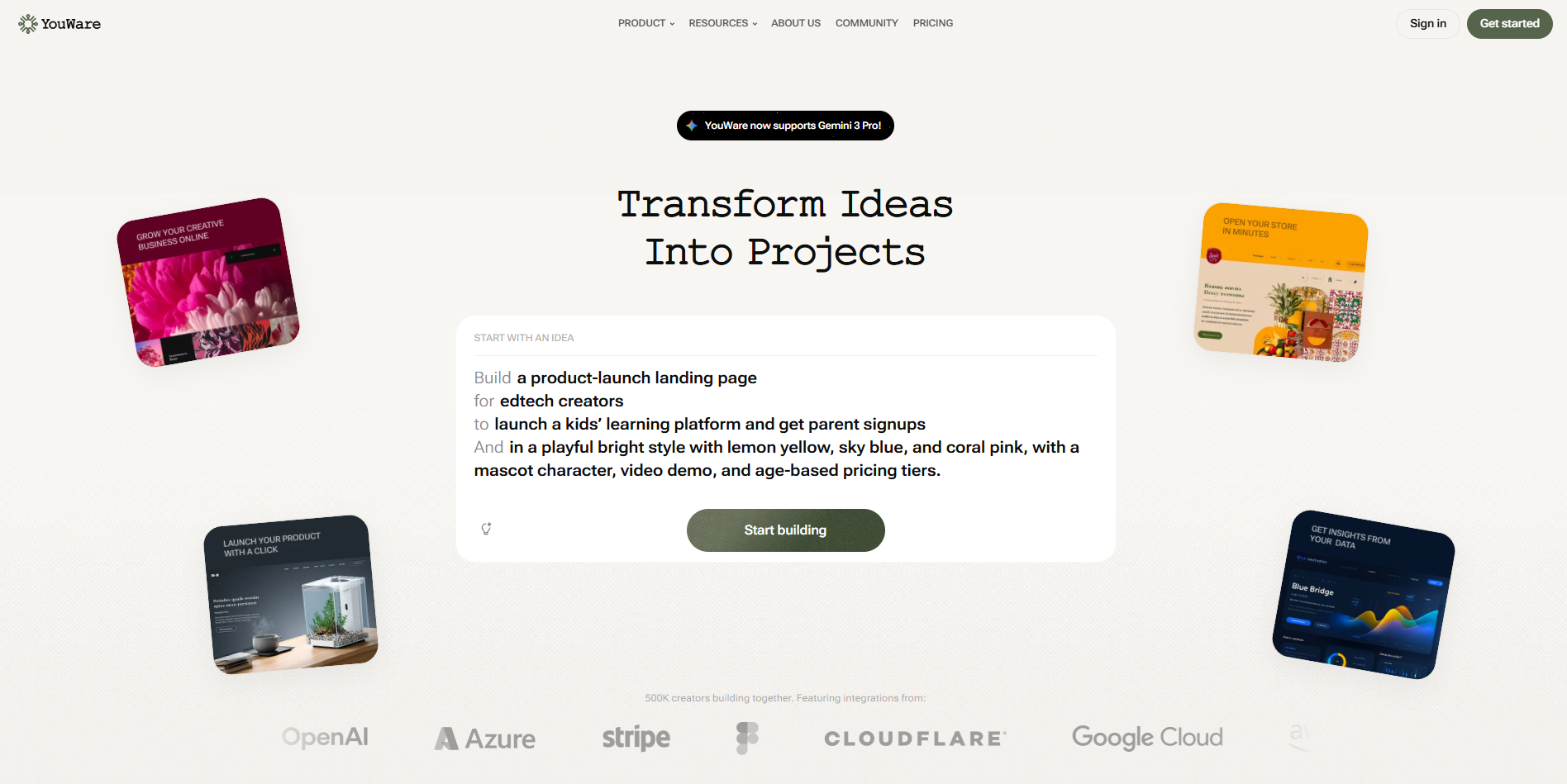
Product Visuals (1 images)
Strengths
- Low Barrier to Creation: Non developers can ship surprisingly capable tools with prompts instead of manual coding.
- Speed from Idea to URL: Projects can be generated, hosted, and shared via link in minutes.
- Credit Care Rewind: Users can undo misfires without permanently burning credits, which softens experimentation risks.
- Mobile First Experience: iOS and Android apps support building and editing on the go with voice input.
Limitations
- Less Control for Power Users: Highly opinionated workflows may feel restrictive to senior engineers who prefer full stack control.
- Opaque Pricing Tiers from Outside: Subscription details are not fully visible without digging into the dedicated pricing area.
- Cloud Dependence: Projects and logic live in YouWare’s environment, which may not suit teams needing on premises setups.
What You Get
Key Features
- Vibe Coding Interface: Describe projects in plain language or voice, and the system assembles layouts, logic, and content automatically.
- Advanced Coding Agents: Multiple specialized agents handle tasks like full stack generation, bug fixing, and iterative improvements in one environment.
- Boost Design Polishing: One click “Boost” upgrades visual design, layout choices, and UI consistency without manual tweaking.
- Built-in AI API: Lets projects call third party AI models for chatbots, image generation, and more, without managing API keys or tokens.
- Automatic Data and Analytics Setup: Auto generated databases and planned built in analytics help store data and track usage with minimal configuration.
- ProsLow Barrier to Creation: Non developers can ship surprisingly capable tools with prompts instead of manual coding.Speed from Idea to URL: Projects can be generated, hosted, and shared via link in minutes.Credit Care Rewind: Users can undo misfires without permanently burning credits, which softens experimentation risks.Mobile First Experience: iOS and Android apps support building and editing on the go with voice input.ConsLess Control for Power Users: Highly opinionated workflows may feel restrictive to senior engineers who prefer full stack control.Opaque Pricing Tiers from Outside: Subscription details are not fully visible without digging into the dedicated pricing area.Cloud Dependence: Projects and logic live in YouWare’s environment, which may not suit teams needing on premises setups.
Best For
- Indie Creators and Solo Founders: Rapidly prototyping SaaS tools, landing pages, and MVPs to test demand.
- Small and Local Businesses: Spinning up service sites, booking flows, and lead capture pages without hiring agencies.
- Educators and Community Builders: Creating dashboards, learning tools, and public information hubs for local initiatives.
- Developers and Designers: Using AI agents as a fast companion for scaffolding, then refining details manually.
- Uncommon Use Cases: Crypto and finance professionals publishing public performance pages; mental health workers building hyper niche outreach microsites.
Similar Tools

Website Builders tools · weekly digest
The AI Weekly — free in your inbox
New AI tools, pricing changes, expert picks, and hidden gems — curated by Mr. Spark every week. Join 5,000+ readers who stay ahead of the AI curve.