
Pricing Details
Free Tier: Start with a limited free plan to explore basic features. Starter Plan: Begins at $19.99 per month, offering more Zaps and premium app integrations. Professional Plan: Available at $49 per month, suitable for growing businesses needing advanced features. Team Plan: Priced at $299 per month, designed for larger teams requiring collaborative tools. Disclaimer: Please note that pricing information may not be up to date. For the most accurate and current pricing details, refer to the official Zapier website.
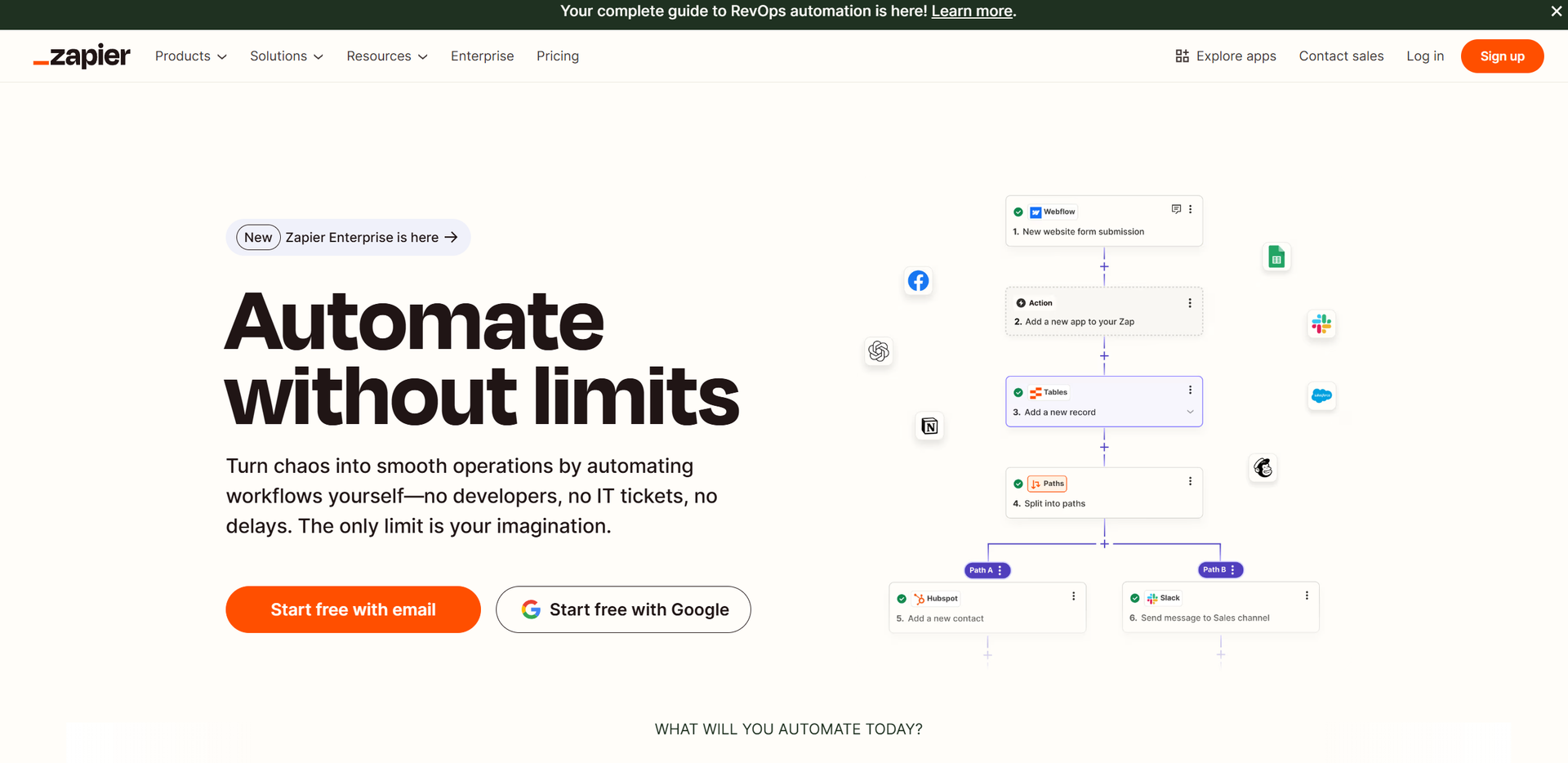
Product Visuals (1 images)
Strengths
- Time Efficiency: Automates repetitive tasks, freeing up time for more critical activities.
- Scalability: Suitable for teams of all sizes, from solo entrepreneurs to large enterprises.
- Cost Savings: Reduces operational costs by automating tasks that would otherwise require manual intervention.
- Flexibility: Offers a wide range of templates and customization options to fit various business processes.
Limitations
- Initial Learning Curve: New users may require time to explore and understand the full range of features.
- Complexity in Advanced Setups: While basic flows are easy to set up, more complex automations might need a deeper understanding of the platform.
What You Get
Key Features
- Extensive App Integration: Instantly connect with over 7,000 apps, ranging from CRM systems to social media platforms, enabling seamless workflow automation.
- AI-Driven Automation: Utilize AI by Zapier to incorporate intelligence into your workflows, such as summarizing sales calls or generating content ideas.
- User-Friendly Interfaces: Build apps, forms, and web pages effortlessly with a no-code interface, making automation accessible to everyone.
- Customizable Workflows: Tailor your automation processes with advanced customization options, ensuring they meet your unique business needs.
- ProsTime Efficiency: Automates repetitive tasks, freeing up time for more critical activities.Scalability: Suitable for teams of all sizes, from solo entrepreneurs to large enterprises.Cost Savings: Reduces operational costs by automating tasks that would otherwise require manual intervention.Flexibility: Offers a wide range of templates and customization options to fit various business processes.ConsInitial Learning Curve: New users may require time to explore and understand the full range of features.Complexity in Advanced Setups: While basic flows are easy to set up, more complex automations might need a deeper understanding of the platform.
Best For
- E-commerce Businesses: Streamlining order management and customer communication.
- Digital Marketing Agencies: Automating campaign management and lead generation.
- IT Departments: Managing support tickets and system alerts efficiently.
- Sales Teams: Enhancing lead management and sales handoffs.
- Uncommon Use Cases: Used by educational institutions to automate administrative tasks; Adopted by non-profit organizations for donor management.
Similar Tools
Weekly Issue
⚡
Workflows tools · weekly digest
The AI Weekly — free in your inbox
New AI tools, pricing changes, expert picks, and hidden gems — curated by Mr. Spark every week. Join 5,000+ readers who stay ahead of the AI curve.
No spam, ever
Unsubscribe anytime
100% free