
Pricing Details
Free: $0 per month; includes full access during the feedback phase while Alpine collects user input. Lifetime Access: $250 one-time payment; includes the best personal plan forever, increased agent token limits, and increased file storage limits. Disclaimer: Please note that pricing information may not be up to date. For the most accurate and current pricing details, refer to the official Alpine website.
Product Visuals (1 images)
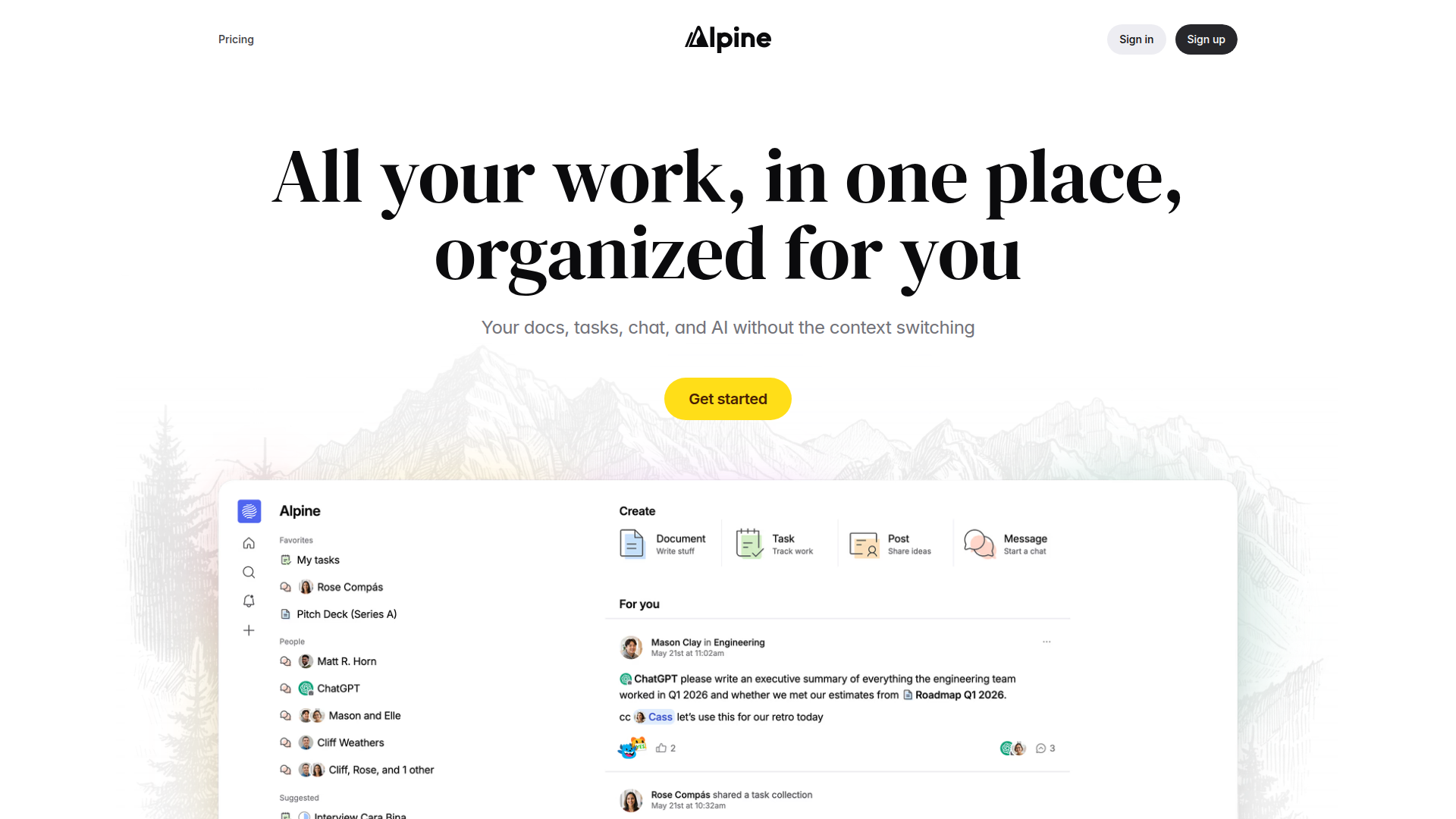
Strengths
- Reduced Context Switching: Having AI, docs, chat, and tasks together means fewer tabs and less hunting through separate tools for missing context.
- AI That Sees the Whole Workspace: Agents and AI search operate on shared context, which typically produces more relevant summaries, answers, and suggestions than isolated chatbots.
- Thoughtful Noise Control: Personalized feed, thread-first forum, and inbox design collectively push important updates up and keep incidental chatter out of the way.
- Performance-Oriented Engineering: Backend p99 latencies under 500 ms and a focus on avoiding loading spinners make the app feel snappy, even at larger data volumes.
Limitations
- Early-Stage Product: Alpine is still young; external reviews and long-term reliability data are limited, and the ecosystem around it is just forming.
- Integrations Still Emerging: The team plans broad integrations with email, meeting note takers, and other AI tools, but many of these remain on the roadmap rather than fully shipped.
- Enterprise Readiness In Progress: Security pedigree is strong, yet SOC 2 is listed as “coming soon,” which may slow adoption in heavily regulated sectors.
What You Get
Key Features
- Unified Workspace Suite: Brings docs, tasks, forum-style discussions, chat, feed, inbox, search, and AI into one product so context carries across everything.
- Context-Aware AI Agents: AI “coworkers” can summarize, draft, and answer questions using the full history of docs, tasks, and conversations, not just a single file.
- LLM-Powered Global Search: Search ranks results by relevance and recency using large language models instead of simple keyword matching, helping surface the right work faster.
- Signal-First Feed and Inbox: A “for you” feed plus an inbox that puts important work first and holds replies until the user is ready, cutting notification noise.
- Fast Docs and Tasks: Lightweight documents with image galleries, auto-generated covers, and presentation layouts, plus a task system that handles over a million tasks while staying quick.
- ProsReduced Context Switching: Having AI, docs, chat, and tasks together means fewer tabs and less hunting through separate tools for missing context.AI That Sees the Whole Workspace: Agents and AI search operate on shared context, which typically produces more relevant summaries, answers, and suggestions than isolated chatbots.Thoughtful Noise Control: Personalized feed, thread-first forum, and inbox design collectively push important updates up and keep incidental chatter out of the way.Performance-Oriented Engineering: Backend p99 latencies under 500 ms and a focus on avoiding loading spinners make the app feel snappy, even at larger data volumes.ConsEarly-Stage Product: Alpine is still young; external reviews and long-term reliability data are limited, and the ecosystem around it is just forming.Integrations Still Emerging: The team plans broad integrations with email, meeting note takers, and other AI tools, but many of these remain on the roadmap rather than fully shipped.Enterprise Readiness In Progress: Security pedigree is strong, yet SOC 2 is listed as “coming soon,” which may slow adoption in heavily regulated sectors.
Best For
- Startup Teams and Small Companies: Using Alpine as a central place for planning, documentation, and day-to-day collaboration instead of juggling multiple SaaS tools.
- Product and Engineering Squads: Tracking tasks, specs, and discussions while letting AI agents summarize threads or PRDs for faster decision-making.
- Agencies and Studios: Coordinating client docs, internal chat, and project tasks while keeping AI close for drafting proposals or summarizing feedback.
- Founders and Solo Operators: Running docs, planning, and communication in one place and leaning on AI to draft content and keep work searchable.
- Uncommon Use Cases: Adopted by academic or research groups looking for AI-assisted literature notes and project tracking; used by non‑profit teams that want a lighter, AI-aware alternative to heavyweight enterprise suites.
Similar Tools



Weekly Issue
⚡
Project Management tools · weekly digest
The AI Weekly — free in your inbox
New AI tools, pricing changes, expert picks, and hidden gems — curated by Mr. Spark every week. Join 5,000+ readers who stay ahead of the AI curve.
No spam, ever
Unsubscribe anytime
100% free