
Pricing Details
Free: $0 per month. Includes basic code suggestions, public CLI completions, license reviews, and limited monthly access to advanced features like IDE chat (50 uses), AWS queries (25), and code transformations (1,000 lines). Pro: $19 per month per user. Unlocks higher limits across all features, custom code suggestions, enterprise access controls, and added support for SQL generation and complex app upgrades. Disclaimer: Please note that pricing information may not be up to date. For the most accurate and current pricing details, refer to the official Amazon Q Developer website.
Product Visuals (1 images)
Strengths
- Enhanced Productivity: Significantly speeds up development tasks, from coding to deployment.
- Versatile Integration: Compatible with a wide range of IDEs and platforms, ensuring a seamless workflow.
- Cost-Effective: Helps reduce cloud costs and operational expenses with optimized resource management.
- Security and Reliability: Offers superior security measures, including vulnerability scanning and code optimization.
Limitations
- Learning Curve: New users might need time to familiarize themselves with the tool's advanced features.
- Limited Free Usage: The free tier has restrictions on the number of chat interactions and code transformations.
Building your AI toolkit?
Save Amazon Q Developer and 1,000+ tools — free with Google, no spam
What You Get
Key Features
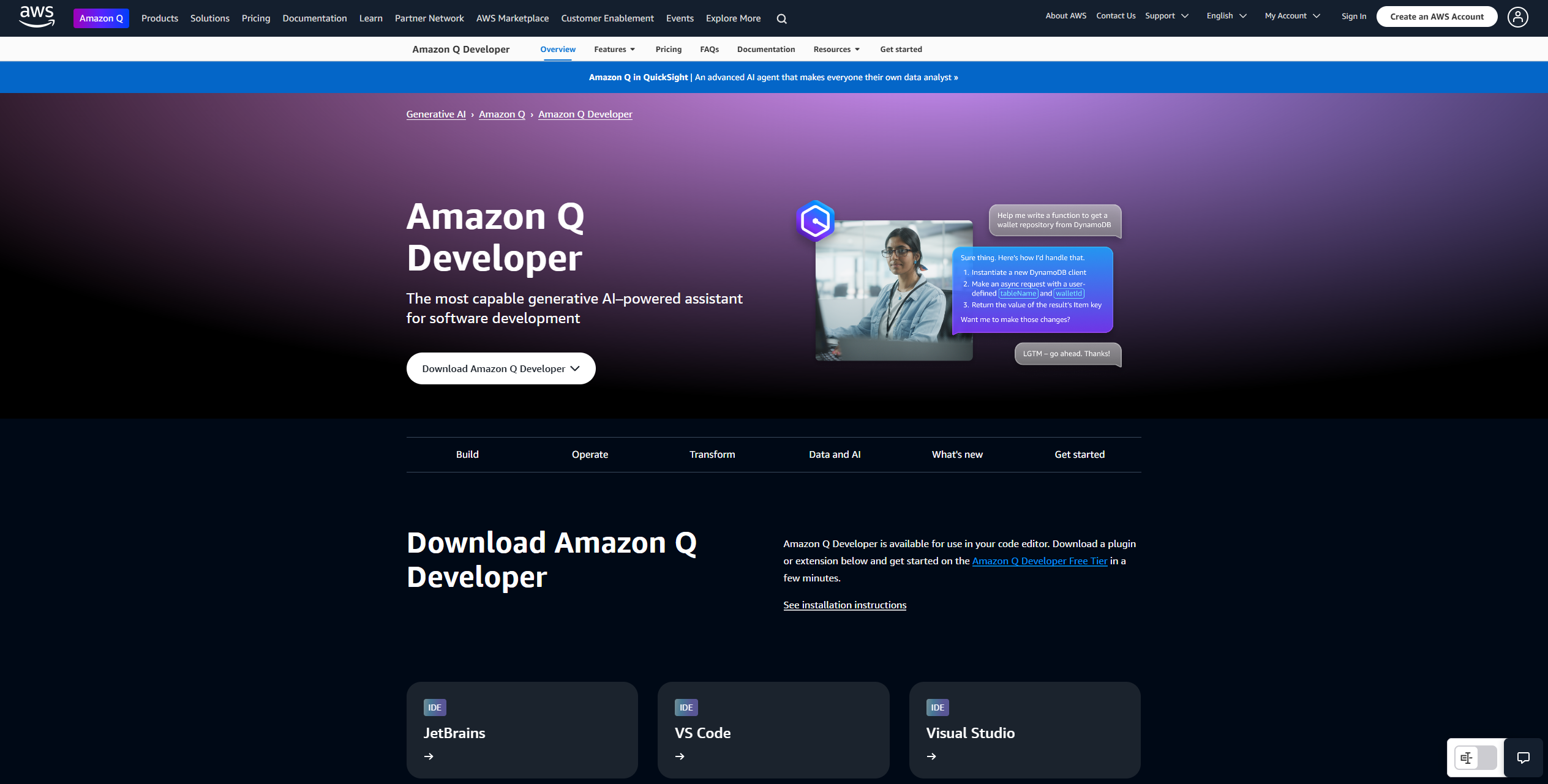
- Generative AI Assistance: Provides real-time code suggestions and multiline code completions, helping developers write and refine code more efficiently.
- Integration with IDEs: Supports popular integrated development environments like JetBrains, Visual Studio, and VS Code, offering inline code suggestions and vulnerability scanning.
- Command Line Interface Support: Offers CLI autocompletions and natural language-to-bash translation, facilitating smoother command-line interactions.
- Cloud Optimization: Expertly operates on AWS to optimize cloud costs and resources, providing guidance on best practices and resolving networking issues.
- ProsEnhanced Productivity: Significantly speeds up development tasks, from coding to deployment.Versatile Integration: Compatible with a wide range of IDEs and platforms, ensuring a seamless workflow.Cost-Effective: Helps reduce cloud costs and operational expenses with optimized resource management.Security and Reliability: Offers superior security measures, including vulnerability scanning and code optimization.ConsLearning Curve: New users might need time to familiarize themselves with the tool's advanced features.Limited Free Usage: The free tier has restrictions on the number of chat interactions and code transformations.
Best For
- Software Developers: Utilizing the tool for efficient coding and project management.
- IT Professionals: Leveraging its capabilities to optimize cloud operations and resource management.
- Data Scientists: Employing Amazon Q Developer for data pipeline coding and AI/ML model development.
- DevOps Teams: Using it to streamline deployment processes and improve workflow automation.
- Uncommon Use Cases: Adopted by educational institutions for teaching software development; Employed by non-profit organizations for optimizing IT infrastructure.
Similar Tools
Code Assistant tools · weekly digest
The AI Weekly — free in your inbox
New AI tools, pricing changes, expert picks, and hidden gems — curated by Mr. Spark every week. Join 5,000+ readers who stay ahead of the AI curve.