
Pricing Details
Free Trial: Experience Checkfirst with a 30-day free trial. Standard Plan: The Standard Plan starts at $50 per month. Enterprise Solutions: Custom pricing available for enterprise clients requiring advanced features and support. Disclaimer: Please note that pricing information may not be up to date. For the most accurate and current pricing details, refer to the official Checkfirst website.
Product Visuals (1 images)
Strengths
- Increased Productivity: Streamlines compliance processes, significantly reducing the time and effort involved in inspections.
- Cost Efficiency: Minimizes operational costs by automating task management and data capture.
- Enhanced Accuracy: Reduces human error through automated data verification, ensuring high accuracy in inspections.
- Scalability: Easily scales to meet the needs of any business size, thanks to its robust architecture and flexible configuration.
Limitations
- Initial Learning Curve: New users may require some time to fully grasp the functionalities and make the most out of the extensive features offered.
- Dependency on Digital Infrastructure: As a cloud-based platform, it requires a stable internet connection for optimal performance.
- Limited Customization Options: While highly efficient, some users might find the customization options for reports and workflows less flexible than desired.
Building your AI toolkit?
Save Checkfirst and 1,000+ tools — free with Google, no spam
What You Get
Key Features
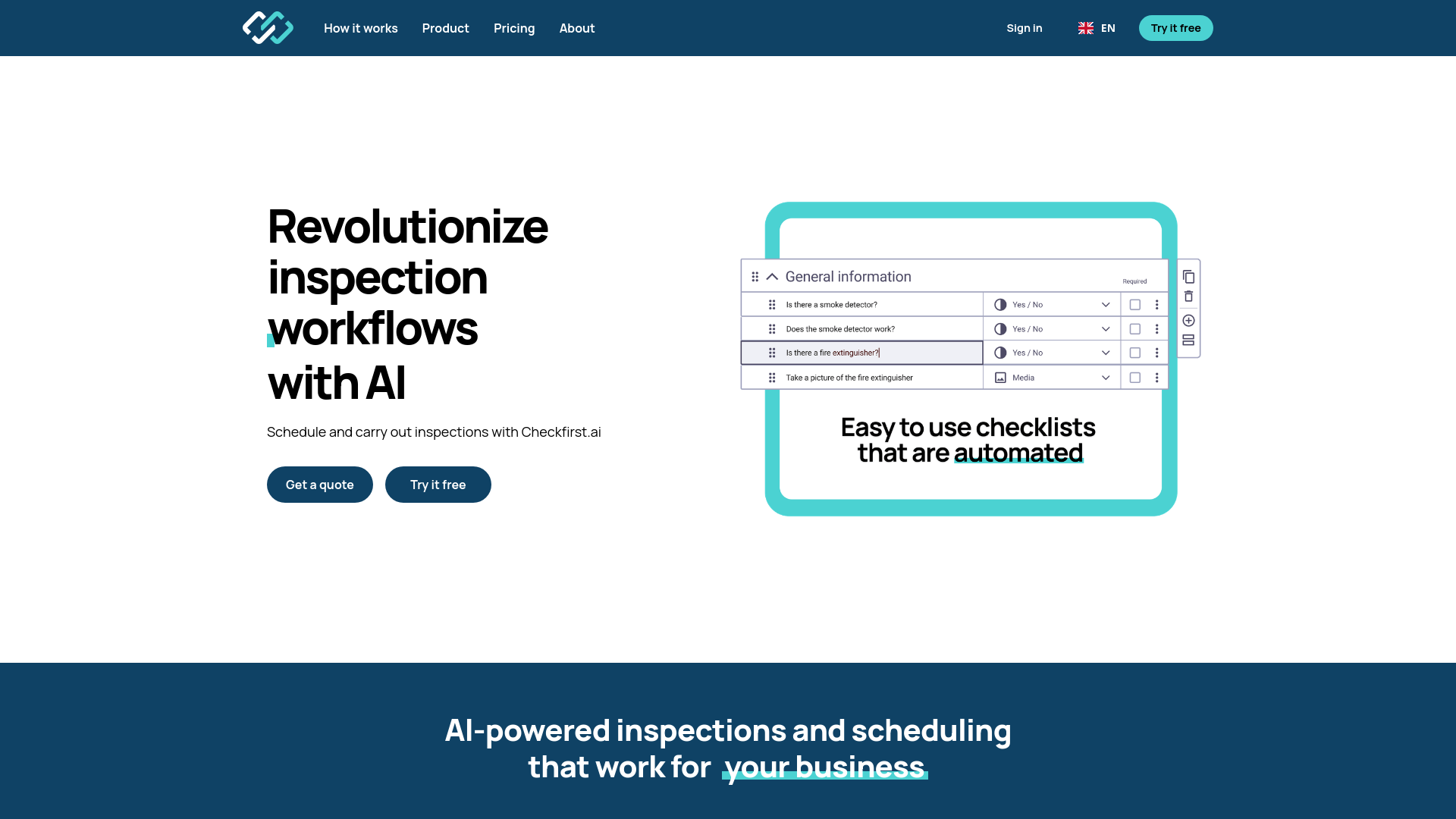
- AI-Driven Scheduling: Automates the planning and allocation of inspections, maximizing workforce efficiency.
- Data Verification Technology: Uses advanced AI to automatically verify compliance, quality, and condition of assets.
- User-Friendly Interface: Provides an intuitive platform that makes managing inspection processes straightforward and hassle-free.
- Integrated Tools Suite: Offers a comprehensive set of tools that facilitate the creation and management of standardized processes.
- Security and Compliance: Ensures adherence to GDPR and ISO 27001 standards, safeguarding data throughout the inspection process.
- ProsIncreased Productivity: Streamlines compliance processes, significantly reducing the time and effort involved in inspections.Cost Efficiency: Minimizes operational costs by automating task management and data capture.Enhanced Accuracy: Reduces human error through automated data verification, ensuring high accuracy in inspections.Scalability: Easily scales to meet the needs of any business size, thanks to its robust architecture and flexible configuration.ConsInitial Learning Curve: New users may require some time to fully grasp the functionalities and make the most out of the extensive features offered.Dependency on Digital Infrastructure: As a cloud-based platform, it requires a stable internet connection for optimal performance.Limited Customization Options: While highly efficient, some users might find the customization options for reports and workflows less flexible than desired.
Best For
- Real Estate Agencies: Utilizing the tool for property inspections and maintenance checks.
- Manufacturing Companies: Employing the platform to oversee quality control and compliance with industry standards.
- Construction Firms: Leveraging the tool to monitor project progress and adherence to safety regulations.
- Healthcare Facilities: Using it to ensure equipment and facility compliance with health standards.
- Uncommon Use Cases: Adopted by educational institutions for facility inspections; utilized by event organizers to ensure venue safety and compliance.
Integrations
API Access: Enables developers to integrate Checkfirst with existing business systems for enhanced functionality. Cloud-Based Platform: Ensures compatibility with various operating systems and devices through its web-based nature. Third-Party Integration: Supports integration with various third-party tools to extend its capabilities. Mobile Compatibility: Offers a mobile app for on-the-go access to inspection schedules and results.
Similar Tools
Weekly Issue
⚡
Workflows tools · weekly digest
The AI Weekly — free in your inbox
New AI tools, pricing changes, expert picks, and hidden gems — curated by Mr. Spark every week. Join 5,000+ readers who stay ahead of the AI curve.
No spam, ever
Unsubscribe anytime
100% free