
Pricing Details
Custom Pricing Model: Fieldguide offers tailored pricing based on the firm's specific needs and scale. Disclaimer: For the most accurate and current pricing details, please visit the official Fieldguide website.
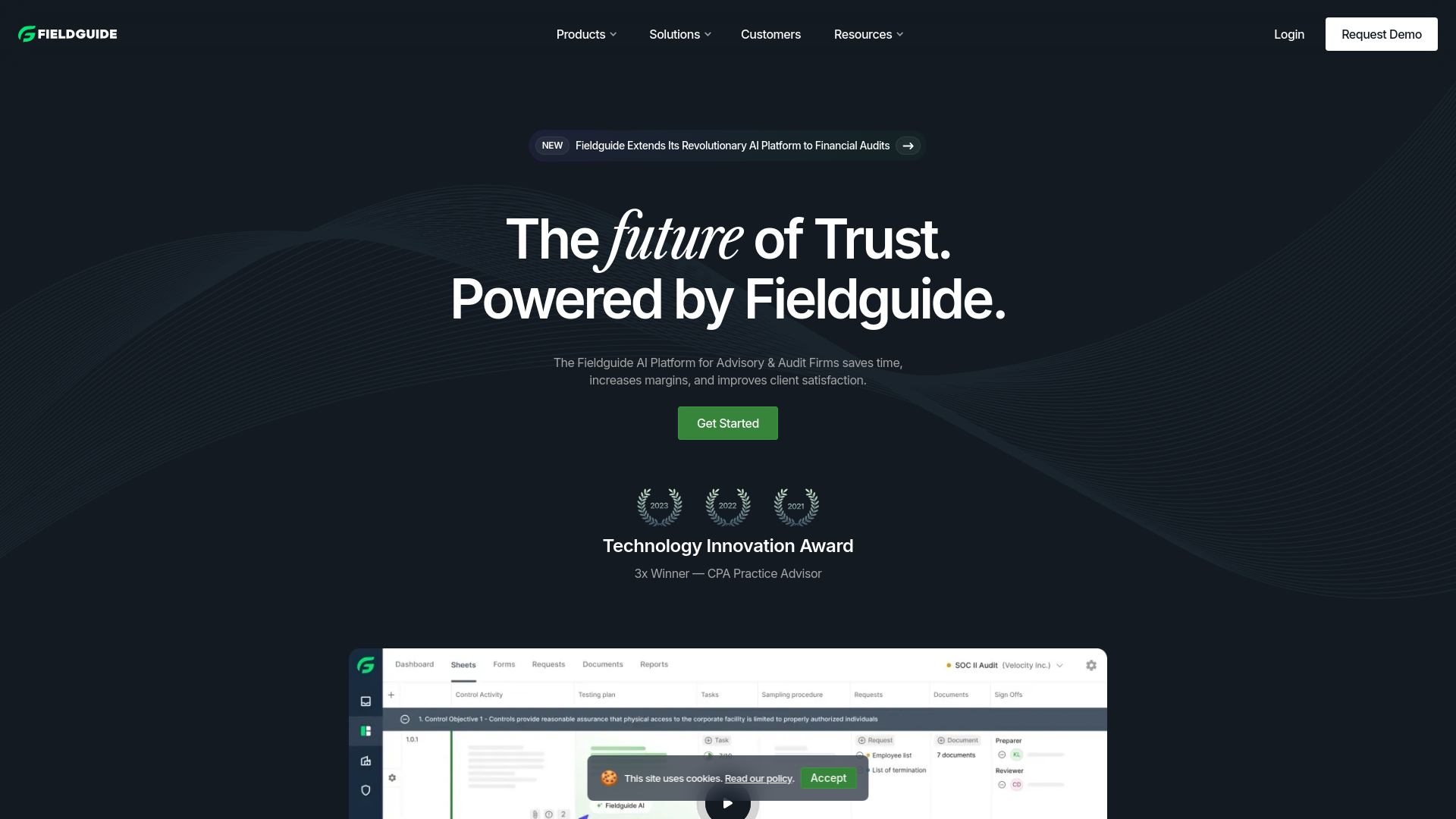
Product Visuals (1 images)
Strengths
- Increased Efficiency: Streamlines audit and advisory processes, minimizing manual tasks and improving productivity.
- Enhanced Client Satisfaction: Features modern client hubs and interactive platforms that improve the client experience.
- Robust Data Handling: Secure and efficient management of documents and data.
- Scalability: Adapts to both small practices and large firms, offering flexibility for various business sizes and needs.
Limitations
- Learning Curve: New users may need time to familiarize themselves with the platform's extensive functionalities.
- Dependency on Tech Infrastructure: Requires solid IT support and infrastructure for optimal performance.
- Initial Setup Cost: The initial investment for setup and integration may be significant, particularly for smaller firms.
Building your AI toolkit?
Save Fieldguide and 1,000+ tools — free with Google, no spam
What You Get
Key Features
- AI-Powered Analytics: Utilizes advanced AI to deliver end-to-end engagement analytics, providing deep insights and improving decision-making.
- Document Management: Provides enterprise-grade workpaper management and automation, facilitating efficient document handling.
- Client Engagement Hub: A modern portal designed to enhance client interactions and overall satisfaction.
- Request Management: Automates and simplifies client requests, making the process more streamlined and efficient.
- Reporting Automation: Enables one-click generation of collaborative reports, reducing manual effort and saving time.
- ProsIncreased Efficiency: Streamlines audit and advisory processes, minimizing manual tasks and improving productivity.Enhanced Client Satisfaction: Features modern client hubs and interactive platforms that improve the client experience.Robust Data Handling: Secure and efficient management of documents and data.Scalability: Adapts to both small practices and large firms, offering flexibility for various business sizes and needs.ConsLearning Curve: New users may need time to familiarize themselves with the platform's extensive functionalities.Dependency on Tech Infrastructure: Requires solid IT support and infrastructure for optimal performance.Initial Setup Cost: The initial investment for setup and integration may be significant, particularly for smaller firms.
Best For
- Top 500 Audit and Advisory Firms: Leveraging Fieldguide to enhance operational efficiency and client servicing.
- Risk Advisory Services: Utilizing the platform for streamlined risk assessments and audits.
- Compliance Officers: Using Fieldguide for regulatory compliance, including SOX and HIPAA.
- IT Auditors: Employing the platform for IT general controls and internal audits.
- Uncommon Use Cases: Academic institutions use Fieldguide for practical audit and advisory training; freelance consultants manage multiple client engagements efficiently with the platform.
Integrations
Major Productivity Tools: Integrates with popular office and productivity software. Custom API Access: Provides API integration for bespoke needs. Cloud Compatibility: Fully compatible with cloud environments, offering flexibility and accessibility. Data Security: Adheres to stringent security protocols to ensure the protection of sensitive information.
Similar Tools
Weekly Issue
⚡
Workflows tools · weekly digest
The AI Weekly — free in your inbox
New AI tools, pricing changes, expert picks, and hidden gems — curated by Mr. Spark every week. Join 5,000+ readers who stay ahead of the AI curve.
No spam, ever
Unsubscribe anytime
100% free