
Pricing Details
Free Plan: Access to the editor with unlimited saved files and 10 code completions per project at $0 per month. Dev Plan: Offers expanded features including 100 code completions per project at $4 per month. Pro Plan: Includes unlimited code completions and advanced AI prompts for $7 per month. Disclaimer: Please note that pricing information may not be up to date. For the most accurate and current pricing details, refer to the official Flowblock website.
Product Visuals (1 images)
Strengths
- Enhanced Coding Efficiency: The AI-driven code predictions and intellisense significantly reduce coding time and errors.
- User-Friendly for Webflow Users: Seamlessly integrates with Webflow, making it ideal for designers and developers familiar with the platform.
- Cost-Effective Plans: Offers a generous free plan, making it accessible for beginners and small businesses.
- Real-Time Testing Environment: Allows for staging and testing without affecting live sites, ensuring a smooth development process.
Limitations
- Initial Learning Curve: While user-friendly, beginners may need time to fully utilize advanced AI features.
- Webflow Dependency: Primarily designed for Webflow, limiting its utility for those using other platforms.
- Limited to JavaScript and CSS: Focused on these languages, which may not suit all development needs.
Building your AI toolkit?
Save Flowblock and 1,000+ tools — free with Google, no spam
What You Get
Key Features
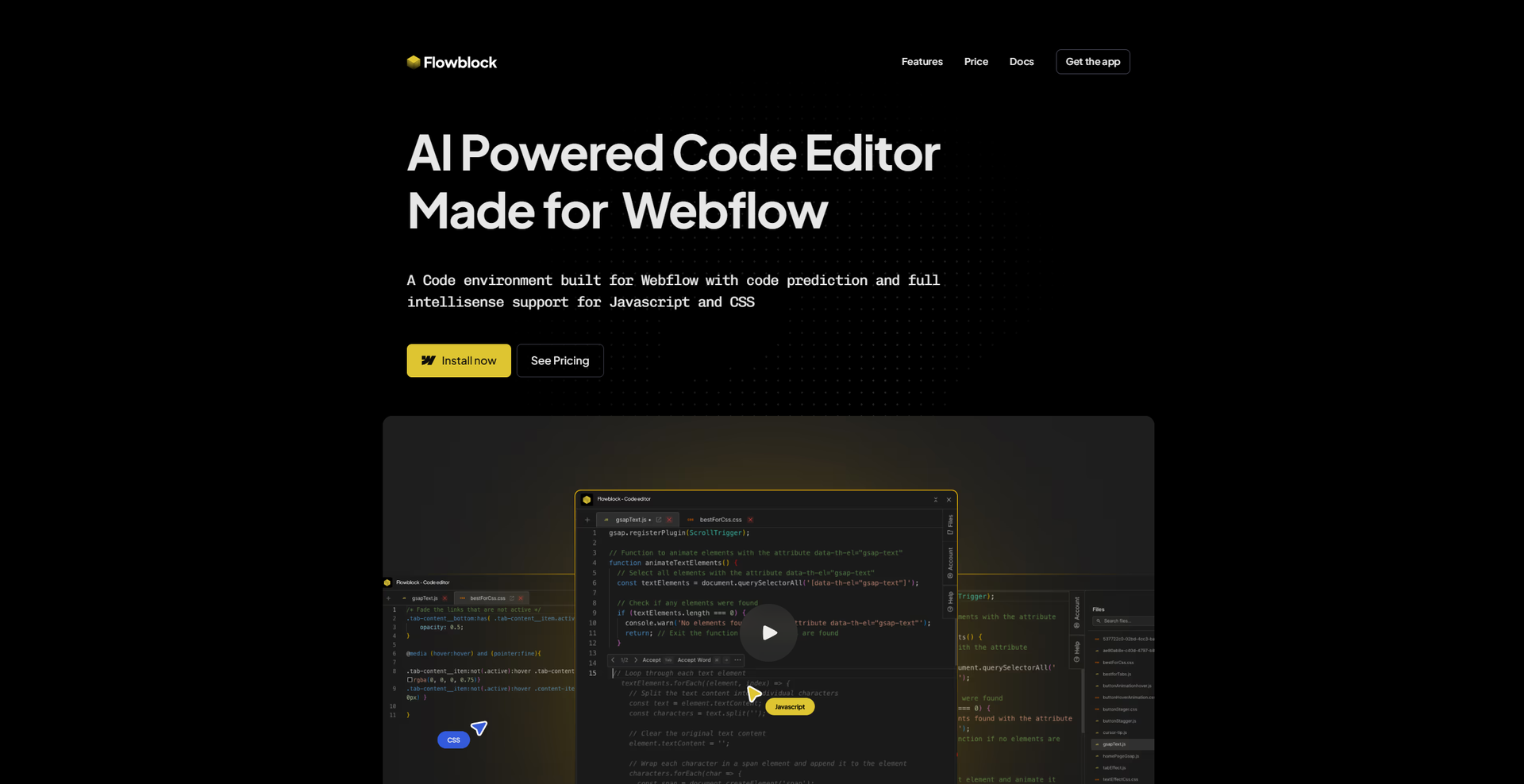
- AI-Powered Code Predictions: Flowblock provides real-time code suggestions as you type, helping you write efficient and error-free JavaScript and CSS.
- Full Intellisense Support: Enjoy code highlighting, syntax suggestions, and autocompletion, similar to the experience in industry-standard IDEs like VS Code.
- Built-in CDN: Your files are hosted on a fast, global CDN, ensuring seamless performance and quick load times.
- Error Detection and Smart Recommendations: The tool detects common coding mistakes and provides intelligent recommendations to improve your code quality.
- ProsEnhanced Coding Efficiency: The AI-driven code predictions and intellisense significantly reduce coding time and errors.User-Friendly for Webflow Users: Seamlessly integrates with Webflow, making it ideal for designers and developers familiar with the platform.Cost-Effective Plans: Offers a generous free plan, making it accessible for beginners and small businesses.Real-Time Testing Environment: Allows for staging and testing without affecting live sites, ensuring a smooth development process.ConsInitial Learning Curve: While user-friendly, beginners may need time to fully utilize advanced AI features.Webflow Dependency: Primarily designed for Webflow, limiting its utility for those using other platforms.Limited to JavaScript and CSS: Focused on these languages, which may not suit all development needs.
Best For
- Web Designers: Leveraging Flowblock to enhance their Webflow projects with custom code.
- Freelance Developers: Using the tool for efficient code integration and prediction in client projects.
- Small Businesses: Adopting Flowblock to streamline their website development processes.
- Educational Institutions: Utilizing the tool to teach students about coding within Webflow.
- Uncommon Use Cases: Employed by marketing teams to quickly prototype landing pages; utilized by non-profit organizations for creating dynamic web content.
Similar Tools
Code Assistant tools · weekly digest
The AI Weekly — free in your inbox
New AI tools, pricing changes, expert picks, and hidden gems — curated by Mr. Spark every week. Join 5,000+ readers who stay ahead of the AI curve.