
Pricing Details
Free Tier: Offers a free plan with basic features suitable for small teams or individual users. Pro Tier: Advanced features and capabilities are available starting at $295 per month. Disclaimer: Please note that pricing information may not be up to date. For the most accurate and current pricing details, refer to the official FormsFlow website.
Product Visuals (1 images)
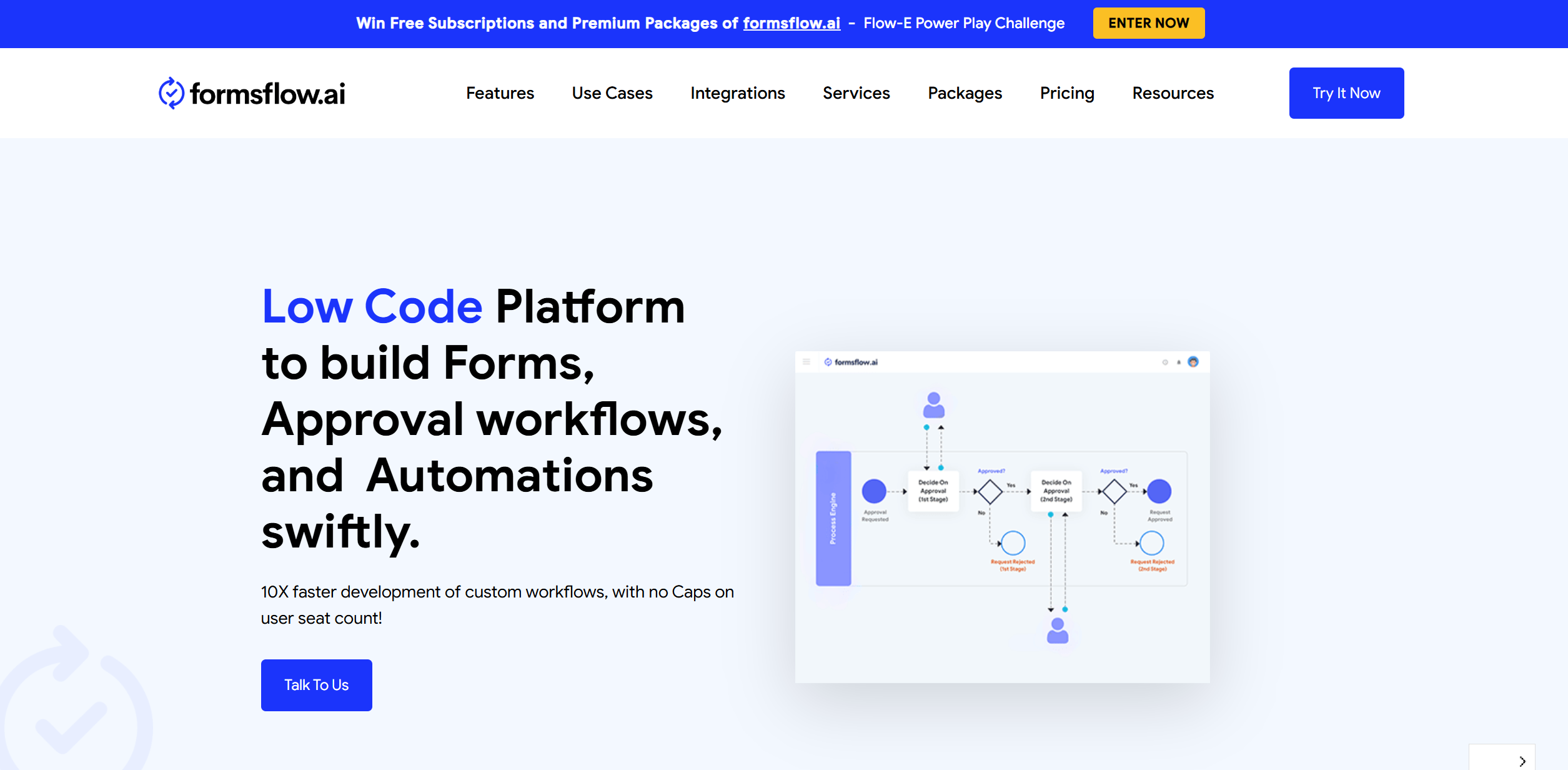
Strengths
- Efficiency Boost: Automates repetitive tasks, significantly reducing manual intervention and saving time.
- Enhanced Accuracy: Minimizes human errors with AI-driven data validation and processing.
- User-Friendly Interface: Intuitive design makes it accessible to users with varying technical expertise.
- Scalability: Easily adapts to the growing needs of businesses, supporting scalability without compromising performance.
Limitations
- Initial Setup Complexity: Setting up complex workflows may require some initial learning and adjustment.
- Limited Offline Access: Requires internet connectivity for full functionality, which may be a limitation in areas with unstable internet.
Building your AI toolkit?
Save FormsFlow and 1,000+ tools — free with Google, no spam
What You Get
Key Features
- AI-Driven Workflow Automation: FormsFlow utilizes AI to automate complex workflows, ensuring seamless integration and execution of tasks across different departments.
- Customizable Form Builder: The platform offers a user-friendly, drag-and-drop form builder that allows users to create customized forms without any coding knowledge.
- Real-Time Analytics and Reporting: Users can leverage real-time data analytics to gain insights into form submissions and workflow efficiency, aiding in informed decision-making.
- Robust Integration Capabilities: FormsFlow supports integration with a wide range of third-party applications, enhancing its versatility and utility in various business environments.
- ProsEfficiency Boost: Automates repetitive tasks, significantly reducing manual intervention and saving time.Enhanced Accuracy: Minimizes human errors with AI-driven data validation and processing.User-Friendly Interface: Intuitive design makes it accessible to users with varying technical expertise.Scalability: Easily adapts to the growing needs of businesses, supporting scalability without compromising performance.ConsInitial Setup Complexity: Setting up complex workflows may require some initial learning and adjustment.Limited Offline Access: Requires internet connectivity for full functionality, which may be a limitation in areas with unstable internet.
Best For
- Government Agencies: Leveraging FormsFlow for efficient data collection and processing in public services.
- Healthcare Providers: Utilizing the tool for patient data management and appointment scheduling.
- Educational Institutions: Employing FormsFlow for student registration and administrative workflows.
- Corporate Enterprises: Using the platform to streamline internal processes and enhance operational efficiency.
Similar Tools
Weekly Issue
⚡
Workflows tools · weekly digest
The AI Weekly — free in your inbox
New AI tools, pricing changes, expert picks, and hidden gems — curated by Mr. Spark every week. Join 5,000+ readers who stay ahead of the AI curve.
No spam, ever
Unsubscribe anytime
100% free