
Pricing Details
Free Trial: Offers a free trial period to explore Kili’s features before making a commitment. Subscription Plans: Available with tailored plans that scale according to business needs. Disclaimer: For the most accurate and current pricing details, refer to the official Kili website.
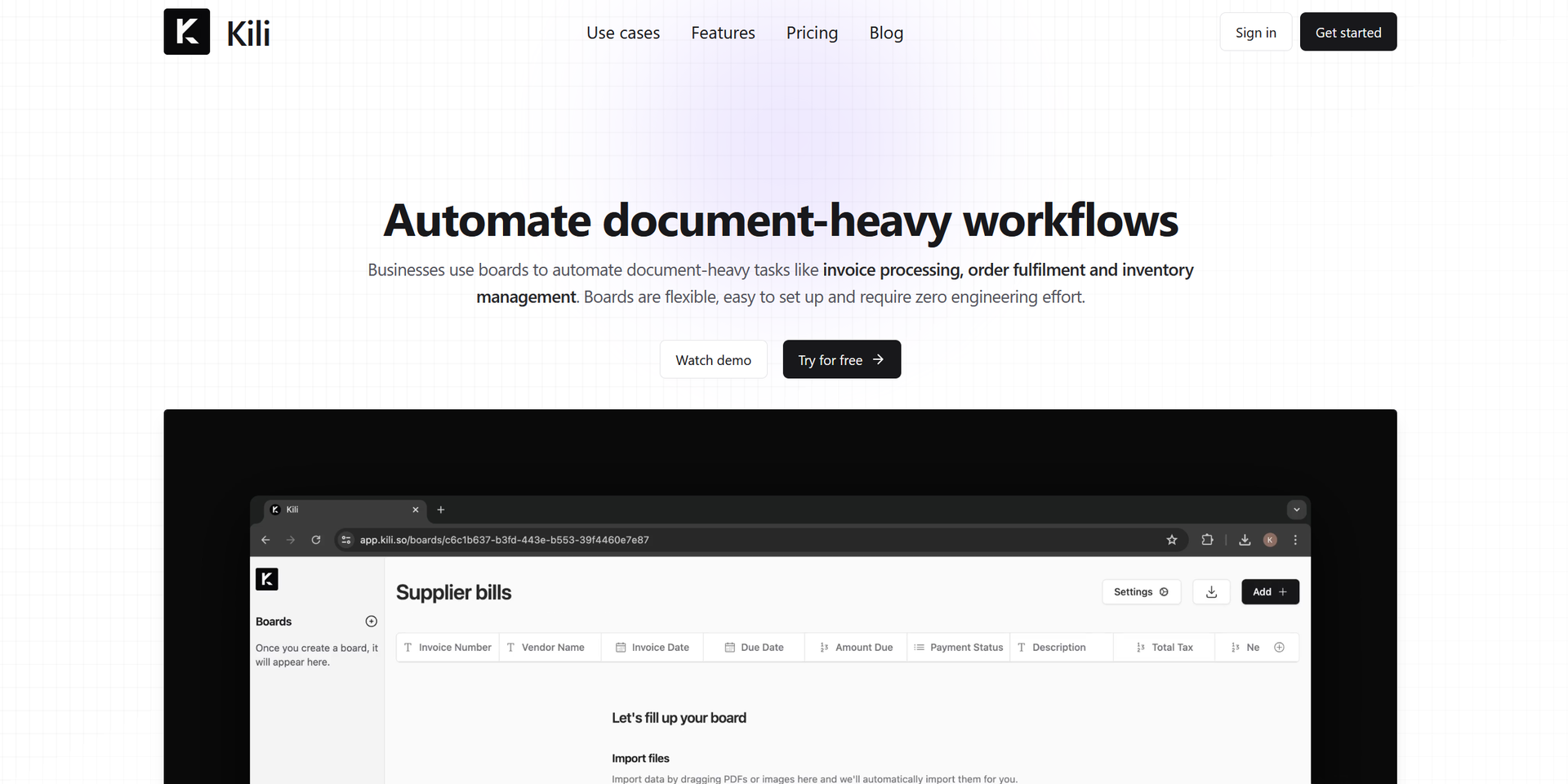
Product Visuals (1 images)
Strengths
- Enhanced Efficiency: Automates repetitive tasks, allowing teams to focus on higher-value activities.
- Ease of Customization: Adaptable to specific business needs without requiring extensive technical expertise.
- Real-Time Updates: Provides instant notifications about operational activities and discrepancies.
- Data Synchronization: Maintains a consistent and error-free data flow across various platforms.
Limitations
- Learning Curve: New users might need time to fully understand and utilize the visual canvas effectively.
- Dependency on Digital Infrastructure: Requires a robust digital setup for optimal integration and operation.
- Limited Offline Functionality: Most features depend on an active internet connection.
What You Get
Key Features
- Flexible Automation Software: Customize Kili’s automation solutions to fit your specific business needs using its visual canvas, which supports natural language inputs and large language models (LLMs).
- Seamless Integration: Easily integrates with existing business applications to ensure consistent and accurate data flow across your organization.
- Autonomous Operations: Automate tasks based on triggers such as emails, schedules, or specific events, enhancing responsiveness and efficiency.
- Privacy and Security: Ensures secure operations with real-time logs and alerts to monitor and address discrepancies.
- ProsEnhanced Efficiency: Automates repetitive tasks, allowing teams to focus on higher-value activities.Ease of Customization: Adaptable to specific business needs without requiring extensive technical expertise.Real-Time Updates: Provides instant notifications about operational activities and discrepancies.Data Synchronization: Maintains a consistent and error-free data flow across various platforms.ConsLearning Curve: New users might need time to fully understand and utilize the visual canvas effectively.Dependency on Digital Infrastructure: Requires a robust digital setup for optimal integration and operation.Limited Offline Functionality: Most features depend on an active internet connection.
Best For
- Kili is used across various sectors that benefit from streamlined processes and reduced manual tasks:
- Finance Departments: For precise invoice processing and bank reconciliation.
- Sales Teams: To automate CRM updates and lead enrichment, improving efficiency and accuracy.
- Operations Managers: For real-time supplier communication and order management.
- Legal Teams: To efficiently manage contracts and respond to RFPs.
- Uncommon Use Cases: Educational institutions use it for administrative tasks, and healthcare organizations employ it for managing patient records and billing.
Integrations
Business App Integration: Works seamlessly with popular business applications to enhance workflow continuity. API Access: Provides API options for custom integrations tailored to specific needs. Real-Time Data Handling: Ensures that all operations are synchronized and updated in real-time.
Similar Tools
Weekly Issue
⚡
Workflows tools · weekly digest
The AI Weekly — free in your inbox
New AI tools, pricing changes, expert picks, and hidden gems — curated by Mr. Spark every week. Join 5,000+ readers who stay ahead of the AI curve.
No spam, ever
Unsubscribe anytime
100% free